Boost Deliverability with SSL for Email Tracking Domains (How-to Guide)

SSL for email tracking domains is now available at GMass. And that’s a big deal for your cold email and email marketing campaigns.
There’s a long-standing belief that secure links in emails help improve deliverability. In other words: If the links in your email are HTTPS links rather than HTTP links, your messages are more likely to wind up in your recipients’ inboxes and not their spam folders.
But implementing secure custom tracking domains for emails is complex (to say the least) — which is why few email service providers give you the option.
GMass is one of only a small handful of email providers that now supports secure email tracking links — and, we believe, is the only cold outreach platform. Even SendGrid doesn’t support secure tracking links (they have a workaround, but it’s prohibitively complicated). And SSL for custom tracking domains is free for all GMass users on all plans.
We’ve always recommended GMass users set up a custom tracking domain — and now, SSL is another major reason why. If you don’t set up a custom tracking domain and use a shared tracking domain instead, it may or may not use SSL. For example, paid GMass accounts without custom tracking domains use a shared Amazon AWS tracking domain; we can’t obtain an SSL certificate on behalf of amazonaws.com, so those are insecure.
In this article, we’ll cover the benefits of using secure tracking links — and GMass’s system for implementing and managing those links. We’ll also go step-by-step through the process of setting up and testing your secure tracking link with GMass.
SSL Email Tracking Domains: Table of Contents
- Why Using Secure Tracking Links in Your Email Campaigns?
- How to Set Up Secure Tracking Links in GMass
- Ready to Get Started with Your Own SSL Email Tracking Links?
Why Using Secure Tracking Links in Your Email Campaigns?
With secure tracking links, your open tracking pixel, click-tracked links, and unsubscribe link will be HTTPS links, not HTTP links. For instance, if your custom tracking domain is link.mycoolcompany.net, all of the tracking links in your email will go to https://link.mycoolcompany.net/[etc].
Here are four major reasons why you should use secure tracking links
Secure tracking links should give you a deliverability boost
The internet has made close to a full transition to HTTPS — it makes everything safer, more secure, and more trustworthy. Google started prioritizing HTTPS links in search as early as 2014; in 2017, Chrome began flagging sites that used HTTP as “Not secure.”
Email tracking has lagged a bit because implementing secure custom tracking links is complicated. However, as email clients look for trust signals in email (to differentiate quality emails from unwanted or spam emails), HTTPS links are a valuable sign.
So having HTTPS links for your open tracking pixel, click-tracked links, and unsubscribe link send a positive signal to the email clients — and should increase the likelihood your messages wind up in the inbox, not the spam folder.
You can use HSTS domains
HSTS (HTTP Strict Transport Security) domains are top-level domains that require SSL; they won’t work as insecure HTTP links. Some HSTS domains include .app, .dev, .bank, .page, .new, and .meme.
Now that GMass supports HTTPS for custom tracking domains, you can use those domains (and the other HSTS TLDs) for your tracking links. We just couldn’t stand in the way of you using a .meme tracking link any longer.
Secure tracking links are free with GMass
GMass is able to offer free SSL certificates for custom tracking domains thanks to an integration with the nonprofit Let’s Encrypt.
And all GMass users are eligible for free secure custom tracking domains.
Once your domain is set up, no maintenance is required on your part
Let’s Encrypt’s SSL certificates have an expiration date of three months from issuance — but you don’t have to worry about that. GMass will automatically renew the certificate a few days before each expiration date.
What if you don’t want to use secure tracking?
Secure tracking domains are now the default in GMass — after all, there’s really no downside and lots of upside. But if, for whatever reason, you don’t want a secure tracking domain, contact our support team. There’s no interface to “downgrade” to the insecure option right now.
How to Set Up Secure Tracking Links in GMass
The process of setting up a secure tracking link in GMass is easy — in fact, it’s no different than the prior process for setting up a custom tracking domain. Here’s a walkthrough.
Set a custom tracking domain
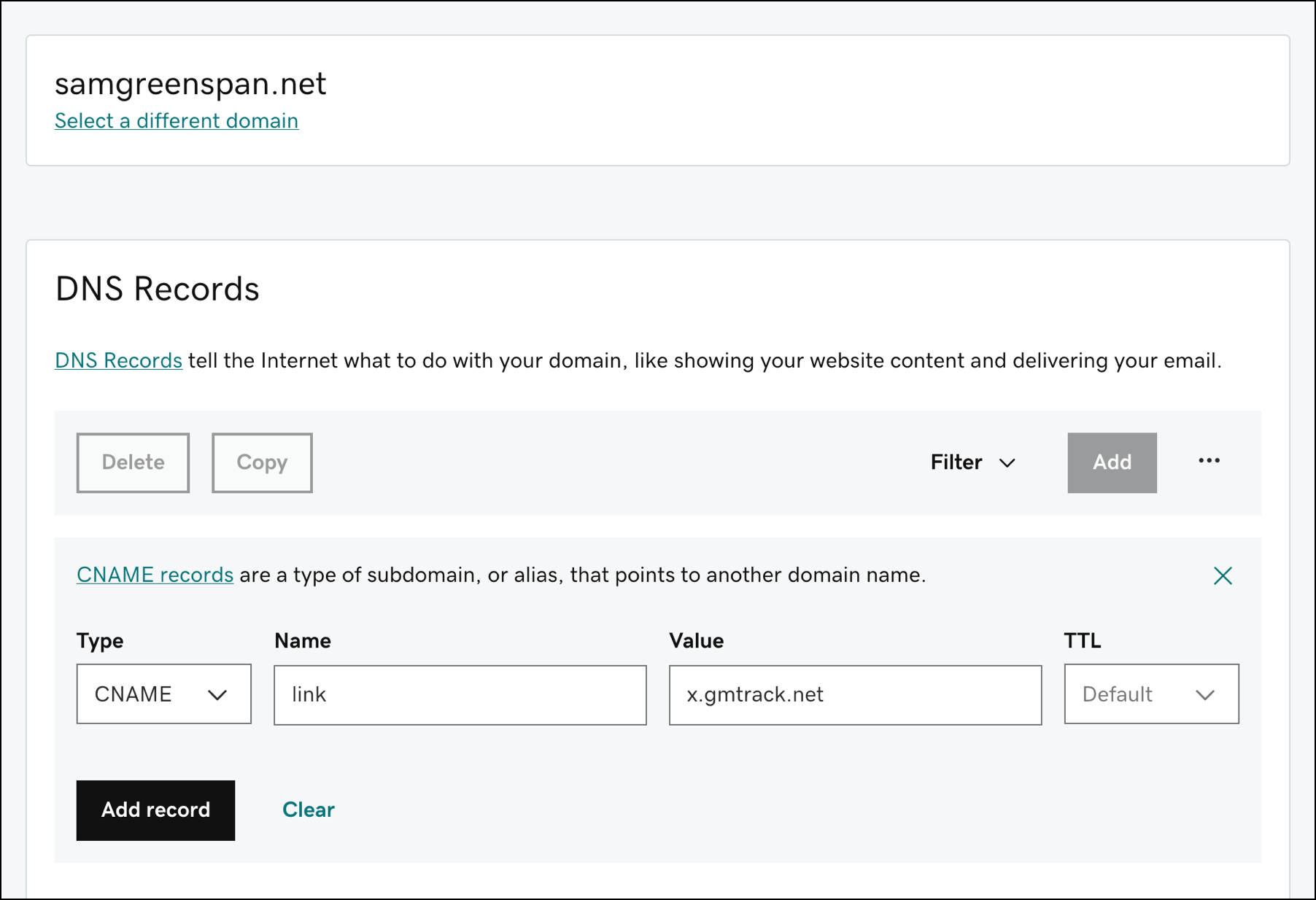
Set up a custom tracking domain at your registrar, web host, or DNS host. (If you aren’t sure, odds are it’s your registrar. You can see more detailed instructions in our custom tracking domain guide.)
For this example, I set up my custom tracking domain at GoDaddy. I used my domain samgreenspan.net and made the custom tracking domain link.samgreenspan.net point to x.gmtrack.net. (All custom tracking domains anyone sets up with GMass need to point to the x.gmtrack.net URL.)
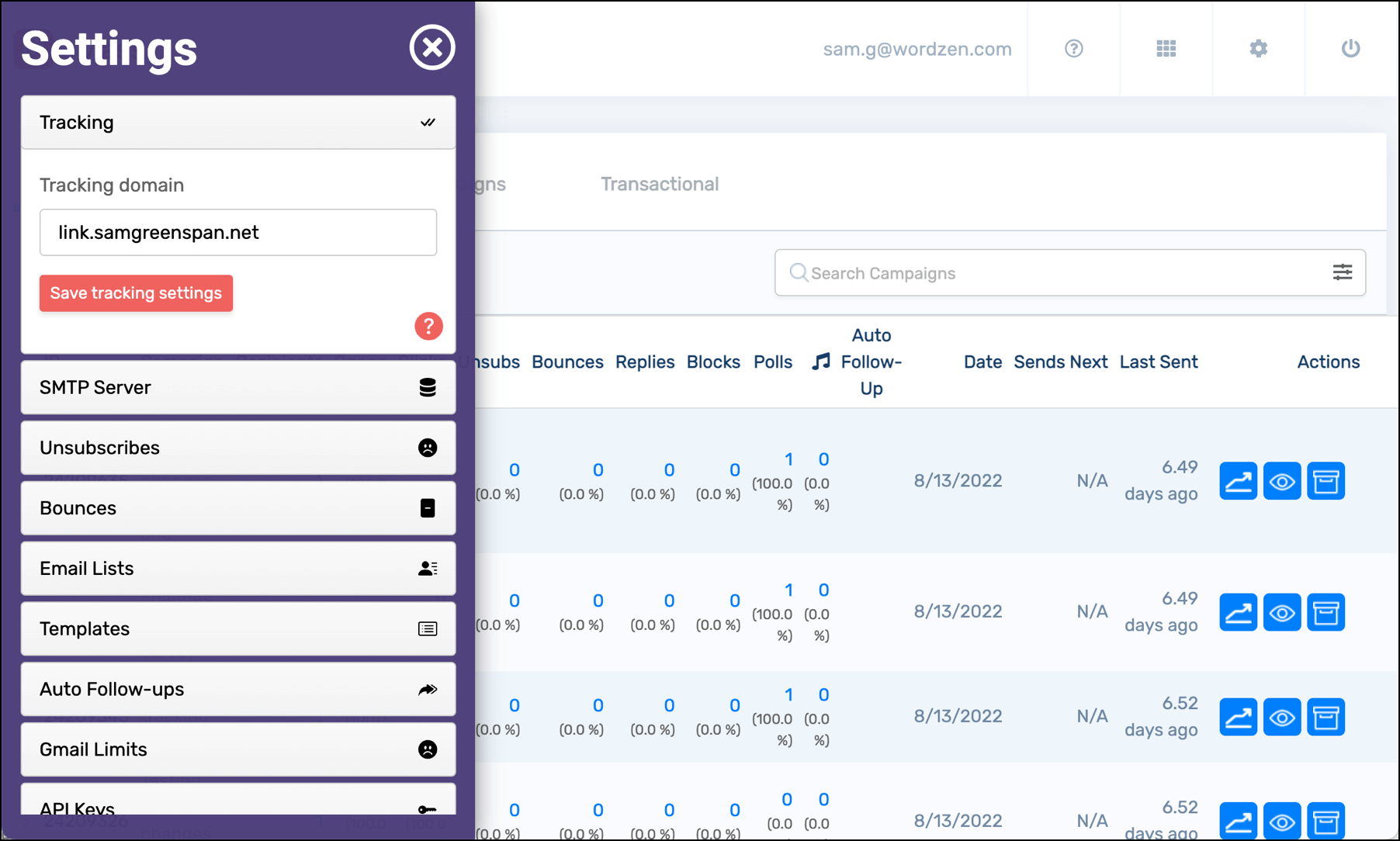
Once I’d confirmed my tracking domain was working by going to the URL, I added it in the Tracking section of the GMass dashboard.
Once I clicked the Save tracking settings button, I got this message confirming my tracking domain was enabled and GMass would begin working on obtaining an SSL certificate. (Yes, I temporarily changed the tracking domain for our entire organization to my own vanity domain for the sake of this example. No one tell Ajay.)

GMass will now install an SSL certificate for the domain
Once you save your tracking domain, GMass will automatically attempt to obtain an SSL certificate.
(Wondering what gives GMass the ability to obtain an SSL certificate on your behalf when we’re not an official representative of your organization? Once the CNAME record to x.gmtrack.net is in place, that tells the Let’s Encrypt server that GMass’s server is an authority for the tracking domain, and that allows GMass’s server to obtain a certificate. Note: Some domains can set a policy that prohibits GMass from obtaining an SSL on their behalf. If your domain has that policy in place, this won’t work and GMass will serve your links over HTTP.)
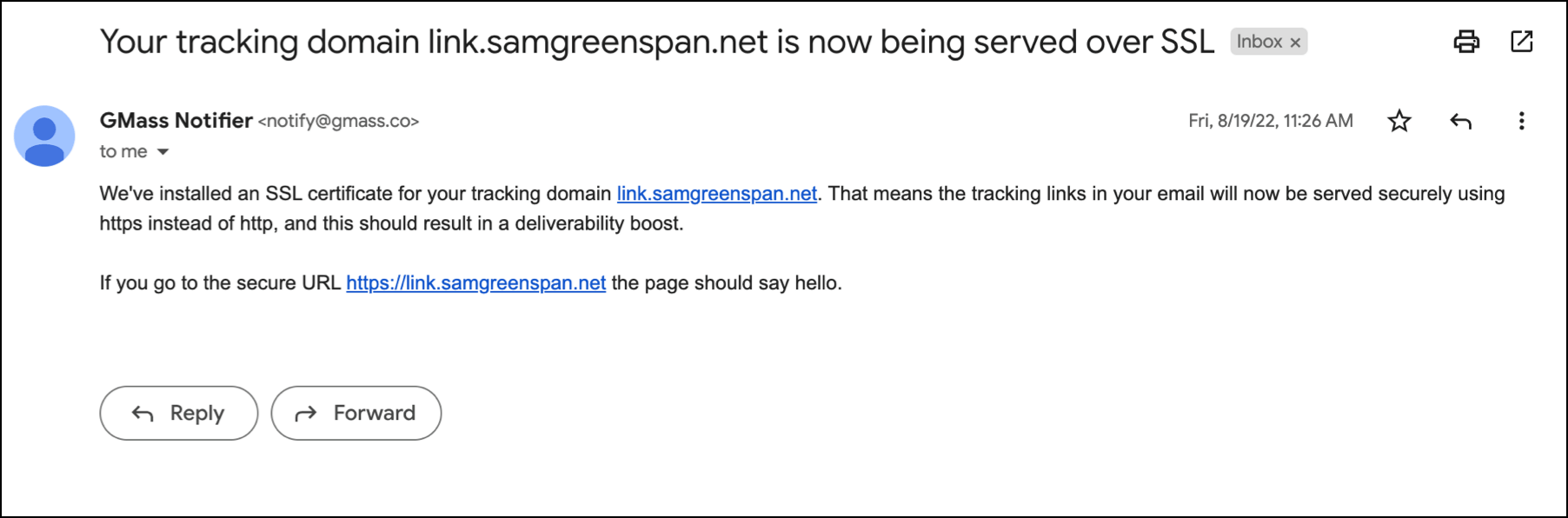
You’ll receive an email when your custom tracking domain is being served over SSL. For me, it took roughly seven minutes from when I saved my tracking domain until I received the confirmation email.
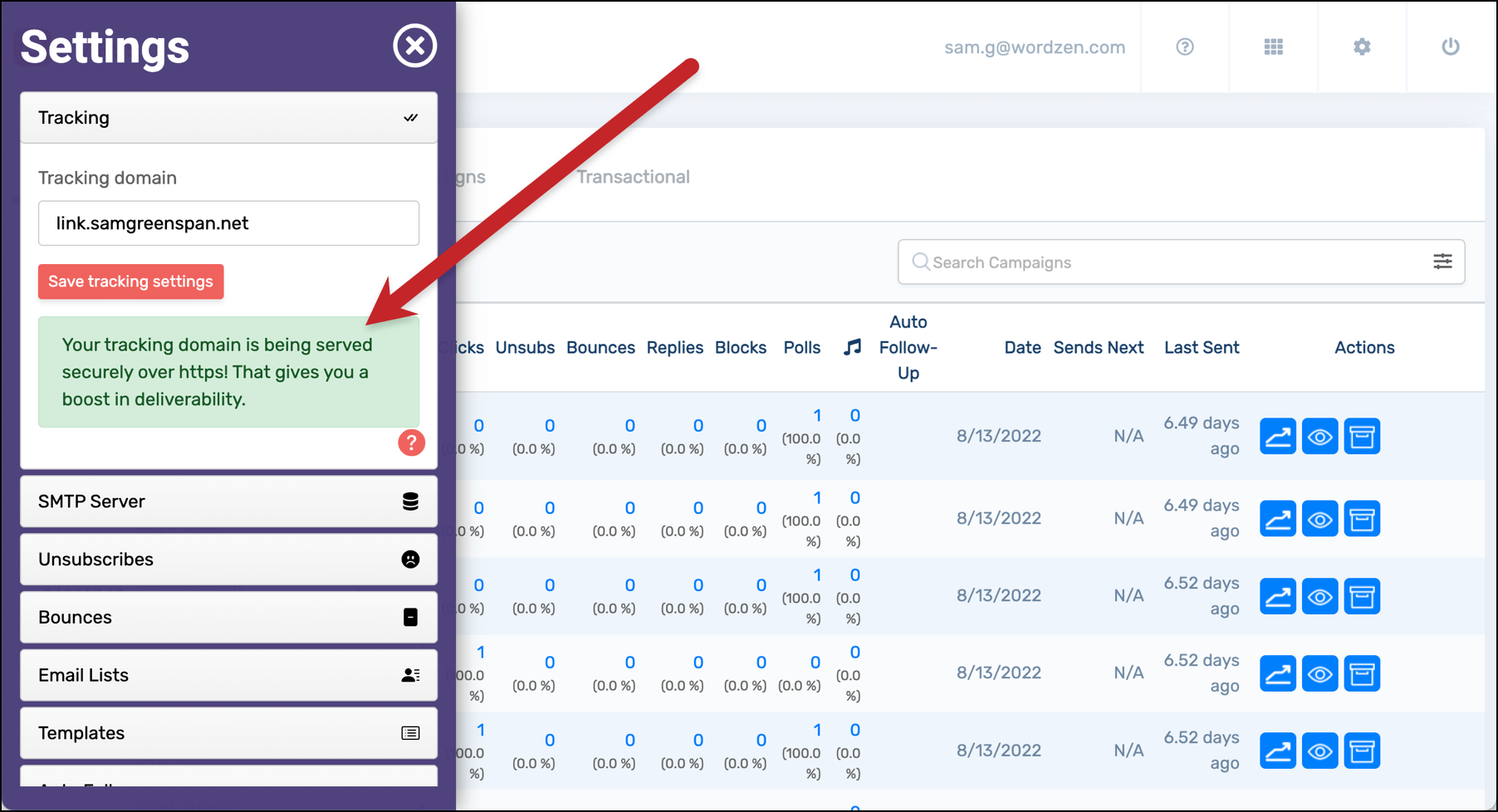
There’s also confirmation in the GMass dashboard that the tracking link is secure.
Test your tracking domain to see if it’s working
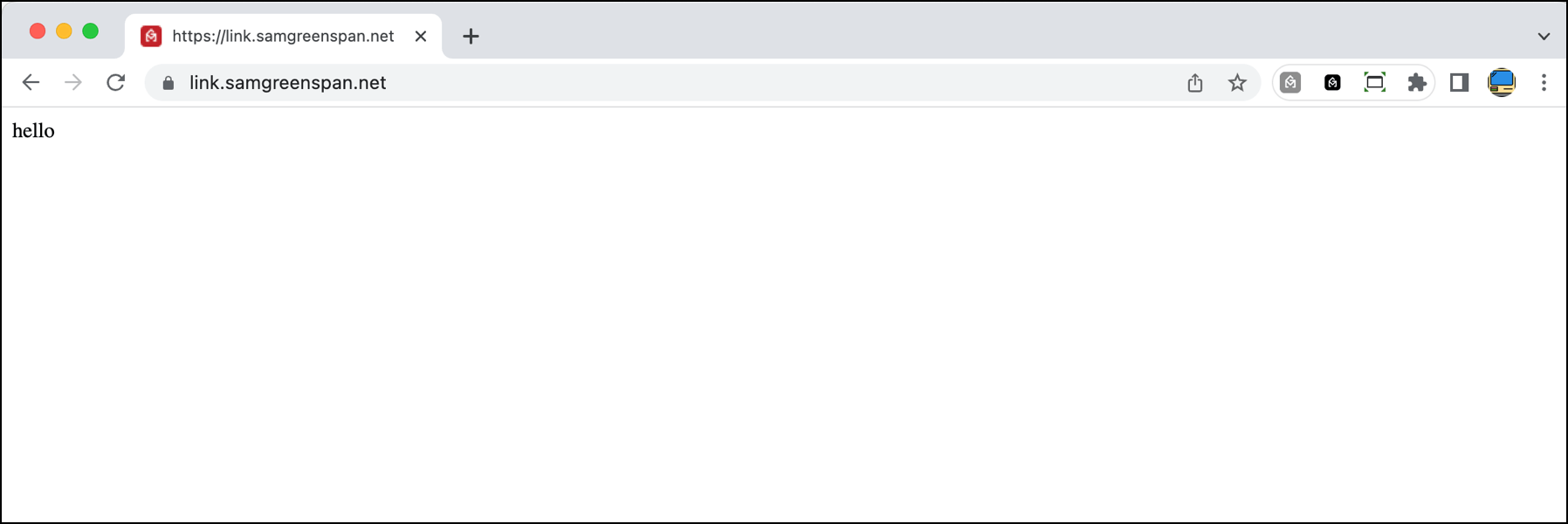
You can test if SSL is working for your tracking domain just by going to https://yourtrackingdomain. So I went to https://link.samgreenspan.net and saw the “hello” confirmation with the GMass favicon.
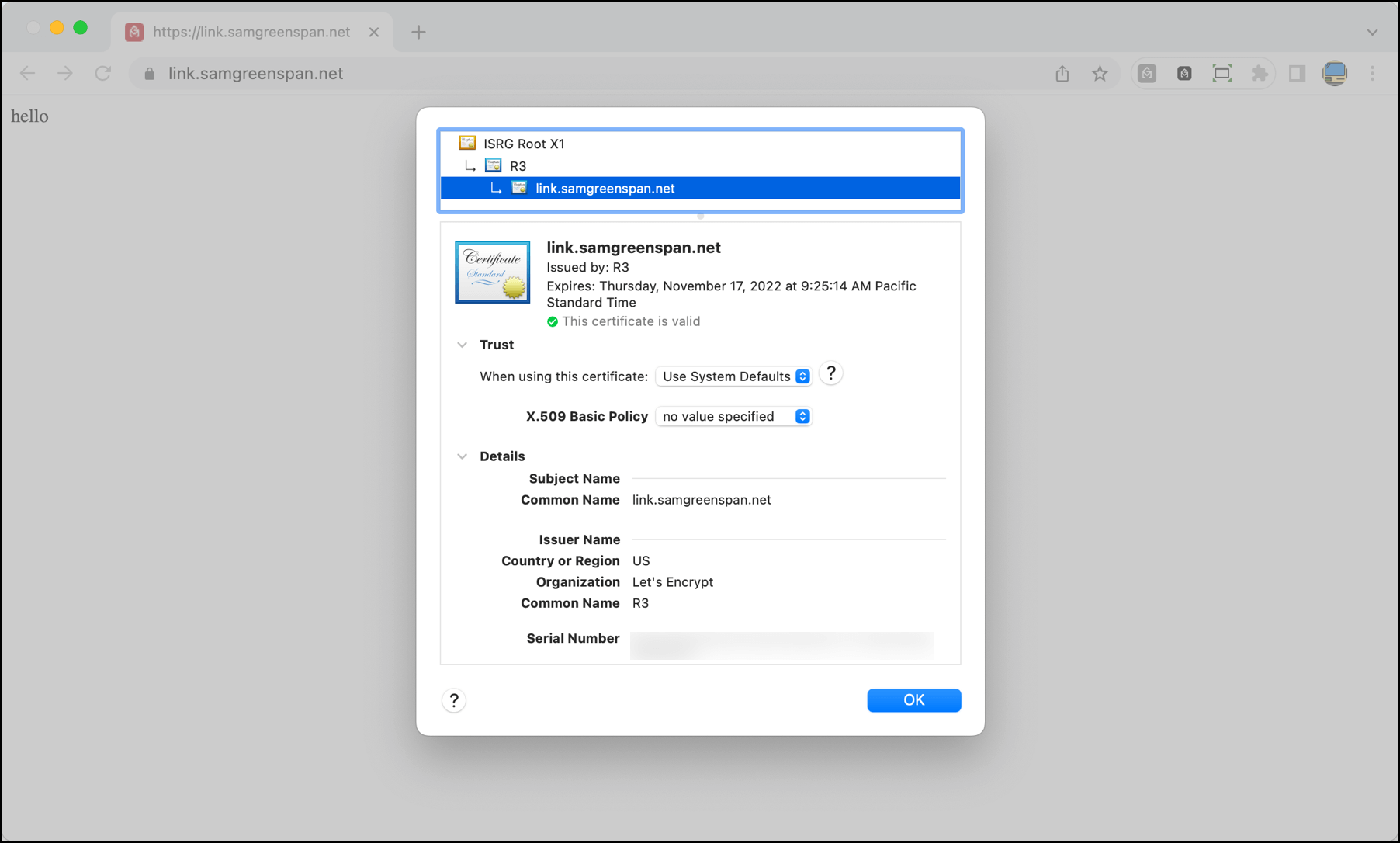
You can see the actual certificate details like the issuer and expiration date by clicking on the lock icon in the address bar and going to the certificate. (In Chrome, click the lock to the left of the URL, then click “Connection is secure”, then “Certificate is valid”.
How this all looks in an email campaign
Now that your custom tracking domain is served over SSL, the open tracking pixel, click-tracked links, and unsubscribe link in your campaigns will all be HTTPS links.
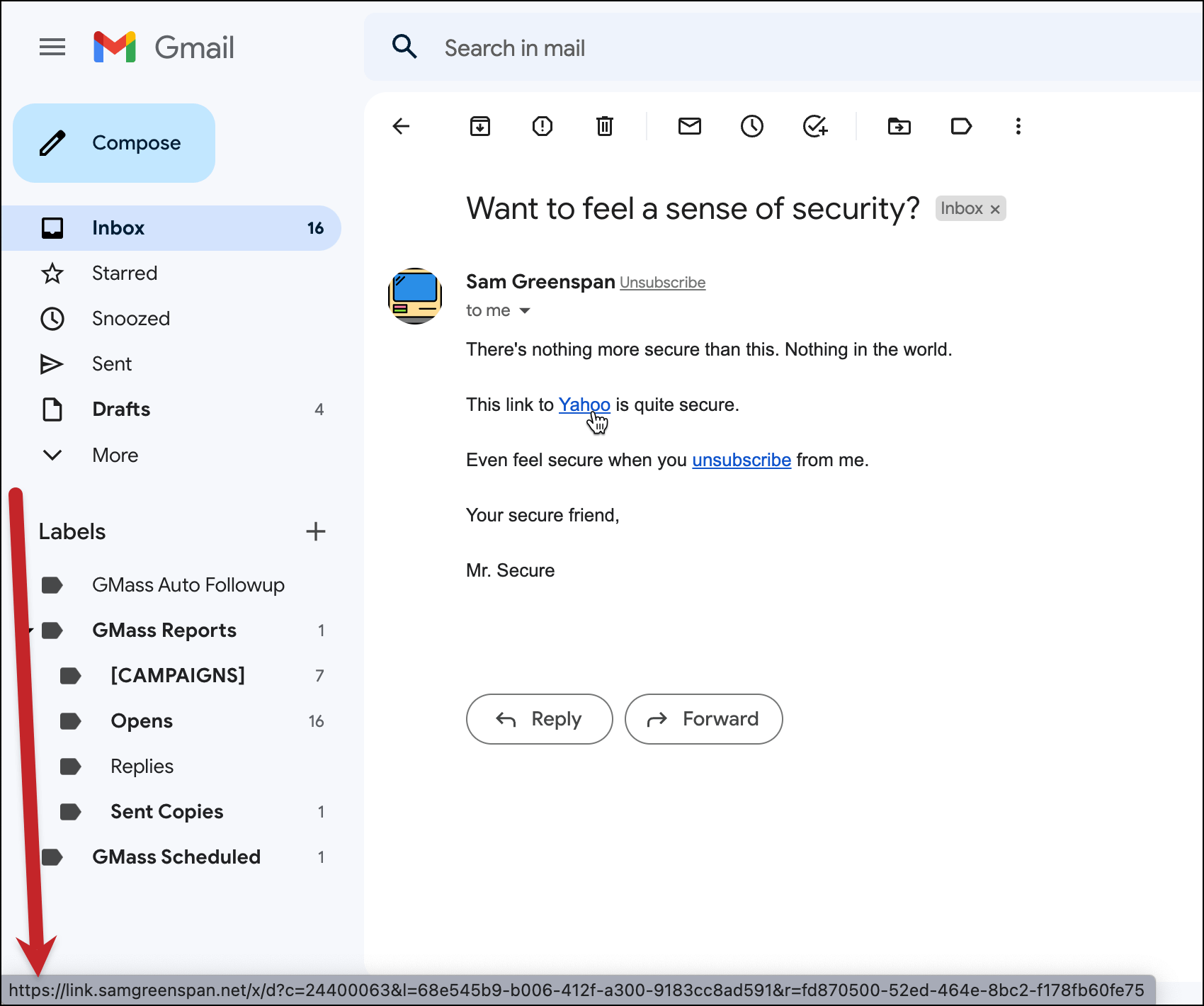
Here’s an email from a sample campaign I set up to demonstrate.
This click-tracked link is HTTPS:
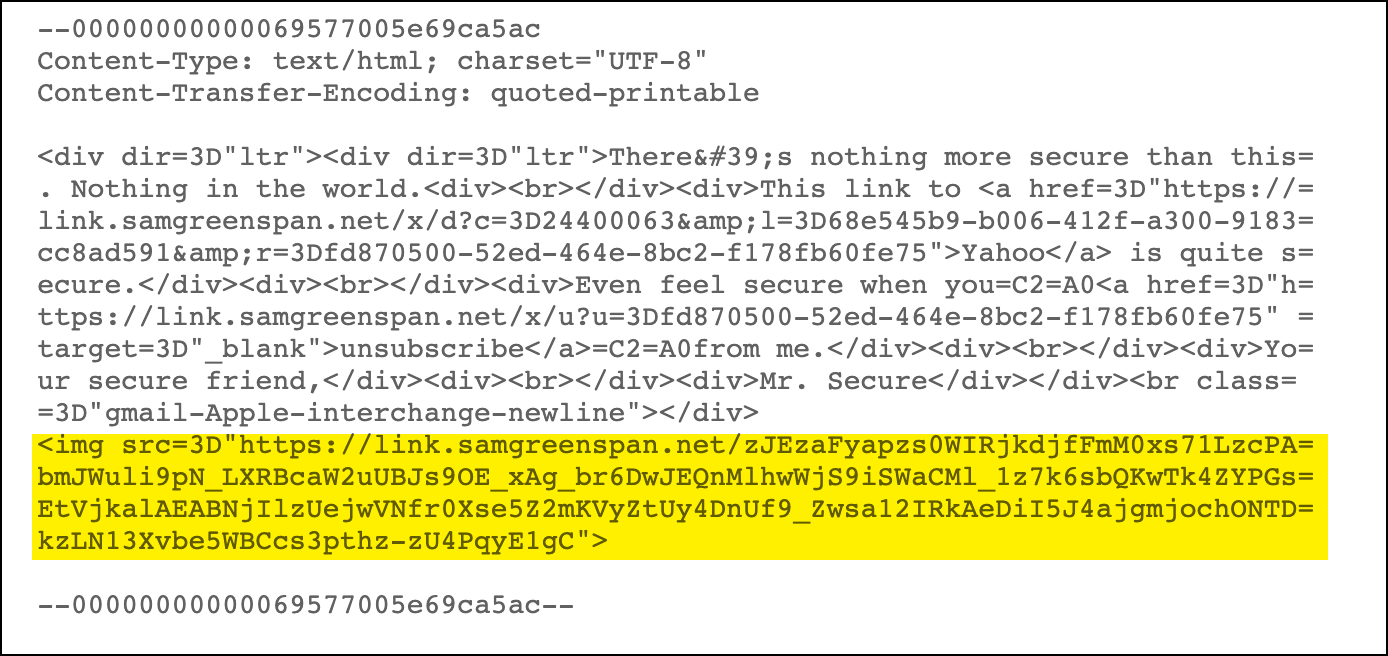
The open-tracking pixel is HTTPS:
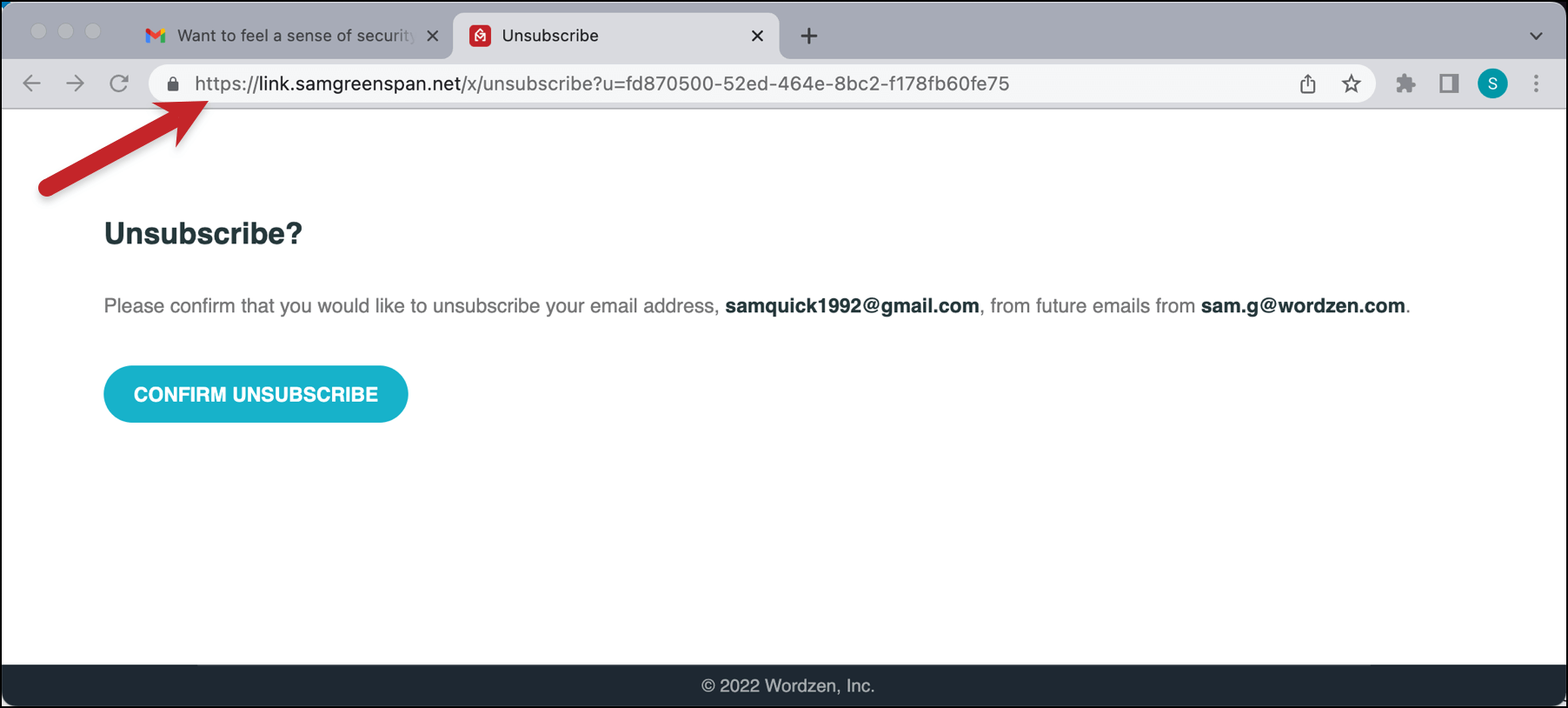
And the unsubscribe link and page URL are HTTPS:
Ready to Get Started with Your Own SSL Email Tracking Links?
We’ve always recommended custom tracking links for a deliverability boost. Now, with secure email tracking links, you can get an even bigger deliverability boost than before.
If you’re a GMass user, follow the instructions on this page (or the more detailed instructions in our custom tracking domain article) to set up your custom tracking domain. GMass will take it from there and obtain a free SSL certificate so you can start sending emails with secure tracking links right away.
If you’re not a GMass user yet, you can get started by downloading the Chrome extension. It’s free to try out and you’ll be able to send up to 50 emails per day during your trial period until you’re ready to upgrade to a paid plan. (And yes, you can try out the secure custom tracking domain on the free trial.)
Email marketing, cold email, and mail merge all in one tool — that works inside Gmail
TRY GMASS FOR FREE
Download Chrome extension - 30 second install!
No credit card required