Reply Management in your Gmail Account

We’ve just launched a new feature which automatically organizes replies to your Gmail email marketing campaigns. Bounces, replies, block-notifications, and other types of replies received after you send a mass email campaign with GMass will now be categorized for you under the “GMass Reports” label. This means that you no longer have to sift through countless bounces and replies trying to determine which responses are the important ones you need to see.
You’ll notice two new sub-Labels under “GMass Reports”: “Bounces” and “Replies”. Based on your particular email campaigns, you may also notice the sub-Labels “Blocks”, “Delays”, and “Over Limit”.
Here are the details on each reply management category:
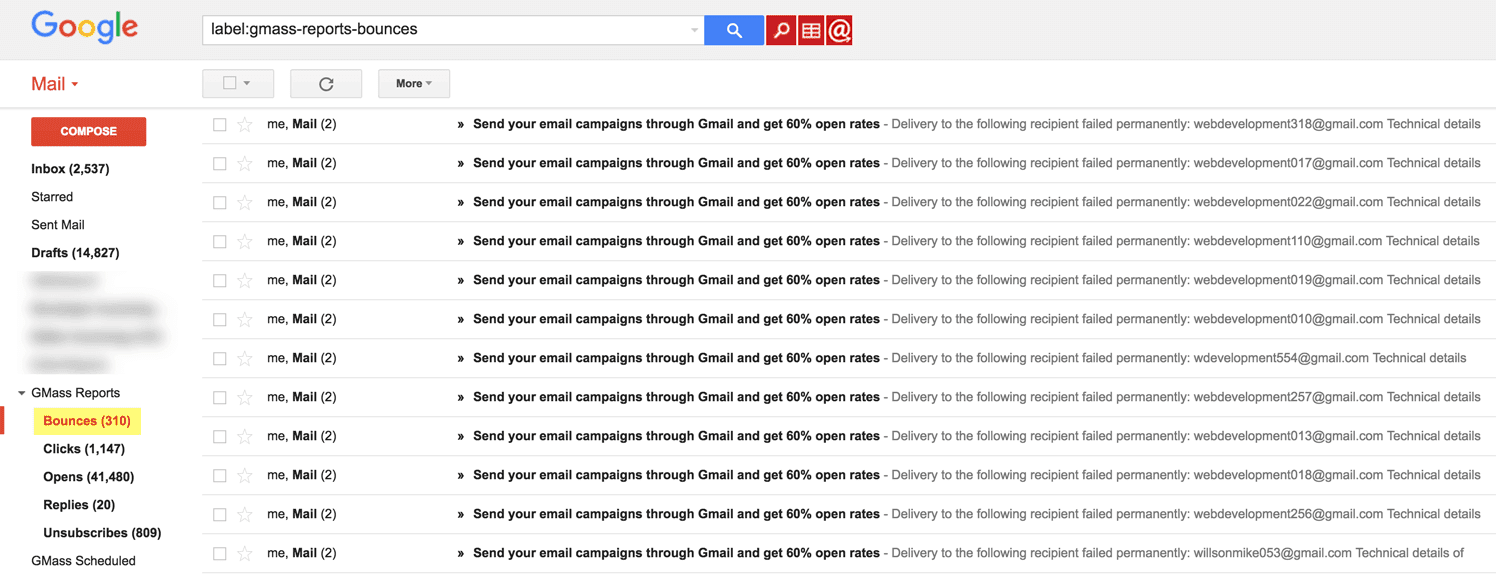
Bounces: Bounce notifications indicating that an email address you sent to is invalid. These are removed from your Inbox and placed under the Bounces Label. Additionally, the bounced address is added to your account’s bounce list, and further attempts to send to this email address will be suppressed by GMass. This means that you no longer have to manually extract bounces from your Gmail account. (If you click the regular Gmail “Send” button, however, you can still send to bounced addresses.) You also have granular control over your account’s bounce list. See this post on how to manage your account’s bounce list or have your account ignore bounces.
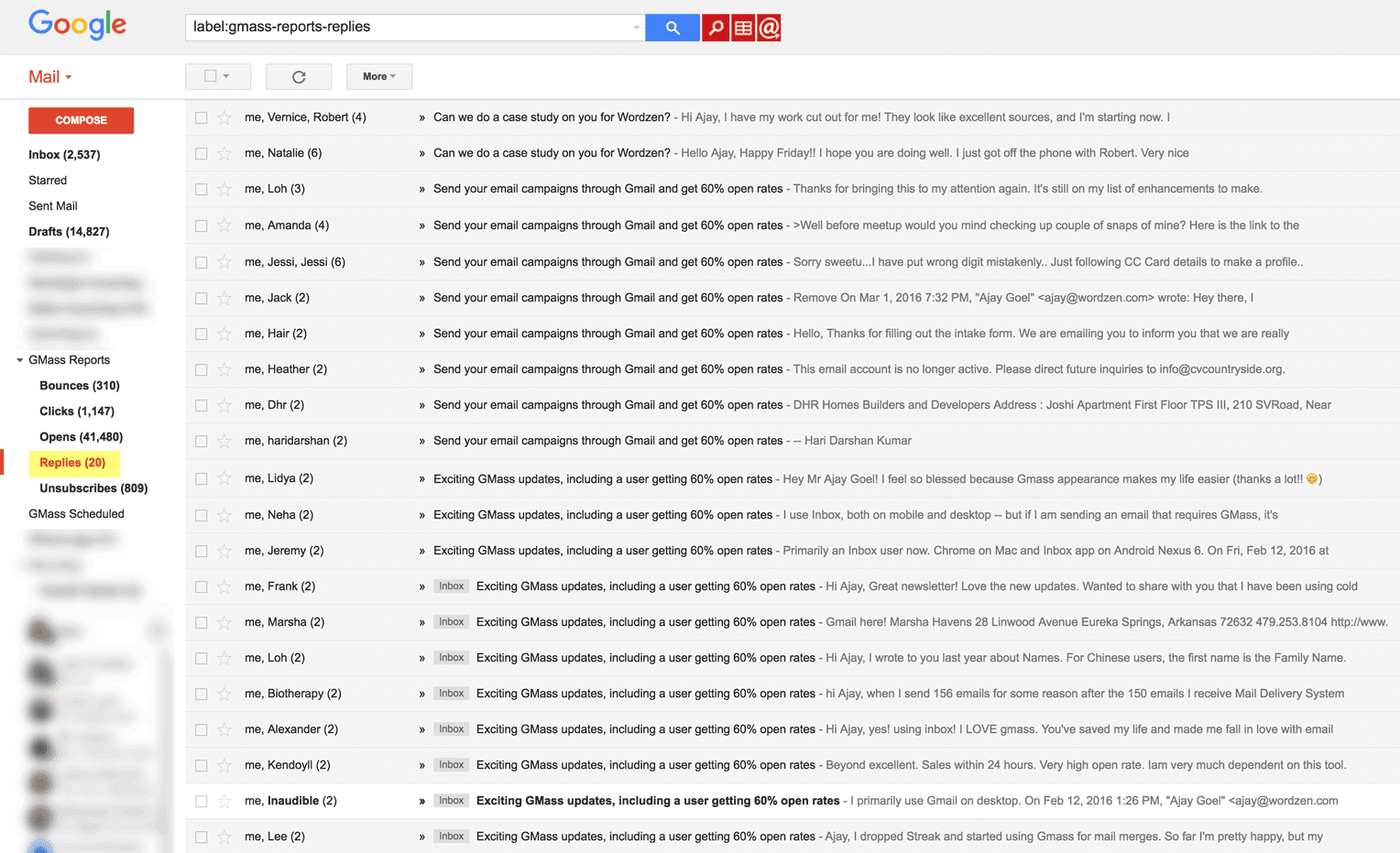
Replies: Human-based replies where a person clicked the “Reply” button and sent an email in response to your email marketing campaign. Replies remain in your Inbox and are also tagged with the Replies Label.
Delays: Delays are a type of soft-bounce that occurs when Google is unable to transmit an email message but will attempt to later on. Usually “delay” bounces are received if the email server for your recipient is temporarily down. Delay notifications are removed from your Inbox and placed under the Delays Label.
Blocks: Blocks are a special type of bounce indicating that your email was rejected because the receiving email server determined it contained spam like content. Block notifications will be rare since emails sent with GMass almost always land in the Inbox. Block notifications remain in your Inbox and are also tagged with the Blocks Label. If you notice blocks after sending an email campaign, contact our Support team so we can determine what is causing the block and how to resolve it.
Over Limit: These are special types of bounces generated by Gmail indicating that an email wasn’t sent because your Gmail account has exceeded its daily quota. GMass attempts to prevent you from exceeding your limits to begin with, but in some cases your account may still generate these notificaitons. Over Limit emails are removed from the Inbox and placed under the Over Limit Label.
Other points to note about automatic reply filtering:
- GMass’s reply management system only works on replies/bounces sitting in your Inbox. If you manually move these from your Inbox and into a separate Gmail Label, or if you delete them before the GMass reply scanner processes them, then they will not be categorized for you.
- Thanks to GMass’s instant reply and bounce detection, introduced in August 2023, these labels should appear almost immediately.
- This was a difficult feature to build, and I’m especially proud of the algorithm I derived and the computational efficiencies I achieved when writing the code for this feature. GMass already excels as the most powerful email marketing platform for Gmail and Google Apps, but now GMass is the only Gmail-based email marketing solution that can automatically manage replies.
And now, you can use GMass’s tool The Reply Project to write ultra quick responses to the replies to your campaign.
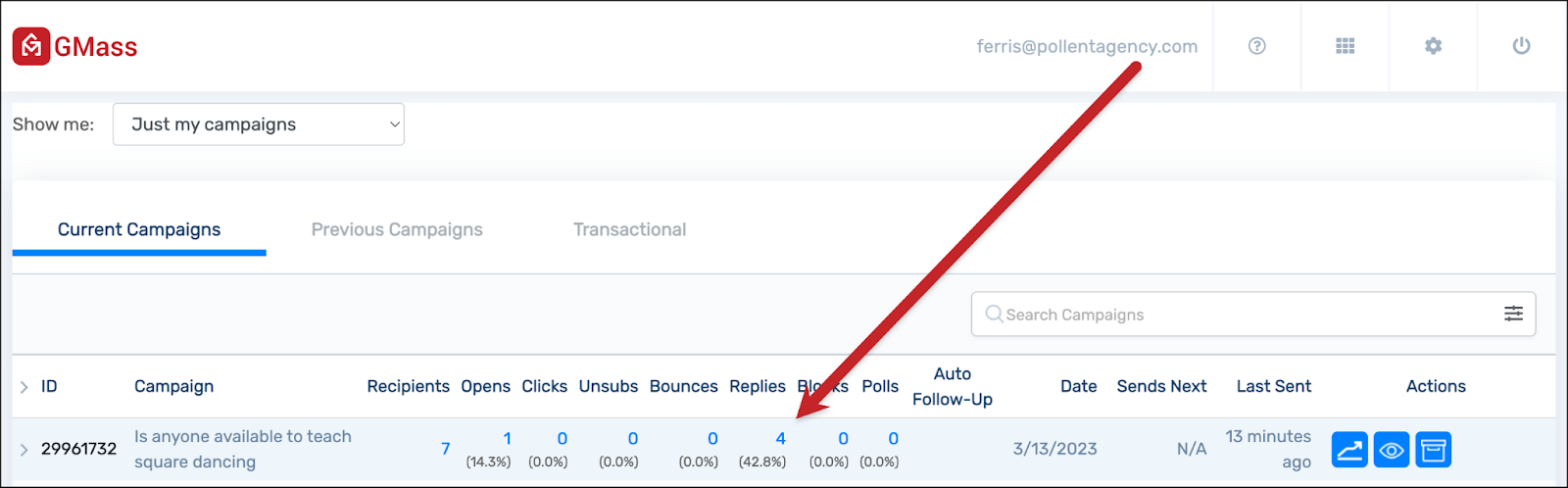
Just head to the GMass dashboard and click on the number of replies to your campaign…
 …or click on the number of replies in the web-based campaign report.
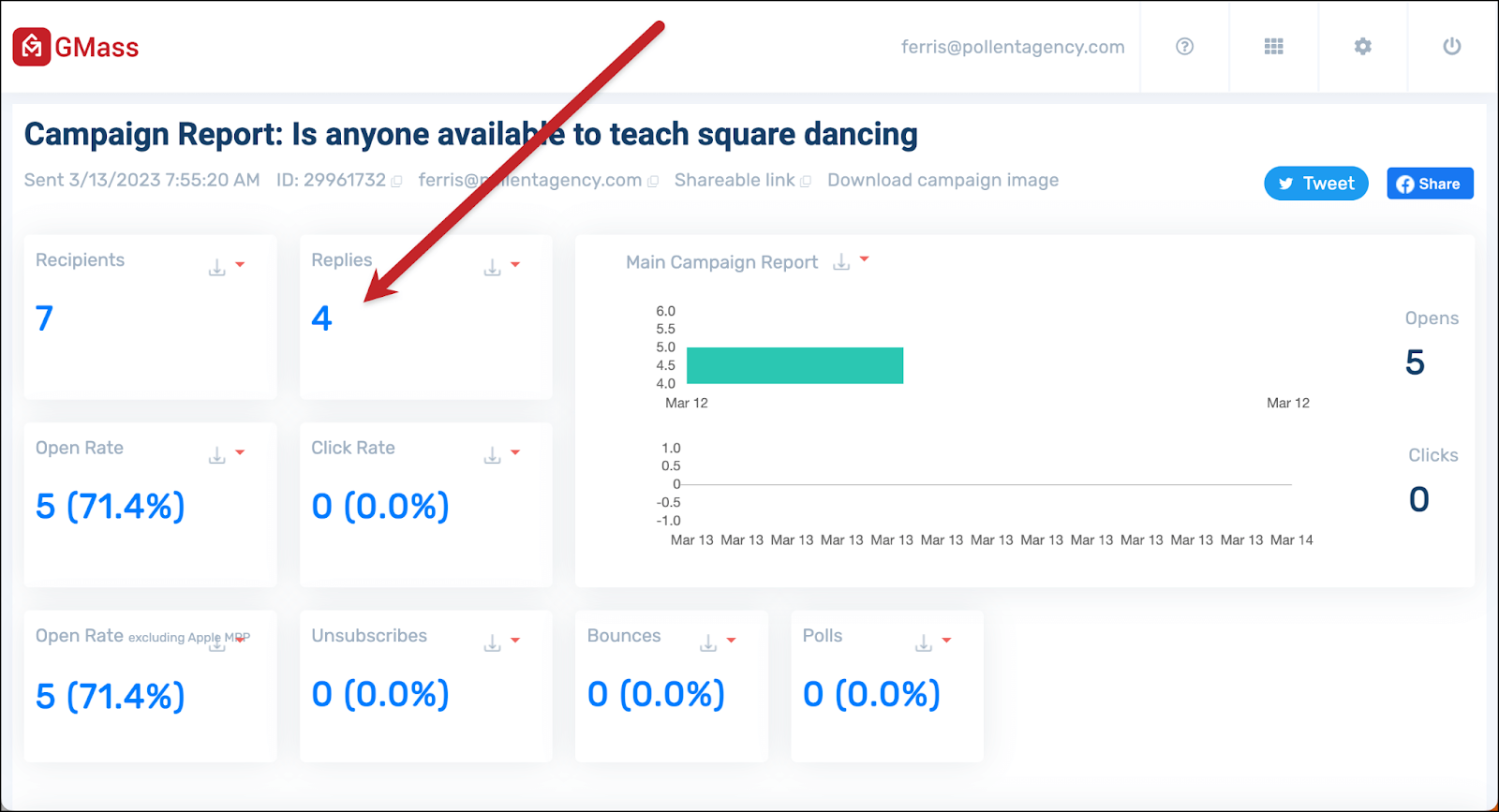
In both cases, you’ll see a flyout panel on the right showing you the replies to the campaign (along with sentiment analysis on those replies). You’ll also see a link to Reply to these emails with The Reply Project.

That will open all the replies on one screen. You can type quick responses, or use templates or ChatGPT for even faster responses.
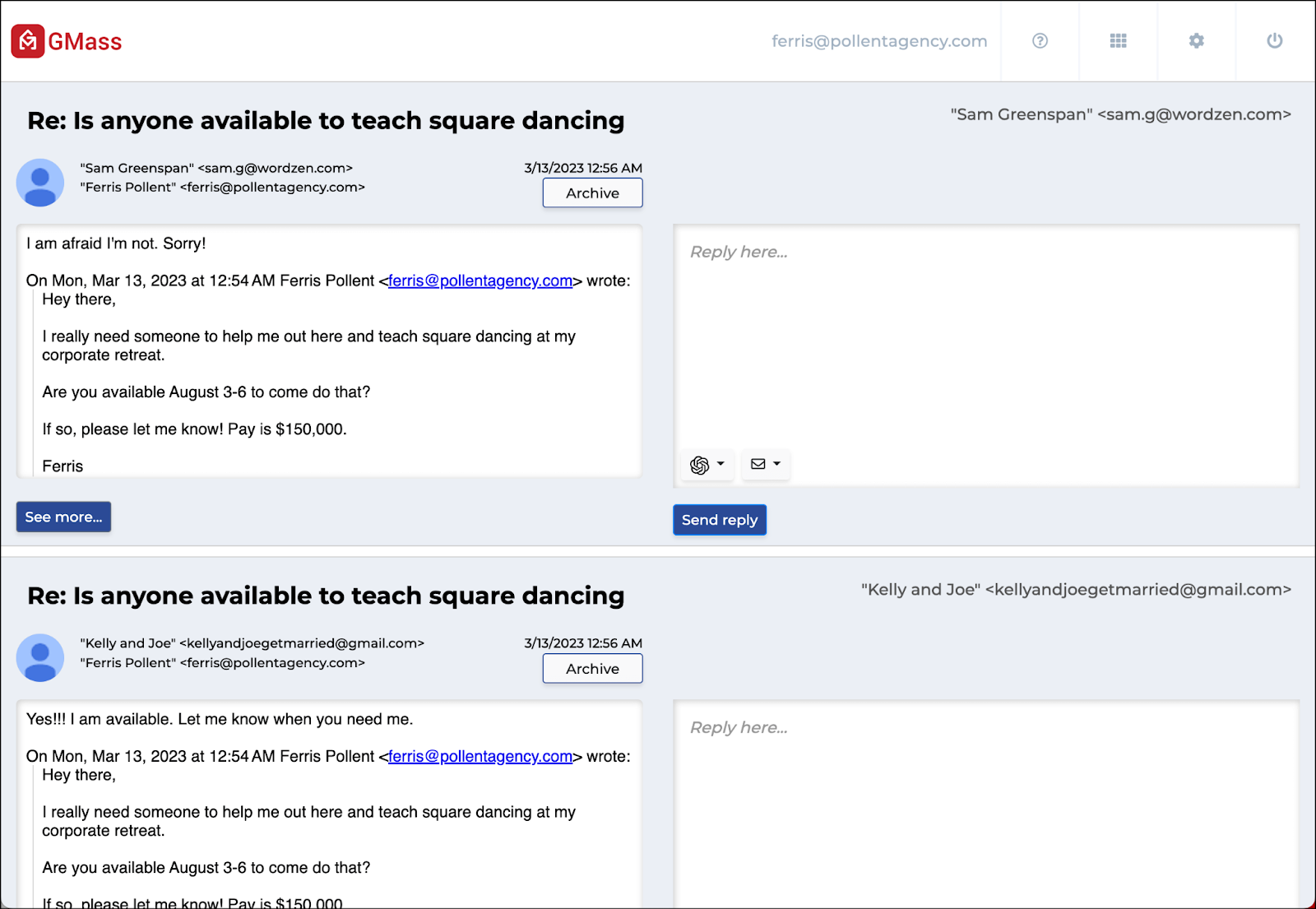
With these features GMass continues to make it faster and easier to find replies to your campaign and quickly respond — making sure nothing slips through the cracks in the process.
Email marketing. Cold email. Mail merge. Avoid the spam folder. Easy to learn and use. All inside Gmail.
TRY GMASS FOR FREE
Download Chrome extension - 30 second install!
No credit card required

Ajay is the founder of GMass and has been developing email sending software for 20 years.