New Feature: Sentiment Analysis on Replies

You send out a cold email campaign, a bunch of people reply, and now your inbox is flooded with replies. Yay!
Some people want more information, some people want to book a meeting with you, and some people are mad at you for emailing them in the first place! You can’t please everyone.
Now you can quickly scan through your replies and see who your most interested prospects are by looking at a score indicating positive or negative sentiment. We’re using Amazon’s Comprehend API to accomplish this, so along with numerical scores indicating sentiment, you get a final positive/negative sentiment indicator. This is also known as “lead scoring” because we give you a score to indicate how strong a lead is.
How do I see the sentiment analysis?
Just log in to your dashboard and find your campaign, or go to your web-based campaign report. In both cases, click the number of replies.
A flyout panel will appear on the right side of the screen showing you the replies to your campaign. And each response is scored as positive, negative, or neutral.
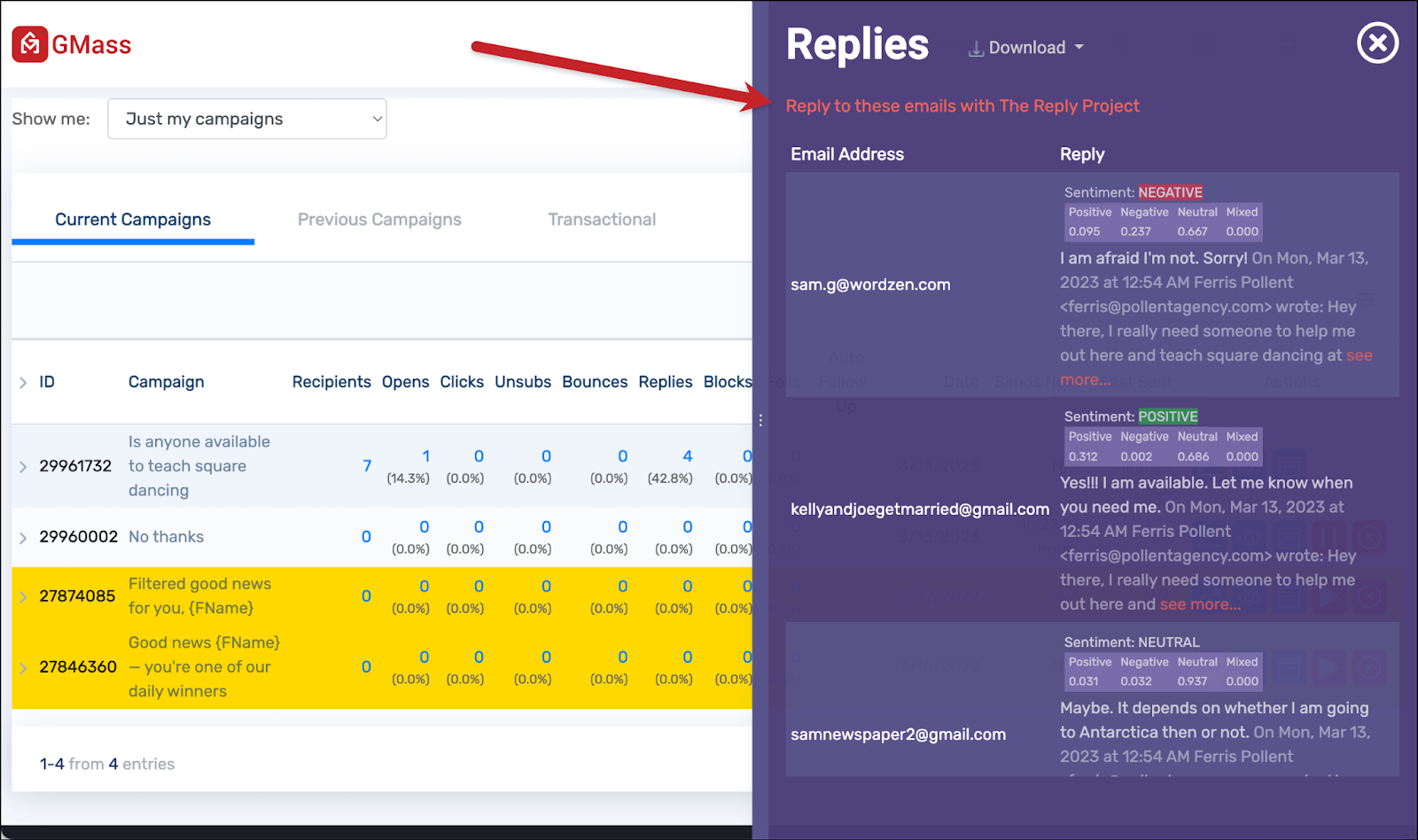
As you can see in the image above, you can then click on the link to Reply to these emails with The Reply Project. The Reply Project is GMass’s complete reimagining of the email responding process. It opens all your emails (in this case, all the replies to the campaign) on one screen. Then you can write quick replies or use templates or ChatGPT to respond even faster.
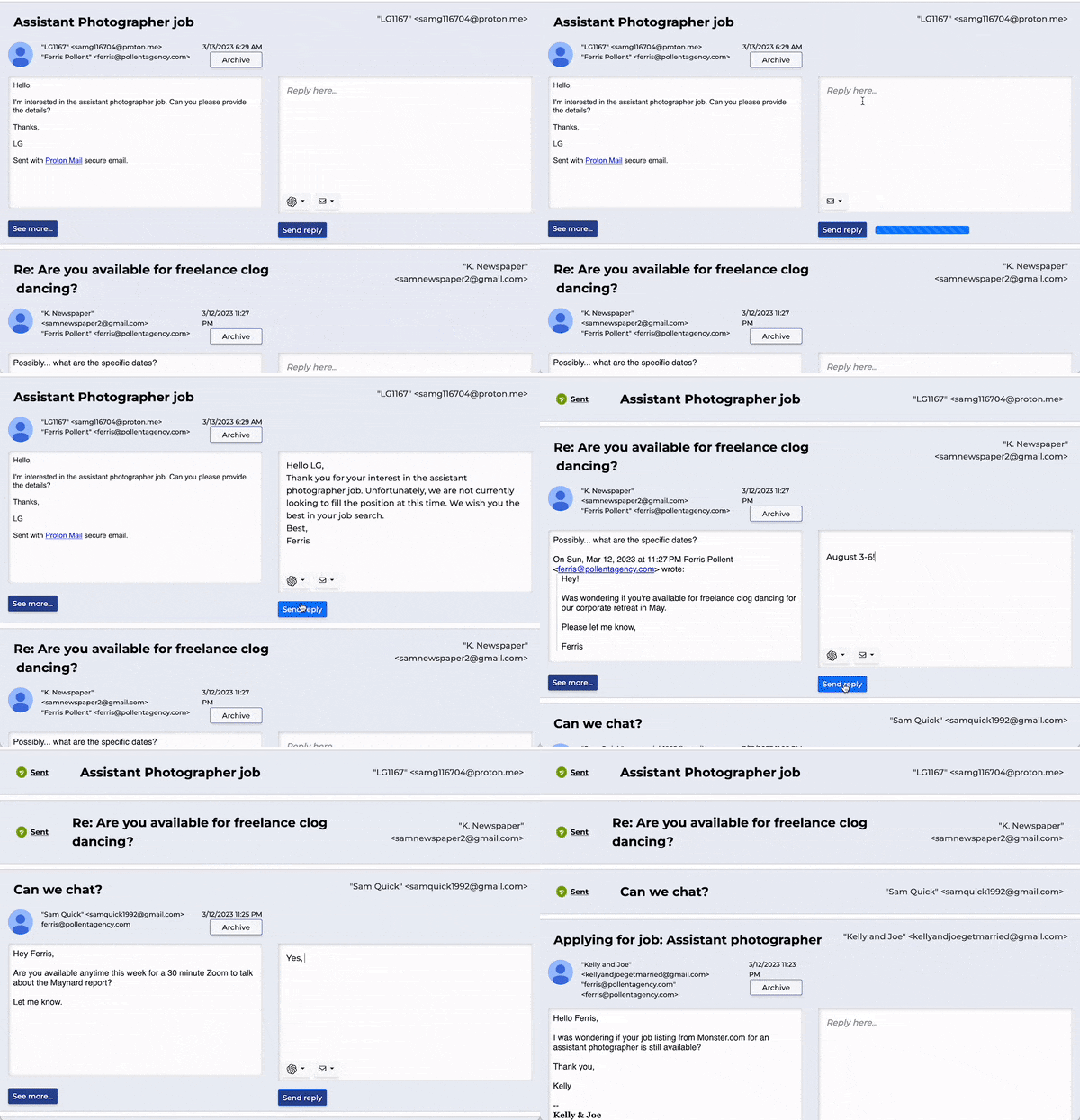
Between sentiment analysis and The Reply Project you should be able to properly assess and respond to replies to a campaign faster and easier than you’ve ever done in the past.
Email marketing, cold email, and mail merge all in one tool — that works inside Gmail
TRY GMASS FOR FREE
Download Chrome extension - 30 second install!
No credit card required

Ajay is the founder of GMass and has been developing email sending software for 20 years.