You can now use custom Gmail Labels to organize campaigns

You can now create and apply your own custom Gmail Labels to campaigns, to help you keep your mail merge campaigns organized. For example, if you’re sending emails on behalf of different clients, or different projects, you may wish to create a Gmail Label for each individual client or project.
Let’s say I’m launching several email marketing campaigns for 3 different clients from my one G Suite account. I can create the following Labels: Client A, Client B, and Client C.
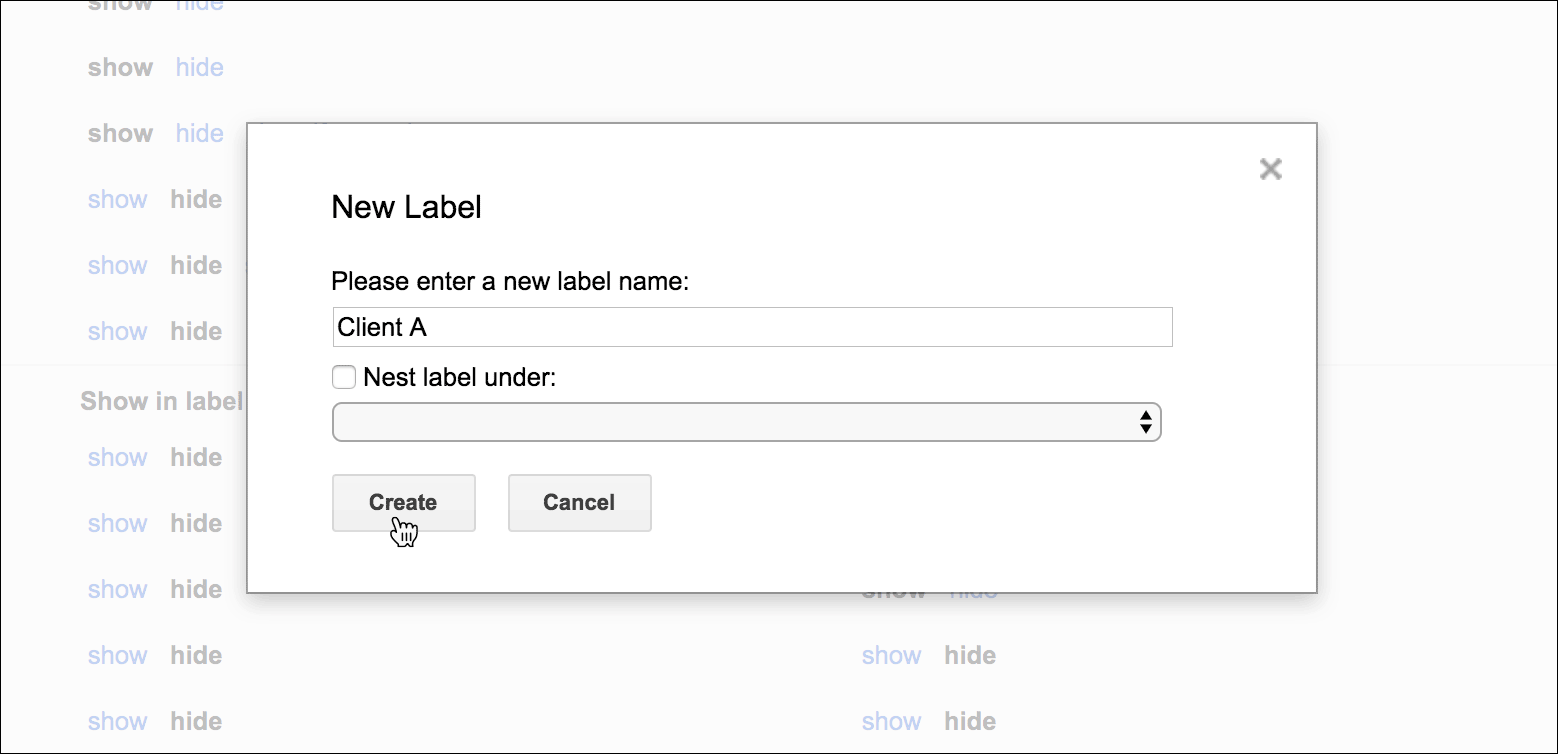
While I’m composing my email, I can apply one of my custom Labels to the message.
Important: In order for the Label setting to be saved you must make one more change to your campaign, either in the Subject or Message, after applying the Label. If need be, you can just type some text and delete it after applying the Label. This is a quirk of how Gmail and GMass work together.
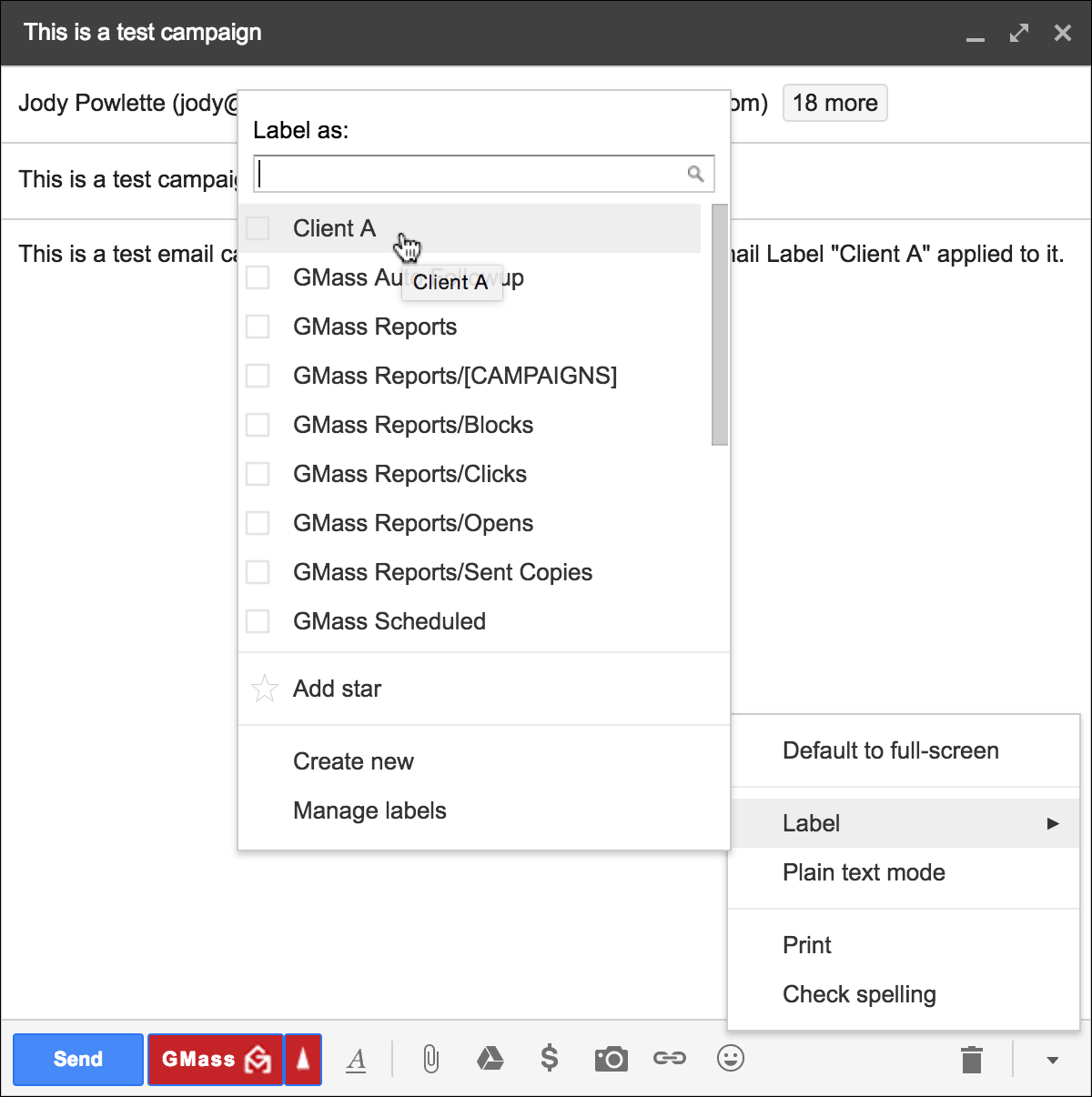
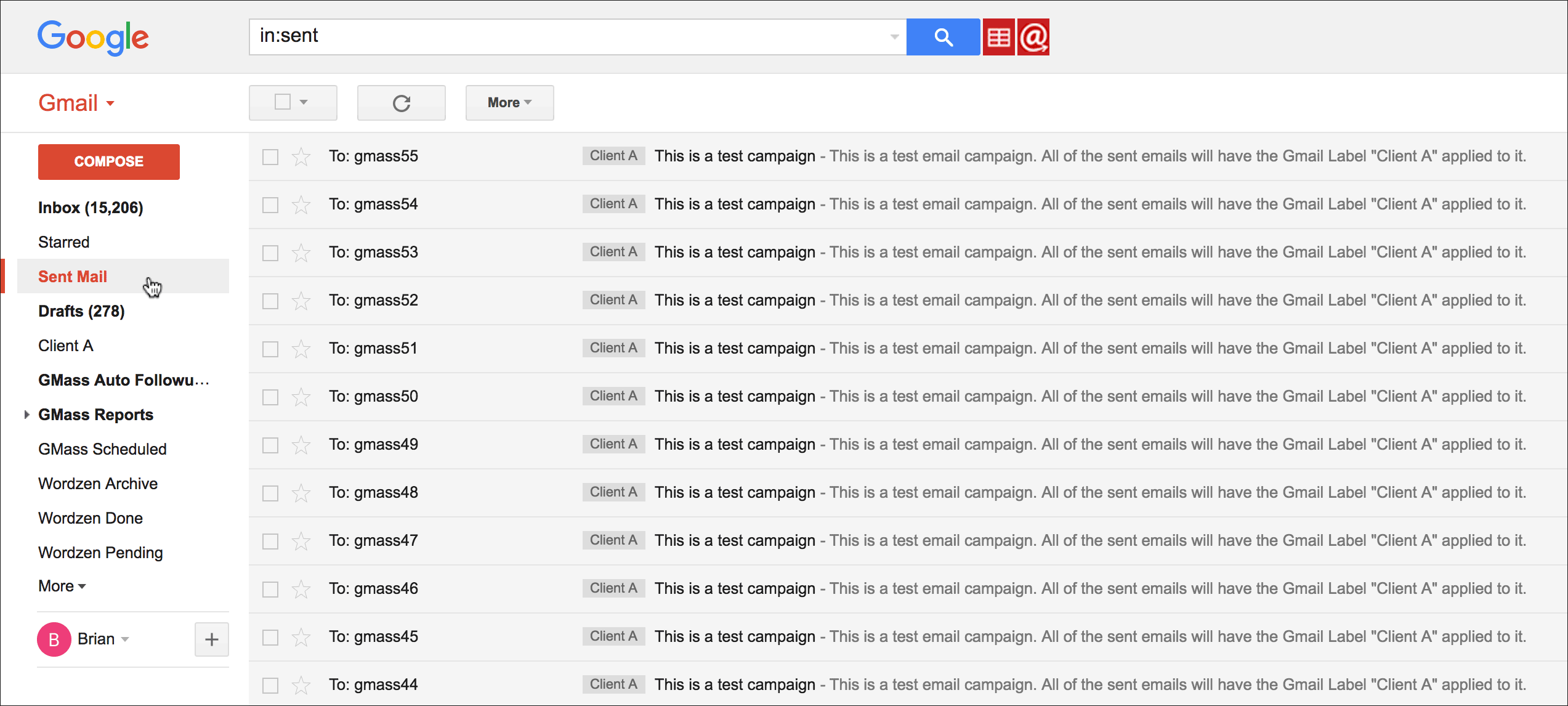
That Label will then also apply to all of the individual sent emails. Or, if I’m using the Just create Drafts option and not actually sending emails right away, all of the generated Drafts will have the custom Label applied.
Doing so allows me to search by a custom Label if I want to quickly see the emails related to a particular client or project.
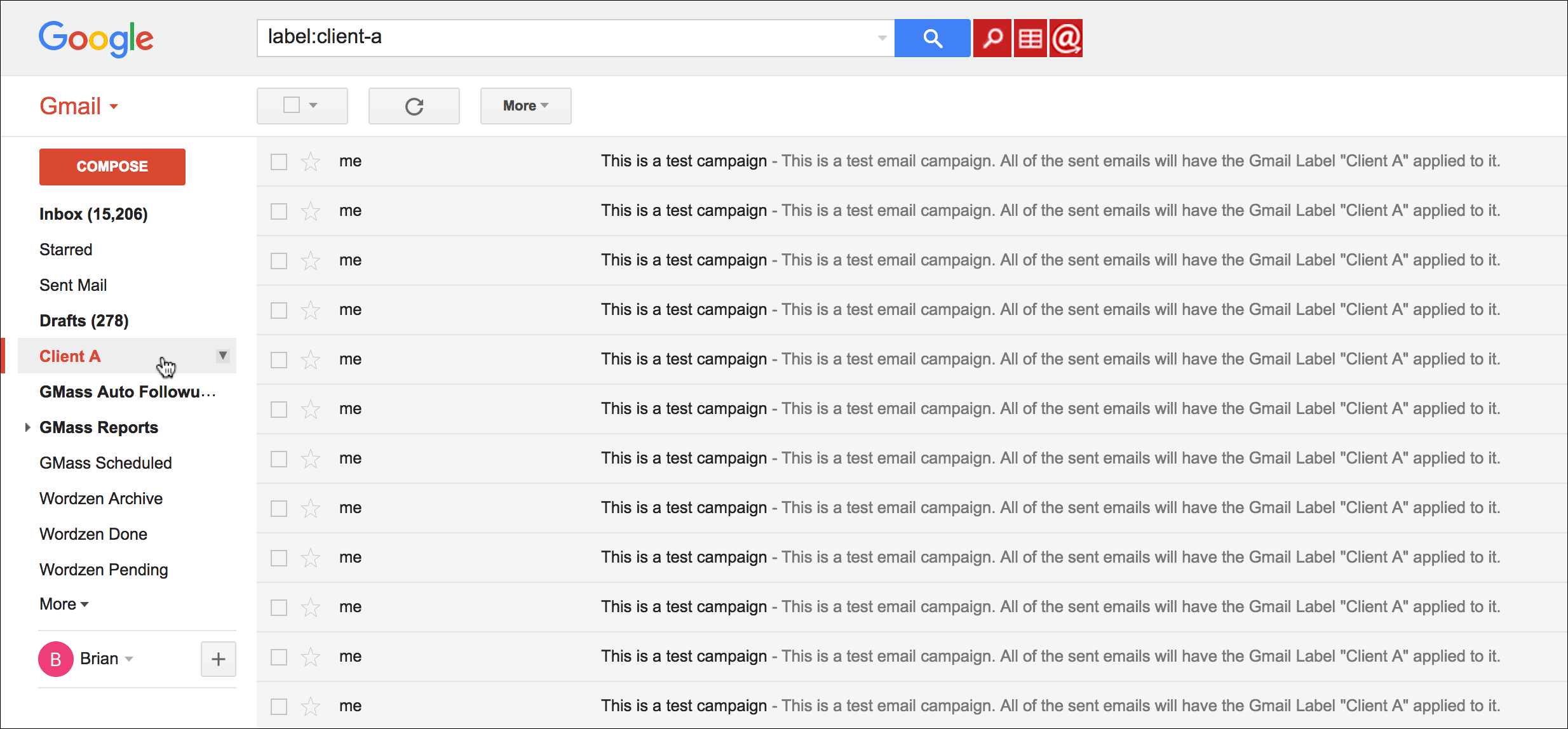
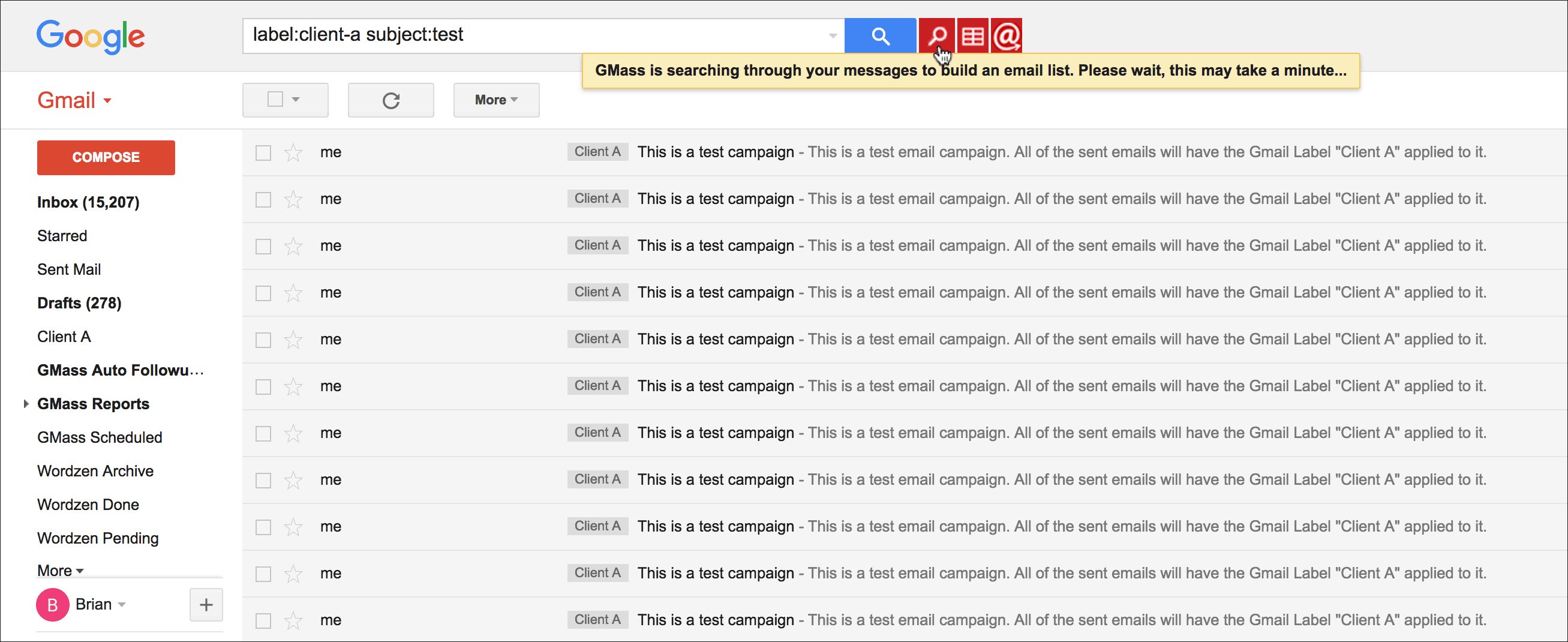
You can take this one step further and now build a new email list for a new campaign based on the messages in the Client A Label. Perhaps I want to further refine the Search criteria to include a Subject filter. Then I can use the GMass “magnifying glass” button to build an email list based on this Label and the search criteria.
More information on Gmail Labels
While this article teaches you how to use your own custom Labels to organize individual sent emails, you may also be interested in learning about the GMass-specific Labels that get created and applied automatically as you create and schedule email campaigns.
Only GMass packs every email app into one tool — and brings it all into Gmail for you. Better emails. Tons of power. Easy to use.
TRY GMASS FOR FREE
Download Chrome extension - 30 second install!
No credit card required

Ajay is the founder of GMass and has been developing email sending software for 20 years.