
You can now use the Zapier integration for GMass.
Give me the link!
First, you’ll need to create an API key in GMass (login required).
Then, go here for the GMass Zapier integration.
What can you do?
A Zapier integration consists of triggers and actions.
Triggers are events that happen inside your GMass account that can cause other actions in Zapier to follow. For example, an unsubscribe in your GMass account [trigger] could result in that same unsubscribe being sync’d with your MailChimp account [action].
Actions are events that you want to happen in GMass after a trigger in some other app fires. For example, you could set up a zap on a Google Form such that when a person submits your form [trigger], GMass sends a confirmation email to that person [action].
What are all the GMass triggers and actions?
Triggers:
- Email Opened
- Email Clicked
- Email Replied To
- Email Address Unsubscribed
- Email Bounced
- Email Sent
Actions:
- Send a transactional email
- Unsubscribe an email from your account
- Unsubscribe an email from a particular campaign
You might be wondering if there’s an action to add a new contact to an automated campaign in GMass. Yes, there is! It’s just not listed as a GMass action. GMass is heavily integrated with Google Sheets, and GMass’s automated campaign feature works by looking for new rows in a Google Sheet and sending your campaign and sequences to those new rows. So, if you want to use Zapier to add a new contact to an existing campaign, use the action that adds a new row to a Google Sheet. GMass will then detect the new row and send to the new contact. GMass does this natively (not through Zapier).
Note that there’s also a Google Sheets trigger for adding a new spreadsheet row. That is not what you want. You want the action for creating a new row, if you’re wanting to automate adding people to your GMass campaign as a result of activity in some other app.
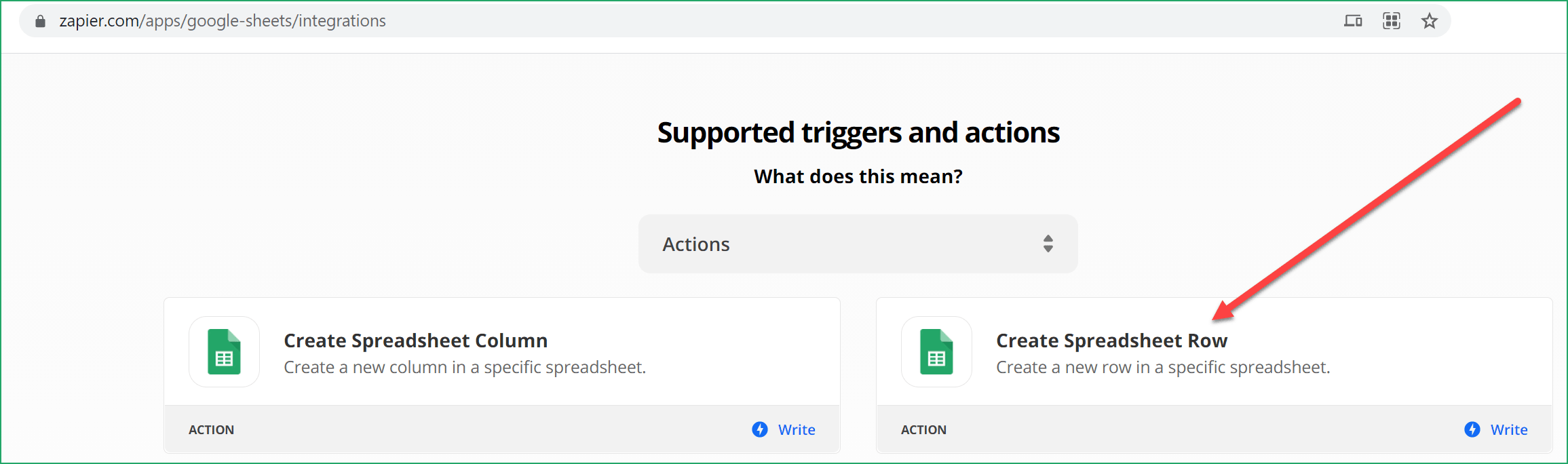
In fact, when connecting GMass to other apps via Zapier, look at not only the GMass triggers and actions but you should also look at the triggers and actions for Google Sheets.
To help get you started, we’ve also put together some ideas of how to use Zapier to connect GMass and Calendly and how to use Zapier to add everyone who emails you to a GMass automation sequence.
Other integration options
Zapier is one of several ways you can integrate GMass with other apps. Many non-coders like Zapier for its no-code approach. If you are a developer, you can also integrate using our traditional API and our webhooks API.
Email marketing, cold email, and mail merge all in one tool — that works inside Gmail
TRY GMASS FOR FREE
Download Chrome extension - 30 second install!
No credit card required

Ajay is the founder of GMass and has been developing email sending software for 20 years.