We are now hiding the Gmail Send button

It used to be that one of the must frustrating mistakes a GMass user could make was accidentally clicking the regular Gmail Send button instead of the GMass button.
Clicking the Gmail Send button by accident exposes members of your email list to each other and breaks personalization.
Numerous GMass users have at some point accidentally clicked the blue Gmail Send button when they meant to click the red GMass button.
The GMass Chrome extension now hides the regular Gmail Send button in certain situations and confirms intent in other situations.
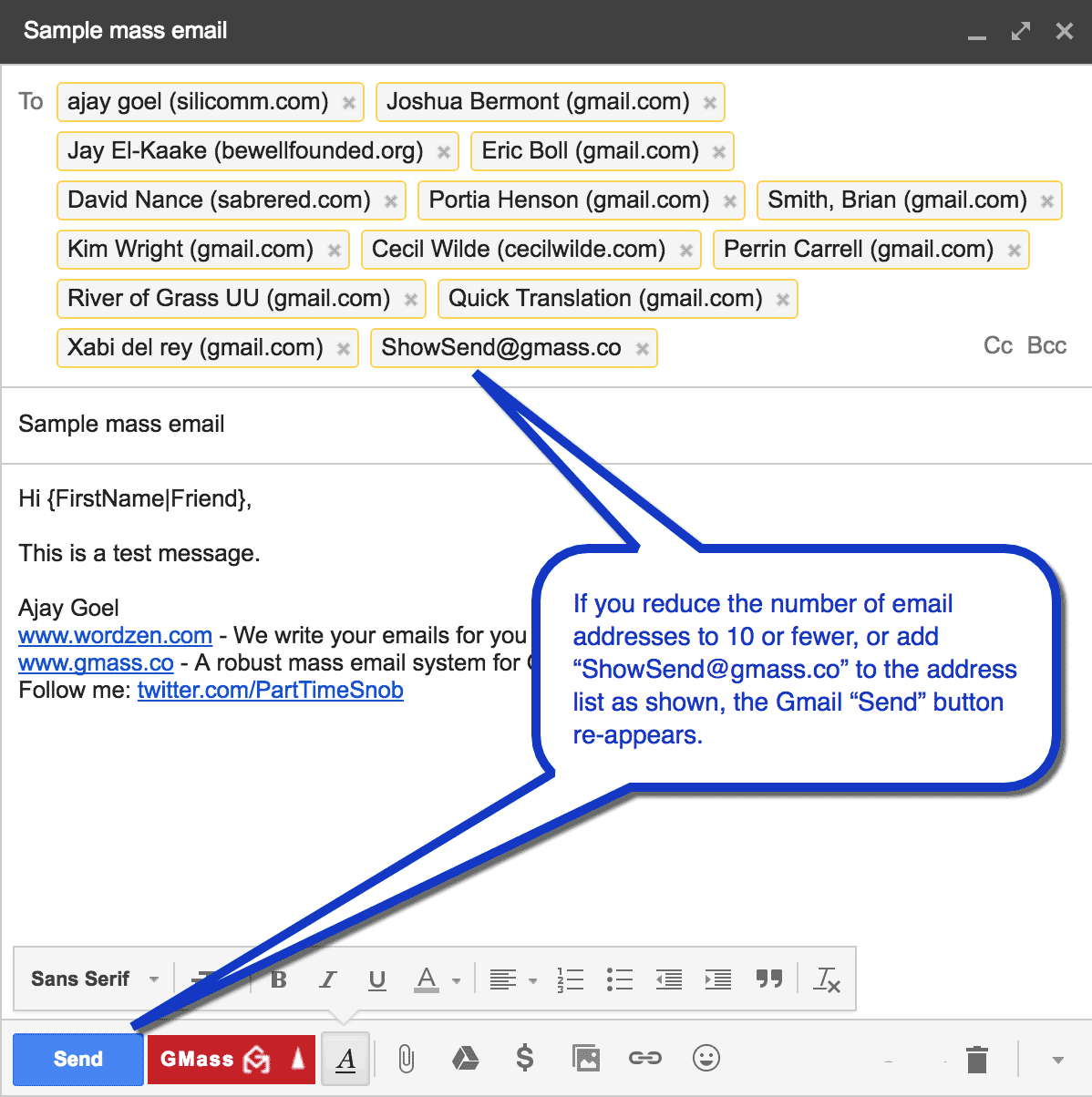
Specifically, if there are more than 20 email addresses in the To field, or if there’s a GMass alias address in the To field, the Send button will be hidden.
If, however, you have more than one Compose window open, then the Send button will NOT be hidden. If the Send button is present, and you have more than 10 email addresses in the To field, and you click Send, you’ll get a popup asking if that’s what you really meant to do, with an option to cancel the send.
We attempt to hide the Send button because we assume that if you have more than 20 addresses, it is likely that you mean to use the GMass button to send individual emails to each email address rather than the Send button where all of the email addresses would be exposed to each other.
If, however, you want the Send button back after it has been hidden, you can easily make it re-appear. Just add the special email address ShowSend@gmass.co as the last address in the To field, and within a second, the Send button will re-appear and will remain in that specific Compose window.
You can then remove the ShowSend@gmass.co address if you wish.
Email marketing. Cold email. Mail merge. Avoid the spam folder. Easy to learn and use. All inside Gmail.
TRY GMASS FOR FREE
Download Chrome extension - 30 second install!
No credit card required

Ajay is the founder of GMass and has been developing email sending software for 20 years.