New option to view and download email lists directly inside the Gmail Compose window

You now have the option to expand an “alias” recipient list into the actual email addresses in the Compose window’s To field, and even download the recipient list as a CSV file.
If you’ve mail merged with a spreadsheet or built an email list by searching your Gmail account or even sent to a segmented list of a prior campaign, you know that GMass launches the Compose window for you and places an “alias” address in the To field, so that your campaign is ready to go. The “alias” address looks something like:
433-recipients-aEfjek4@gmass.co
So in the Compose window you’ll see:
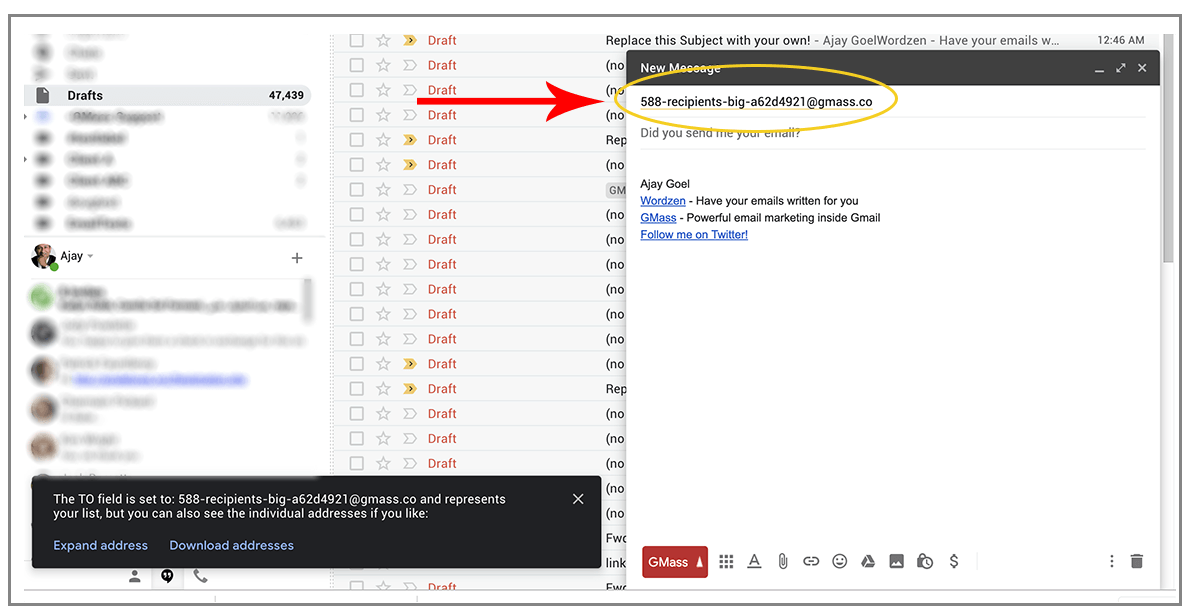
If the recipient list is fewer than 100 addresses, GMass will automatically expand the list for you, turning the “alias” address into the actual 100 addresses. If the list is more than 100 addresses, however, we don’t do this automatically, because it slows down the Gmail Compose window.
Now, however, if you wish to convert the alias address into the actual addresses, because perhaps you want to remove one or two, you can.
You will now be presented with the option to do so in the lower left corner of your Gmail window.
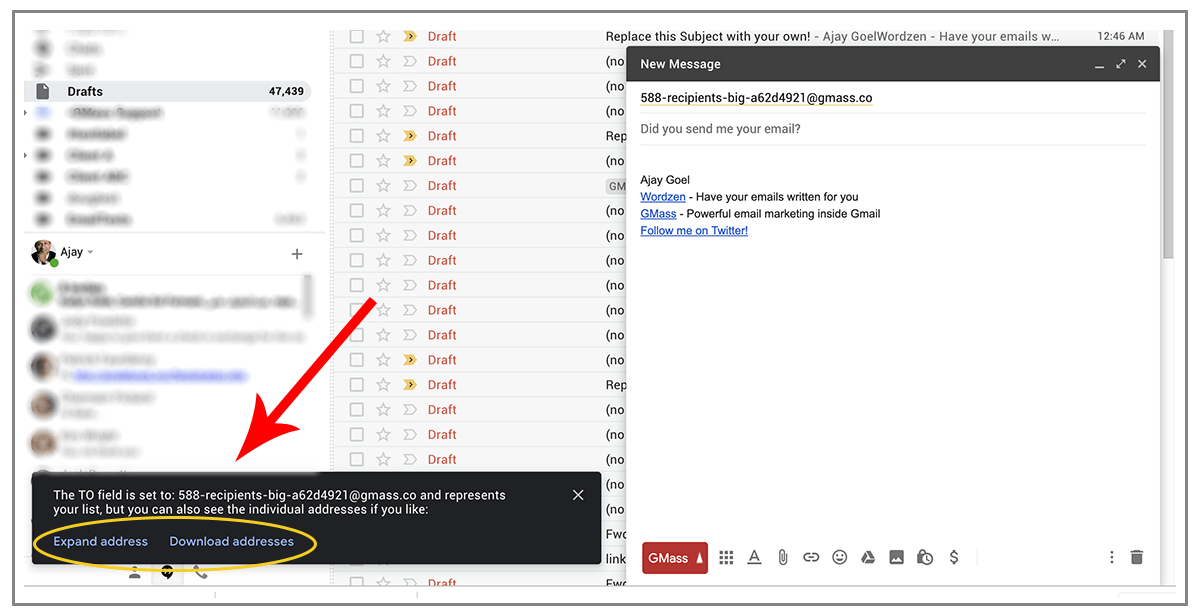
Notice the second option which lets you download the full email list as a CSV file.
Those options will remain visible for about 10 seconds.
If those options disappear and you decide later that you want to see the individual addresses that are part of the alias address, you can type a command in the To field to trigger GMass.
- Type the command “expand@gmass.co” into the To field, and the alias address will expand into its individual addresses.

- Type the command “download@gmass.co” into the To field, and your browser will download a CSV file of the individual addresses and names.

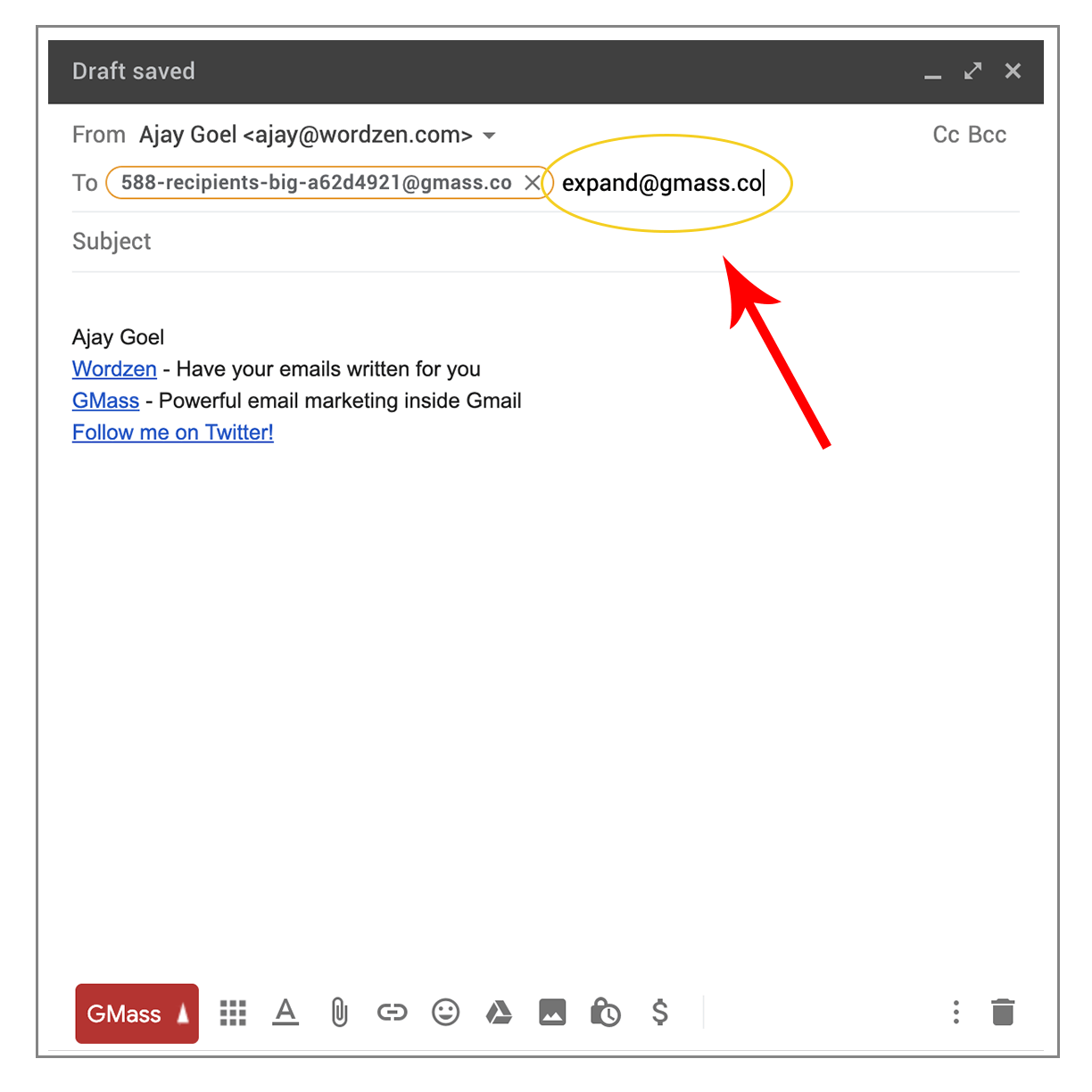
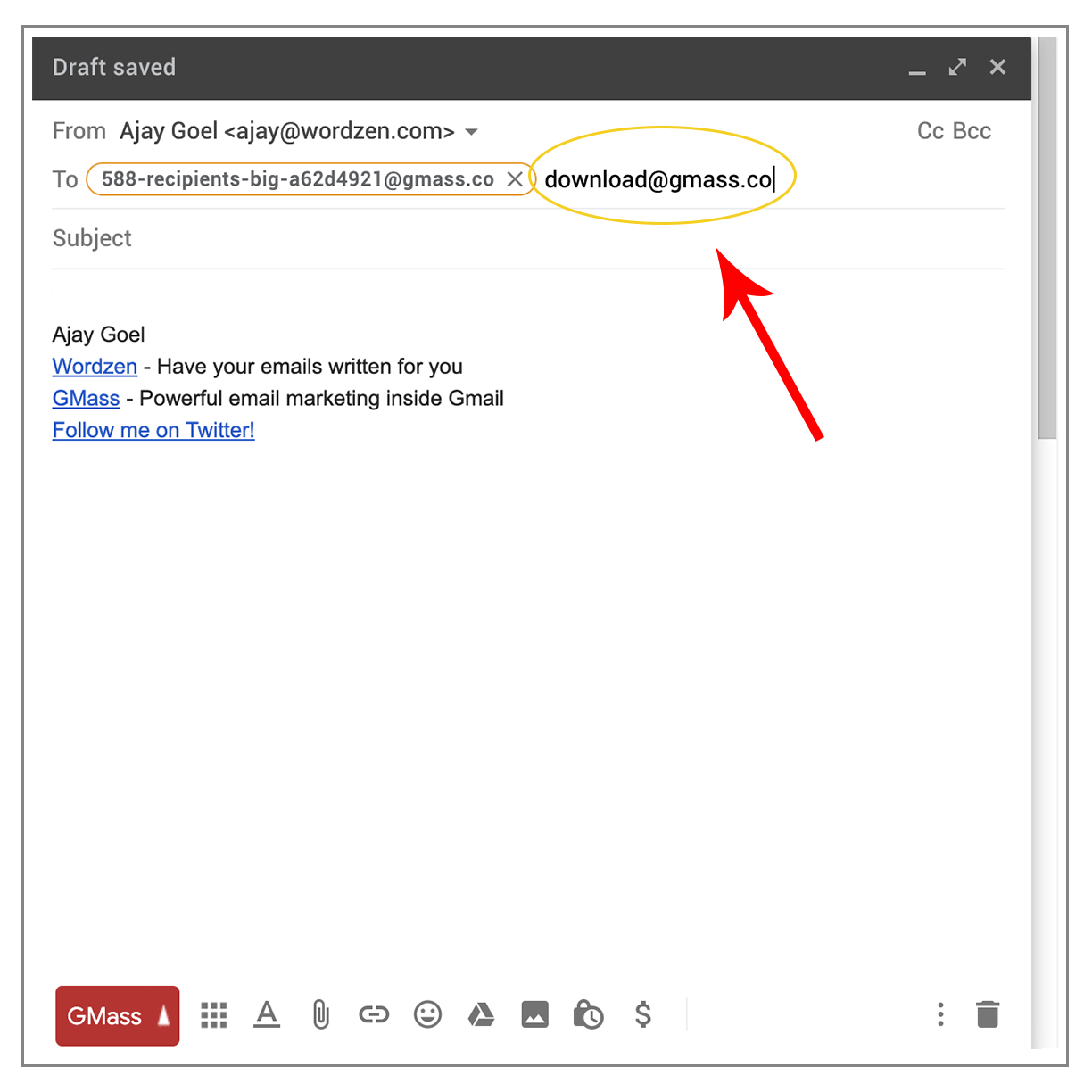
Note that expand@gmass.co and download@gmass.co aren’t real email addresses. They are “commands” that trigger GMass into doing certain things, in this case expanding the alias address and downloading your list as a CSV file. These “command” addresses will disappear from the To field immediately after GMass is done with its work.
Only GMass packs every email app into one tool — and brings it all into Gmail for you. Better emails. Tons of power. Easy to use.
TRY GMASS FOR FREE
Download Chrome extension - 30 second install!
No credit card required

Ajay is the founder of GMass and has been developing email sending software for 20 years.