How to update the credit card for your subscription

If you’ve previously subscribed to a paid GMass plan, at some point you may need to change or update the credit card associated with your account. This is how you do it.
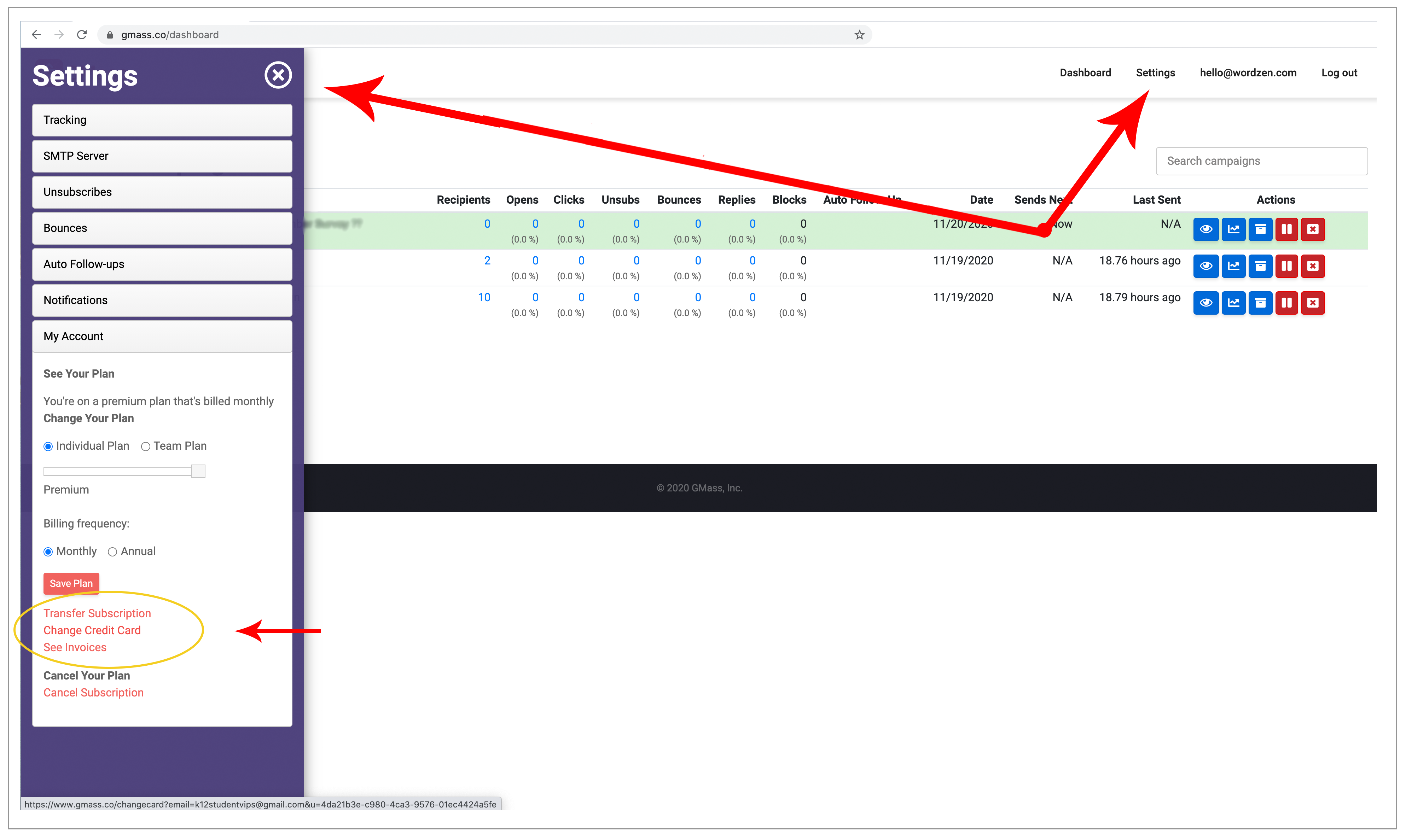
As of November 2020, you can now change your credit card through our web-based dashboard.
New way
Just go to your account dashboard and log in if you’re not already logged in. Then click Settings at the top and My Account on the left, and then “Change Credit Card.”
If the dashboard doesn’t work for you, you can still update your credit card the old way.
Old way
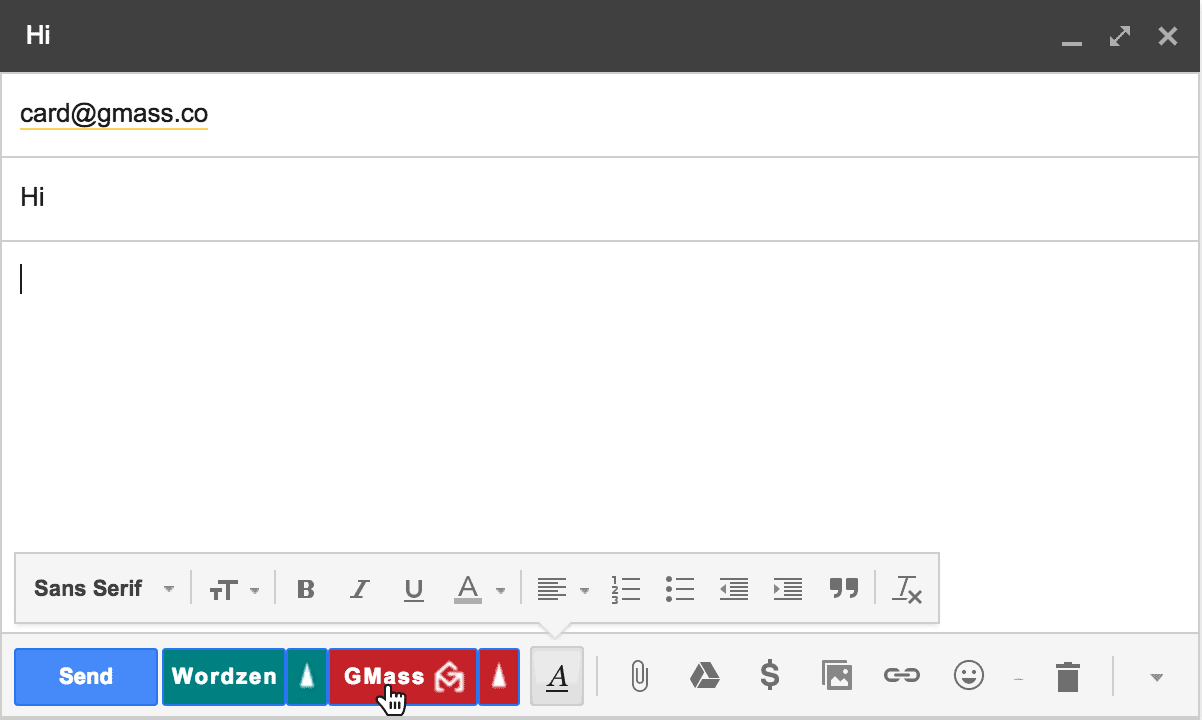
1. Compose a new email in Gmail and set the To field to card@gmass.co.
2. Type anything you wish for the Subject and Message.
3. Click the main GMass button. Do not click the Gmail Send button.
4. You’ll then get a link at the top of your screen to change your credit card. Click that link. You’ll be taken to a web page with a button to enter your new credit card.

Send incredible emails & automations and avoid the spam folder — all in one powerful but easy-to-learn tool
TRY GMASS FOR FREE
Download Chrome extension - 30 second install!
No credit card required

Ajay is the founder of GMass and has been developing email sending software for 20 years.