Send any Coronavirus email announcement for free

This offer has ended as of August 11, 2020. We were happy to provide this service for free over the last 5 months, but now, Coronavirus-related campaigns will be treated the same as all other campaigns.
Starting now, you can send any non-commercial Coronavirus email announcement through GMass, even if you’re not on a paid plan. All users, free or paid, can send Coronavirus announcements through GMass, subject to your Gmail account’s limits, and in some cases, if you exceed your limits, we’ll re-route your campaign through SendGrid.
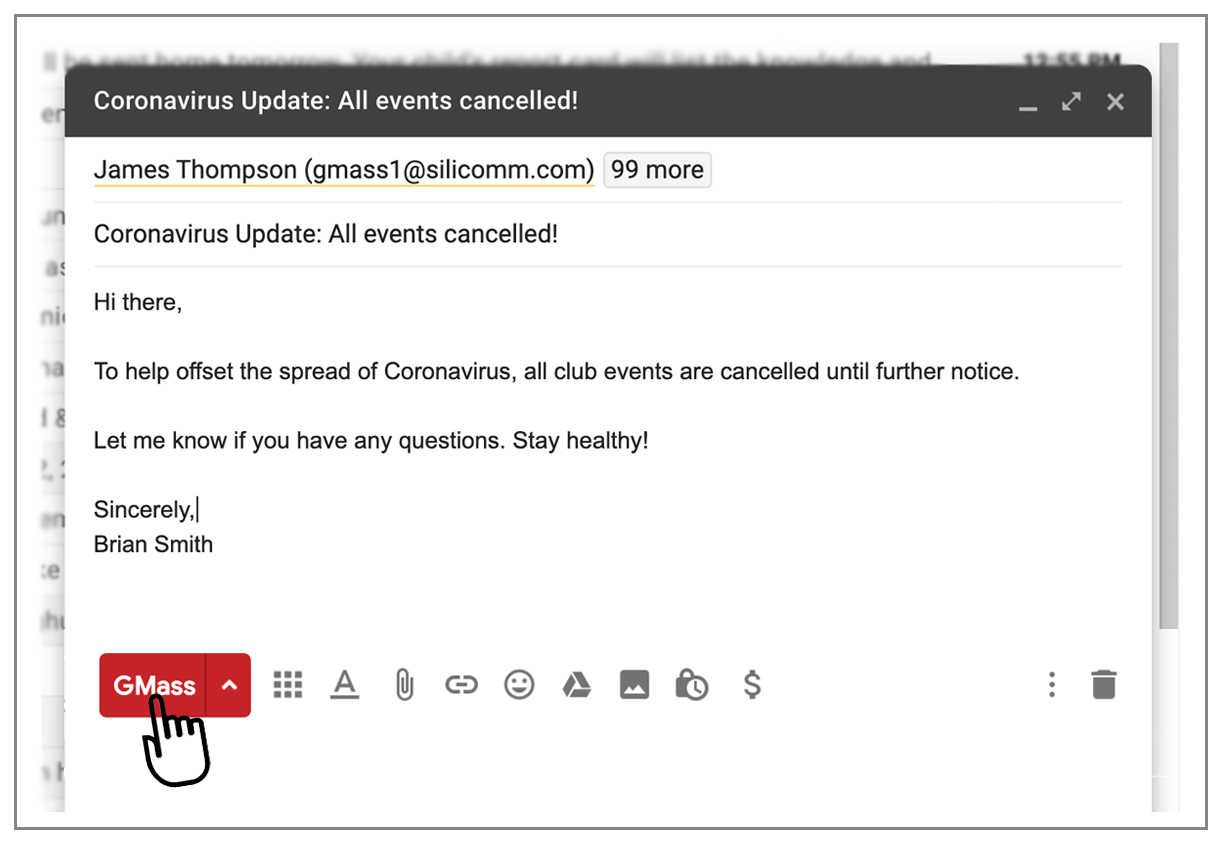
How does it work?
- Your campaign’s Subject line must include “Coronavirus” or “COVID-19”. It’s not case sensitive, so change the capitalization if you wish.
- If you have a free GMass account, you won’t be subject to the normal 50 emails/day limit of the GMass free plan.
- Because you’re sending through Gmail, you’ll get the best possible deliverability into your readers’ inboxes.
- If you exceed your Gmail account limits, and your campaign is a legitimate Coronavirus-announcement with no commercial intent, then we’ll route your campaign through SendGrid, as long as your total recipient count is under 10,000. We manually review all campaigns before routing through SendGrid, so it may take about 30 minutes after you hit your Gmail limits for us to “push” the rest of the emails through SendGrid.
- Please don’t abuse this offer and remember our policy about not having commercial intent. Since announcing this, we’ve seen a bunch of campaigns with Subject lines like “Due to Coronavirus, we’re having a sale!” trying to take advantage of this offer. While it’s perfectly fine to have a sale due to Coronavirus, please subscribe to send a campaign like that. This offer is for non-commercial email announcements about Coronavirus, such as event updates, client/vendor communications, school closings and openings, community updates, staff announcements, and the like.
What if I don’t want to put “Coronavirus” or “COVID-19” in the Subject?
Then unfortunately you would have to subscribe to a paid plan to send your announcement. We need an easy way of knowing what a campaign is about, so looking for this text in the Subject line is the only way to make this offer work automatically at scale. If you’re sending under 50 emails/day, you can use whatever Subject you like, because our free plan already allows you to send 50 emails/day.
I’ve never used GMass. How do you send a Coronavirus email announcement?
- Install GMass here.
- Watch this video for a 13 second demo.
- If your list is more than 1,000 addresses, put them in a Google Sheet instead of pasting them in the To field of the Gmail Compose window.
Have a question?
Contact our support team.
Only GMass packs every email app into one tool — and brings it all into Gmail for you. Better emails. Tons of power. Easy to use.
TRY GMASS FOR FREE
Download Chrome extension - 30 second install!
No credit card required

Ajay is the founder of GMass and has been developing email sending software for 20 years.