All articles
New Feature: Load Content Easily from a Previous Gmail Email Campaign
Email Copywriting·April 22, 2016·By Ajay Goel·1 min read

I just launched a GMass enhancement that I’ve been needing for my own purposes for a while — the ability to easily load a Subject and Message into the Gmail Compose window from a previous mail merge campaign, without having to copy/paste.
Choose Your Content
In the GMass Settings box, you’ll notice a “Templates” dropdown. All of your past campaigns will appear here. Just choose one, and watch the magic happen. The Subject/Message will be filled out for you, and you’ll have the option to load the prior campaign’s settings as well.
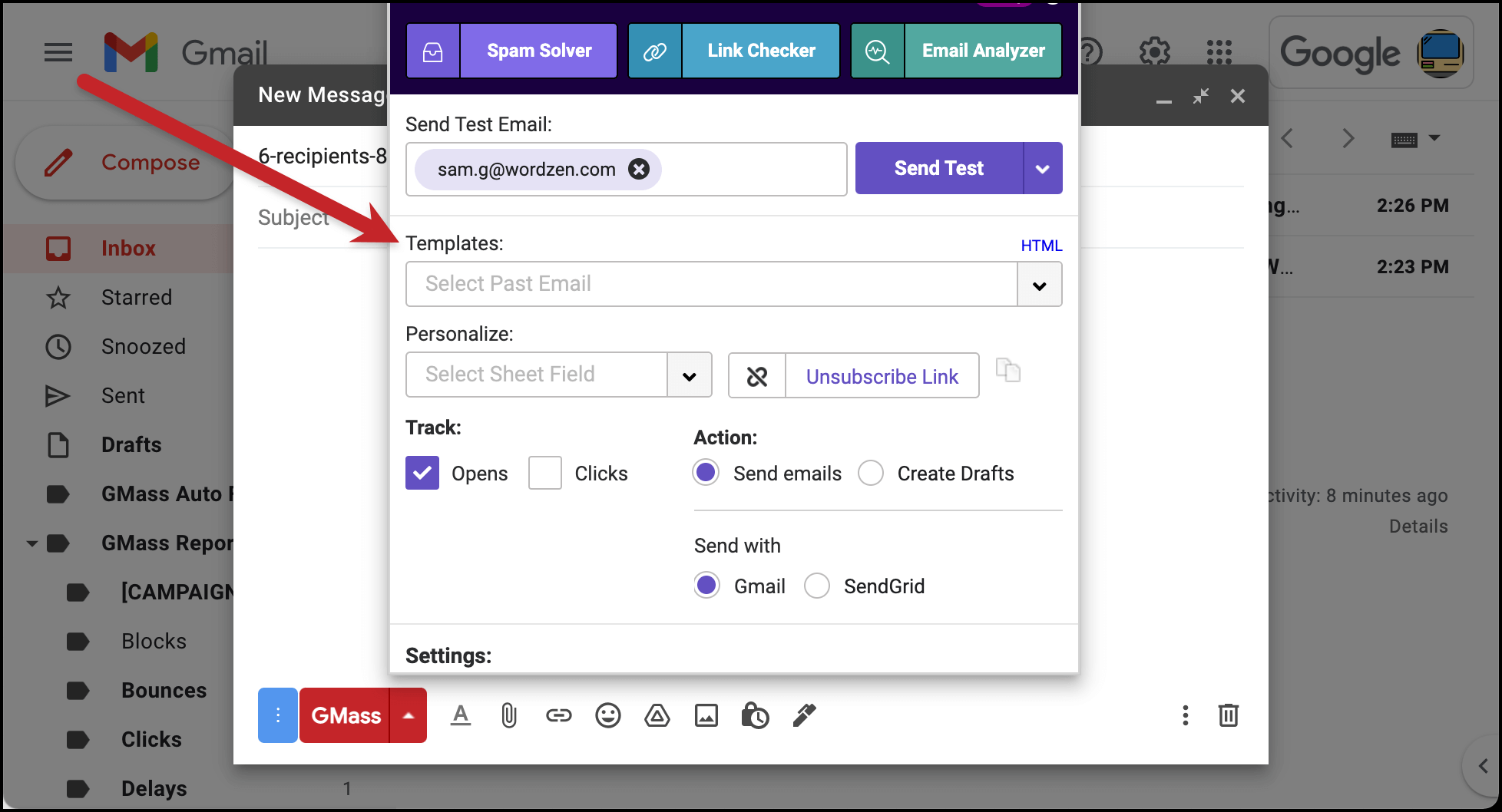
In this example, I’m loading the content from the last GMass feature announcement, regarding CSV reports. The content is pulled straight from your own Gmail account. Note that a couple weeks ago, GMass started saving all of your sent email campaigns under the “Sent Copies” Label under “GMass Reports”. When you choose an old campaign from this dropdown, the content is pulled from that “Sent Copies” area.
If your template list starts to get too crowded after a while because you’ve sent so many campaigns, you can remove templates from your list in the GMass dashboard > Settings > Templates settings.
See why 99% of users say they’ve had their best deliverability ever with GMass
Email marketing, cold email, and mail merge all in one tool — that works inside Gmail
TRY GMASS FOR FREE
Download Chrome extension - 30 second install!
No credit card required
Email marketing, cold email, and mail merge all in one tool — that works inside Gmail
TRY GMASS FOR FREE
Download Chrome extension - 30 second install!
No credit card required

Ajay is the founder of GMass and has been developing email sending software for 20 years.
Love what you're reading? Get the latest email strategy and tips & stay in touch.