Check Your Gmail Account’s Quota and Sending Limit | GMass

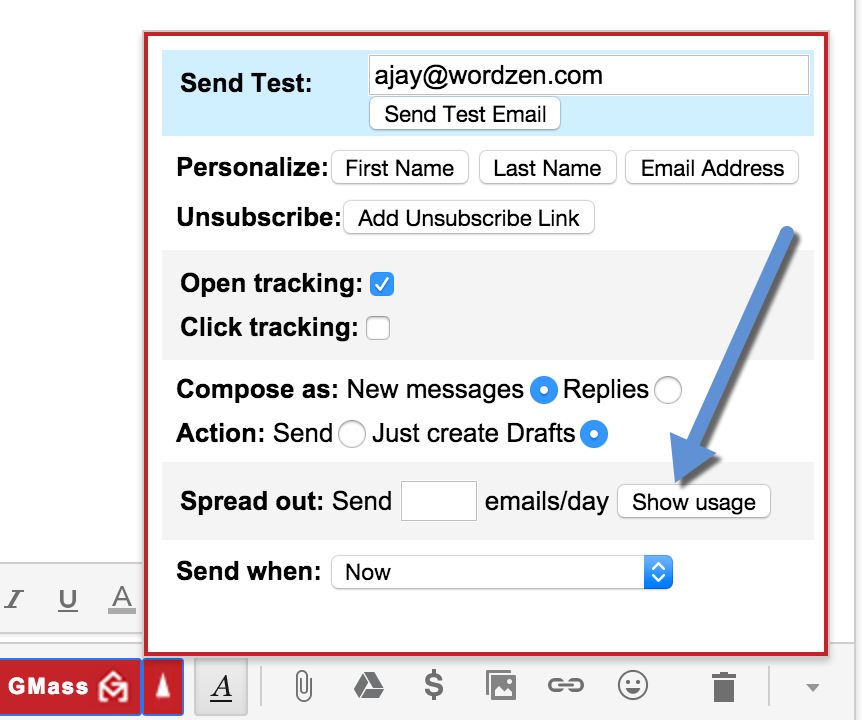
We’ve added a button to the GMass Settings panel that shows you how many emails you’ve sent with your Gmail account over the last 24 hours, and how many emails you can currently send without exceeding your Gmail account’s sending limits.
As a reminder, regular Gmail accounts can send 500 emails every 24 hours while Google Apps accounts can send 2,000 emails every 24 hours. These limits are detailed for regular Gmail accounts here at https://support.google.com/mail/answer/22839?hl=en, and for Google Apps accounts at https://support.google.com/a/answer/166852?hl=en.
Want to know how many emails you’ve sent over the last 24 hours and can now send?
Just click the new “Show Usage” button:
Then look at the message that is displayed at the top of your screen:
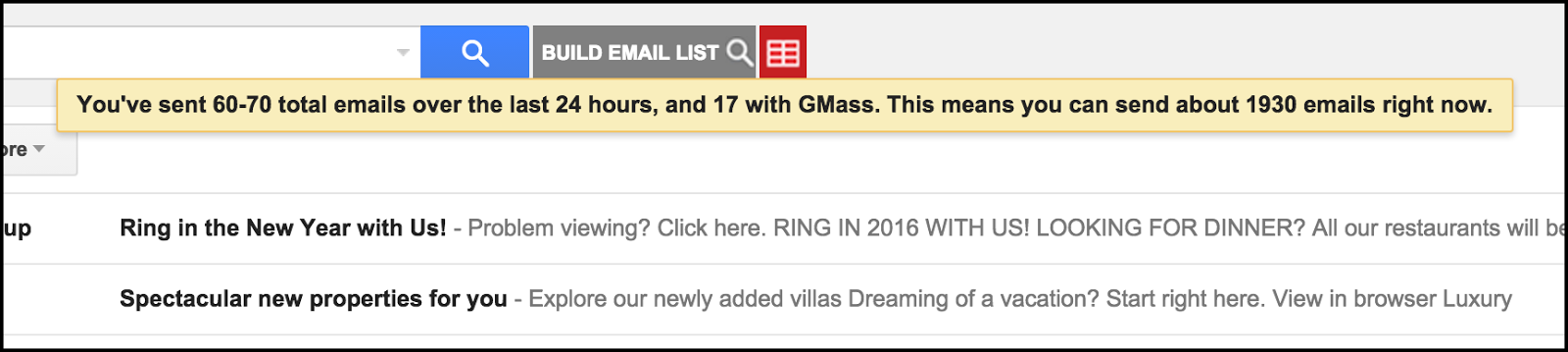
It’s that easy! Now you can tell at any given moment how many emails you’ve sent through your Gmail account over the last 24 hours and how many you can send right now.
Email marketing, cold email, and mail merge all in one tool — that works inside Gmail
TRY GMASS FOR FREE
Download Chrome extension - 30 second install!
No credit card required

Ajay is the founder of GMass and has been developing email sending software for 20 years.