Send a new campaign based on subscriber engagement with an old campaign

You can now send a new campaign based on actions your contacts have taken on previous campaigns. Want to send a follow up to everyone that DIDN’T open your last campaign? You can do that. Want to send a follow up to everyone that OPENED but DIDN’T CLICK your last campaign? You can do that too. Or maybe you just want to re-send to exactly everyone who received a previous campaign.
Click the “follow up” button next to the Search bar. It’s an envelope with an @ symbol symbol with an arrow.
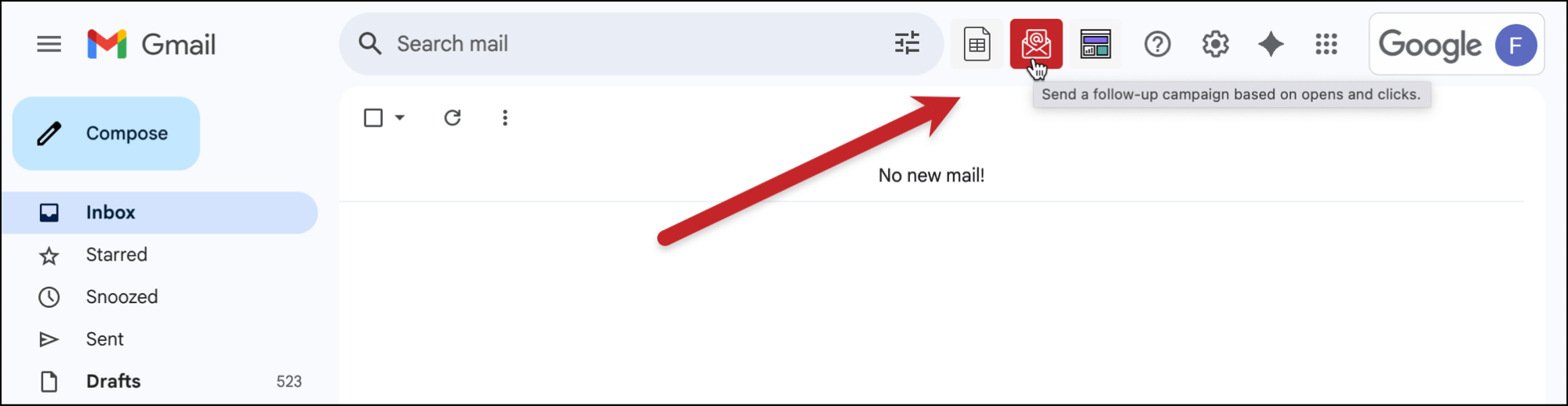
When you click the button, you’ll get a popup where you can choose your past campaign, and then the behavioral segment to which you want to send a follow up campaign. If your original campaign was based on a Google Docs spreadsheet, then GMass will connect to the same spreadsheet to allow you to personalize the follow-up with the same data.
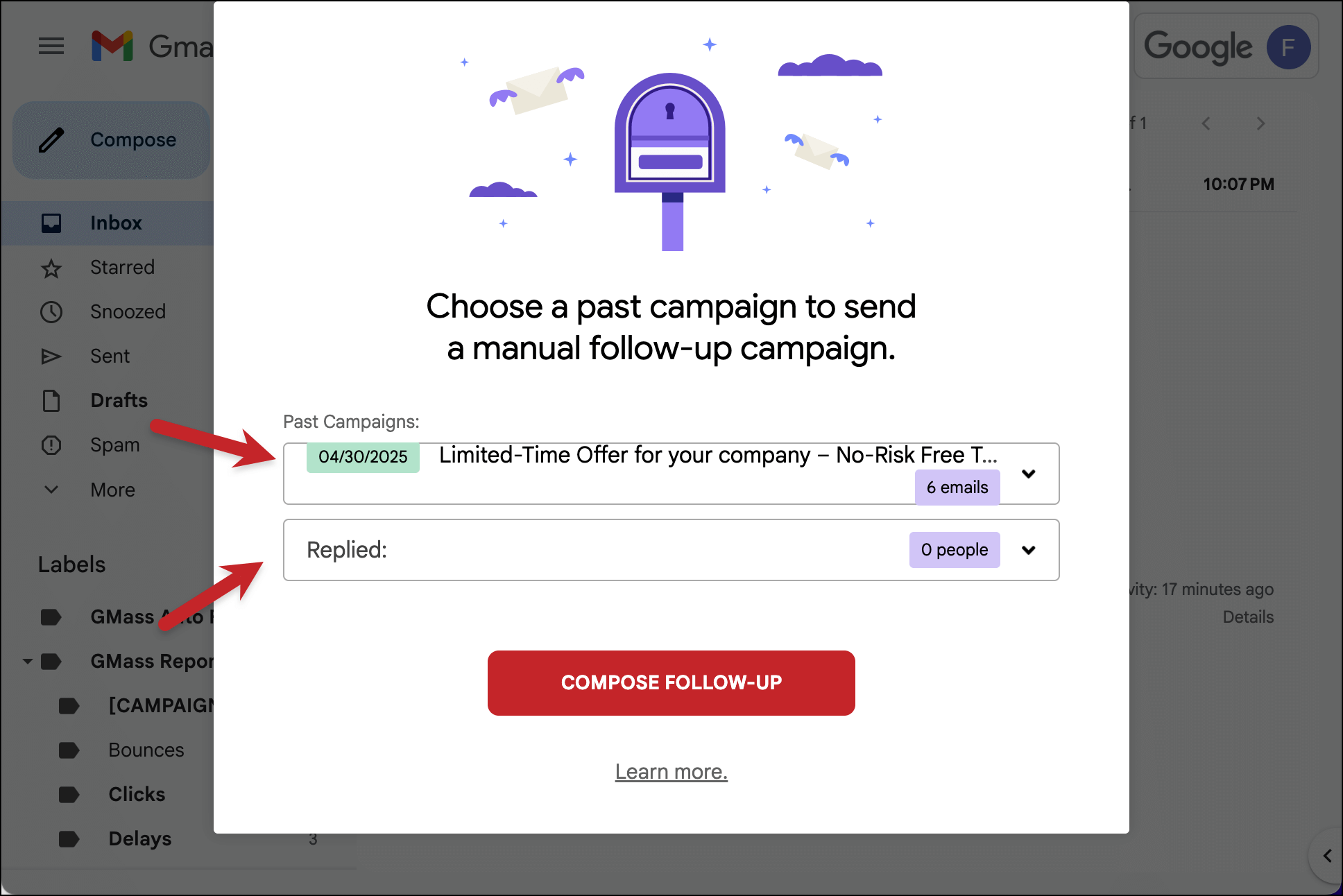
The behavioral segments you can choose from are:
-
- Sent: Everyone that was a recipient of the campaign
- Opened: Everyone that opened the campaign
- Didn’t Open: Everyone that didn’t open the campaign
- Clicked: Everyone that clicked at least one URL in the campaign
- Didn’t Click: Everyone that didn’t click any URL in the campaign
- Opened but didn’t click: Everyone that opened the email but didn’t click any URLs
- Replied: Everyone that replied to the campaign. Note that replies take a couple hours after they reach your Inbox to be associated with the campaign.
- Didn’t Reply: Everyone that did not reply to the campaign.
- Opened but didn’t reply: Everyone that opened but didn’t reply to the email campaign.
- Exceeded Gmail Limit: Everyone that bounced with a message indicating that your account was over limit. This segment is useful if you want to send your campaign to people that didn’t receive it the first time because you were over limit.
- Gmail API Errors: Everyone that did not receive the email because there was an error when GMass attempted to connect to Gmail. These errors are rare, but you may want to re-send the campaign to those that didn’t receive it the first time because of errors.
Blocks: Everyone that didn’t receive the email because of a spam rejection. After you’ve addressed the issue causing the spam rejection (usually a tracking domain issue), you can use this option to re-send the campaign to these people, since they didn’t get your email the first time.
You can also send follow-up campaigns based on who replied or who didn’t reply to a previous campaign. GMass’s reply management feature organizes replies, bounces, and other types of responses into different Gmail Labels after you send an email marketing campaign. Since that feature gives us the ability to tell who replied and who didn’t reply, we have now been able to enhance the follow-up campaigns feature to allow you to also follow up based on who replied and who didn’t.
Just click the follow-up campaigns button next to the Search bar, choose a past campaign, and choose from one of the new behaviors listed:
1. People who replied
2. People who didn’t reply
3. People who opened but didn’t reply
Also, if you use GMass’s dynamic lists, it’s easy to add or remove contacts from your behavior-based segmentation campaigns.
One last thing — if you could do me a couple small favors, it would make a huge difference for me. First, if you haven’t already, write a review on the Chrome Web Store. Secondly, tell the Twitter-verse that you love GMass.
Only GMass packs every email app into one tool — and brings it all into Gmail for you. Better emails. Tons of power. Easy to use.
TRY GMASS FOR FREE
Download Chrome extension - 30 second install!
No credit card required

Ajay is the founder of GMass and has been developing email sending software for 20 years.