Why your mass email sent to fewer recipients than you expected

If you’ve sent a mass email with GMass by copying and pasting addresses into the To field, and fewer emails were sent than you expected, then the reason is likely that your list of email addresses was tainted with extraneous characters.
For example, if you paste in 500 email addresses into the Gmail Compose To field, put in your Subject and Message, hit the GMass button, and then find that only 300 emails were sent, you should examine what you placed in the To field.
You’ll likely find that a large portion of the email addresses were surrounded by a pair of double-quotes. When that happens, everything inside the double-quotes is treated as one single email address. Those are likely the email addresses that did not receive the email and make up the difference between the expected count and the actual sent count.
How can you examine what you had in the To field after you’ve already sent your mass email?
The Gmail Label GMass Reports –> Sent Copies stores a copy of every email campaign you send in GMass. Examine the right message, and look at the To field and see if you can determine what email addresses didn’t receive your email and why.

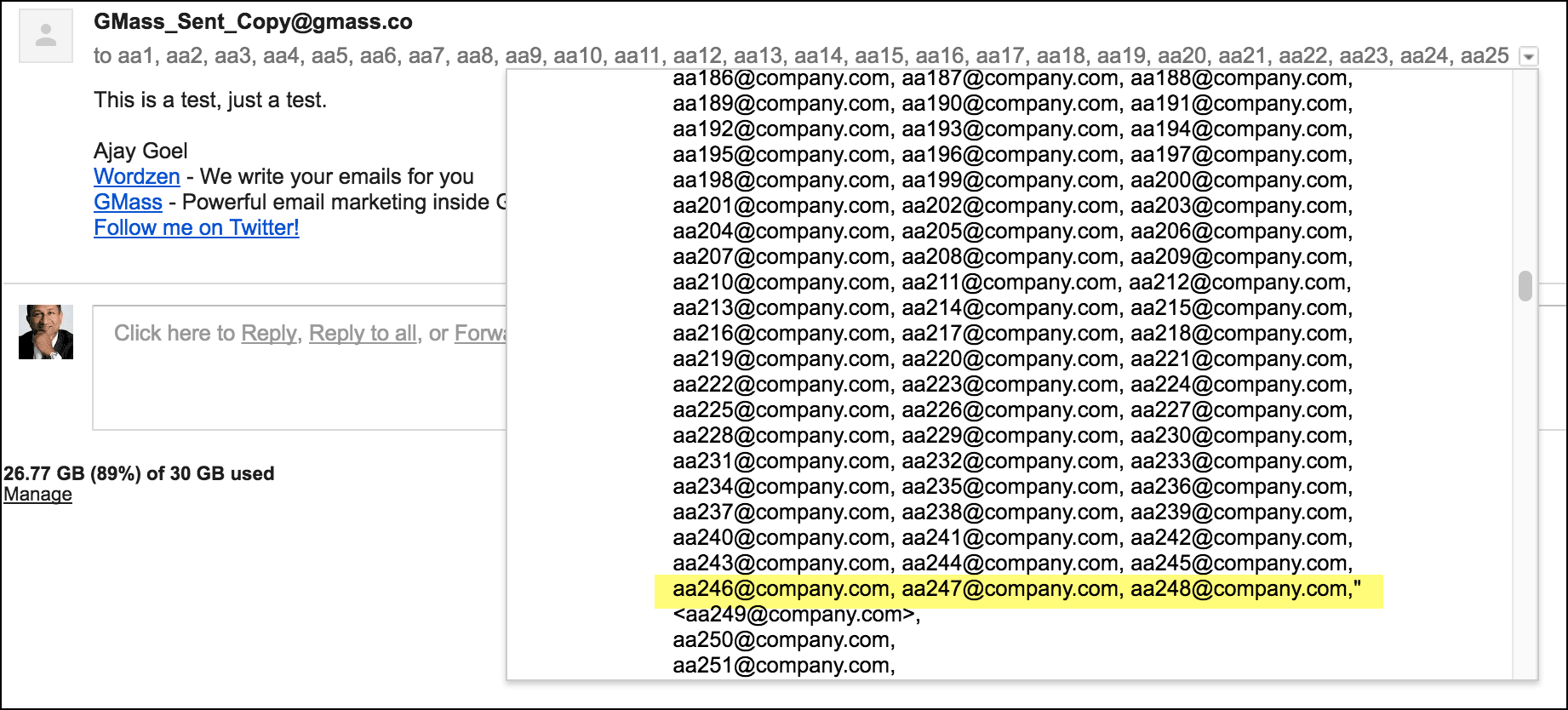
Pay attention to the count of your email addresses in the To field.

If the Gmail Compose window email count isn’t what you expected it to be, there’s likely something wrong with the list of email addresses you pasted.
Pay attention to the color of your email addresses in the To field.
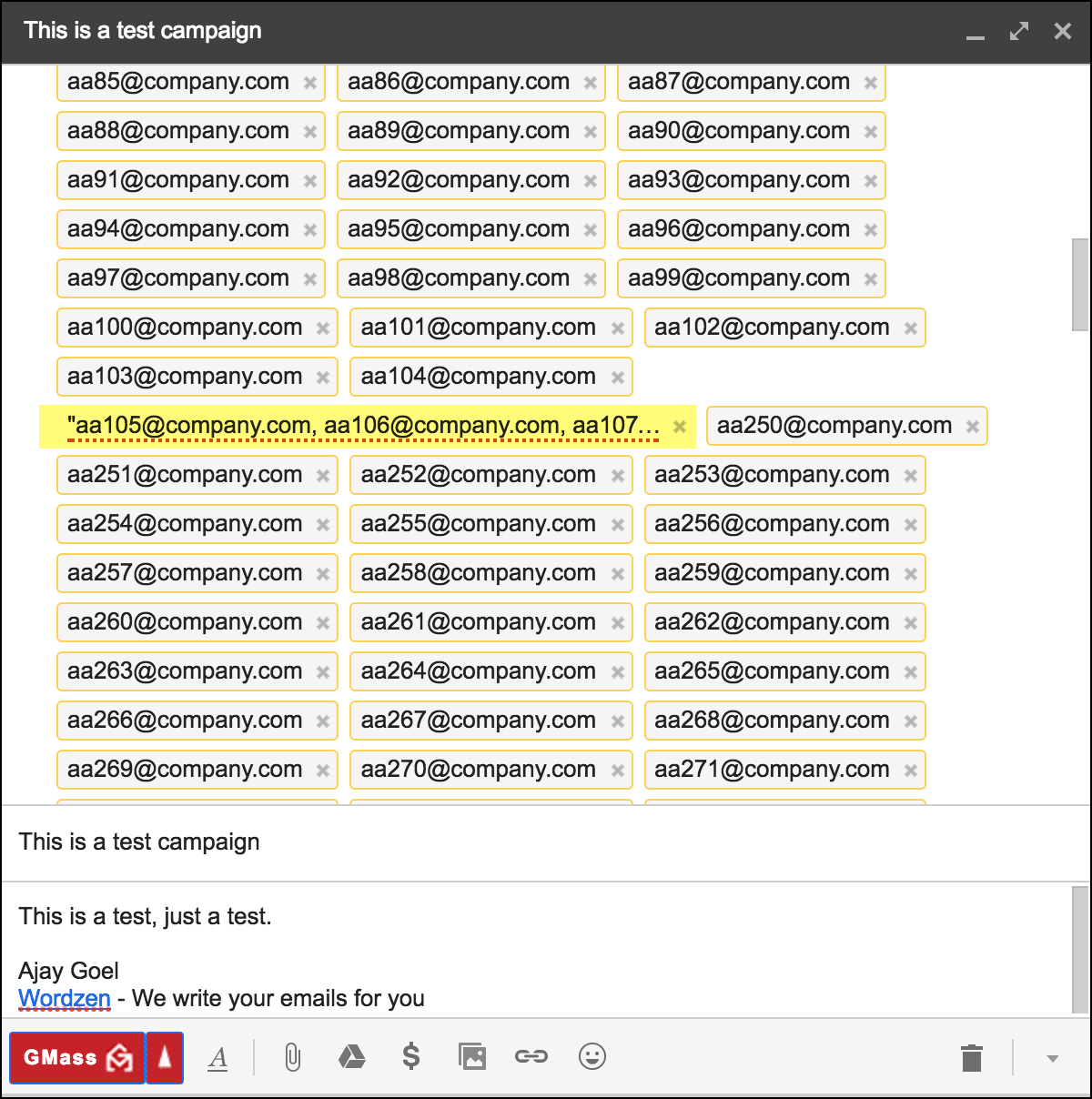
If you have extraneous characters in your list of email addresses, Gmail will subtly underline the invalid email addresses in red in the To field.
You might also be interested in…
Learning how many email addresses you can paste into Gmail’s Compose window without destroying your browser!
Email marketing. Cold email. Mail merge. Avoid the spam folder. Easy to learn and use. All inside Gmail.
TRY GMASS FOR FREE
Download Chrome extension - 30 second install!
No credit card required

Ajay is the founder of GMass and has been developing email sending software for 20 years.