How to cancel a scheduled mail merge campaign and stop it from sending

If you have a scheduled mail merge campaign, it will show under the GMass Scheduled Label.
You have a few options to cancel the campaign.
Cancel from the GMass settings box
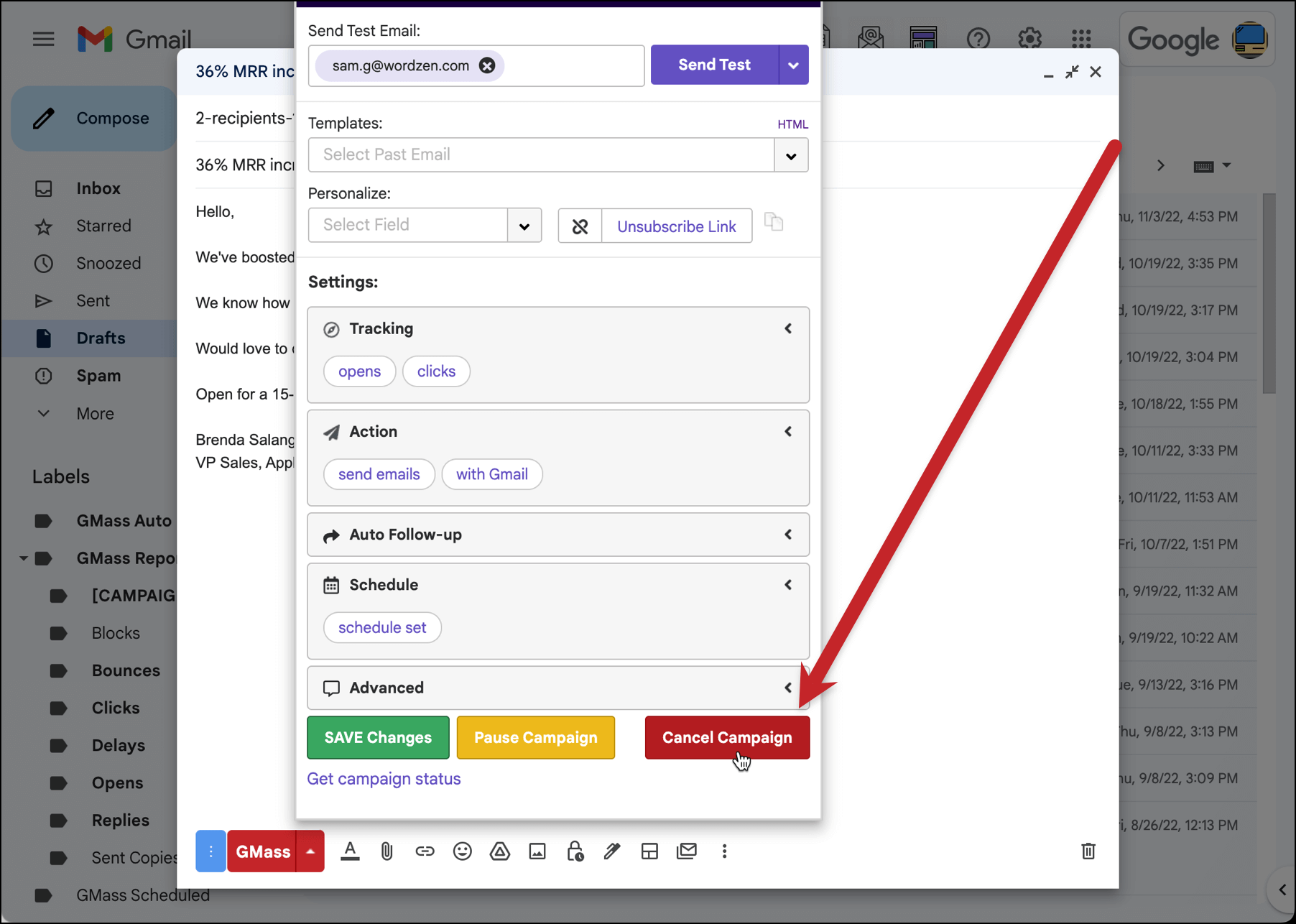
Find the campaign under the GMass Scheduled Label or in your Gmail Drafts folder, open the Draft, click the GMass Settings arrow, and hit the Cancel button.
Cancel from the GMass dashboard
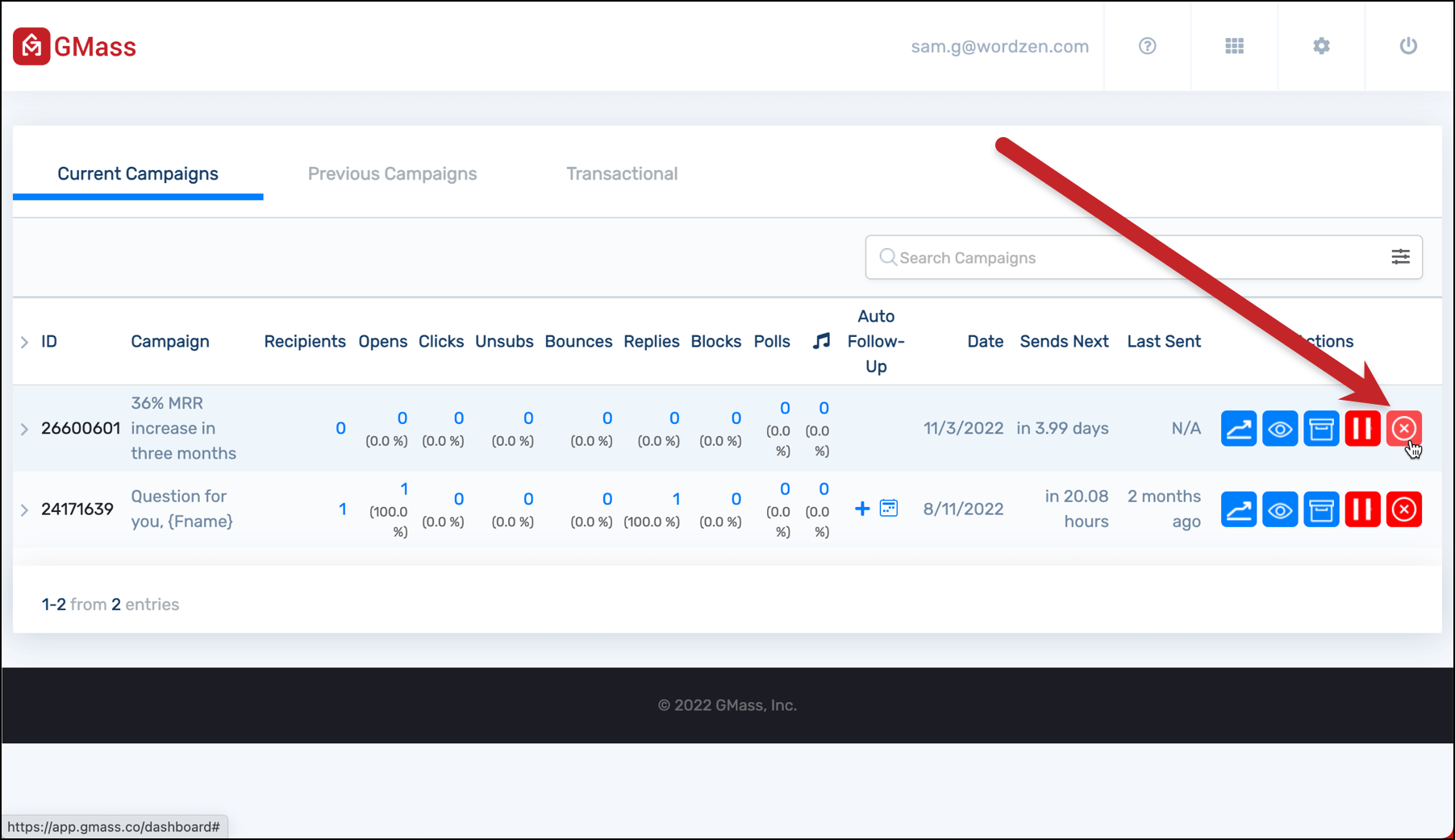
Head to your GMass dashboard. You’ll see your campaign under the Current Campaigns tab. Click the red X button to cancel.
Notes on canceling campaigns
These methods also work on a large campaign that has been set to send over multiple days. If after a couple of days, you decide you don’t want the rest of it to send, follow the same procedure to prevent further sending.
If the campaign is in the process of sending right now, then hitting the Cancel button will attempt to stop the current send and prevent future emails for the campaign from sending. If sending is in progress, up to 50 emails may send before sending is stopped.
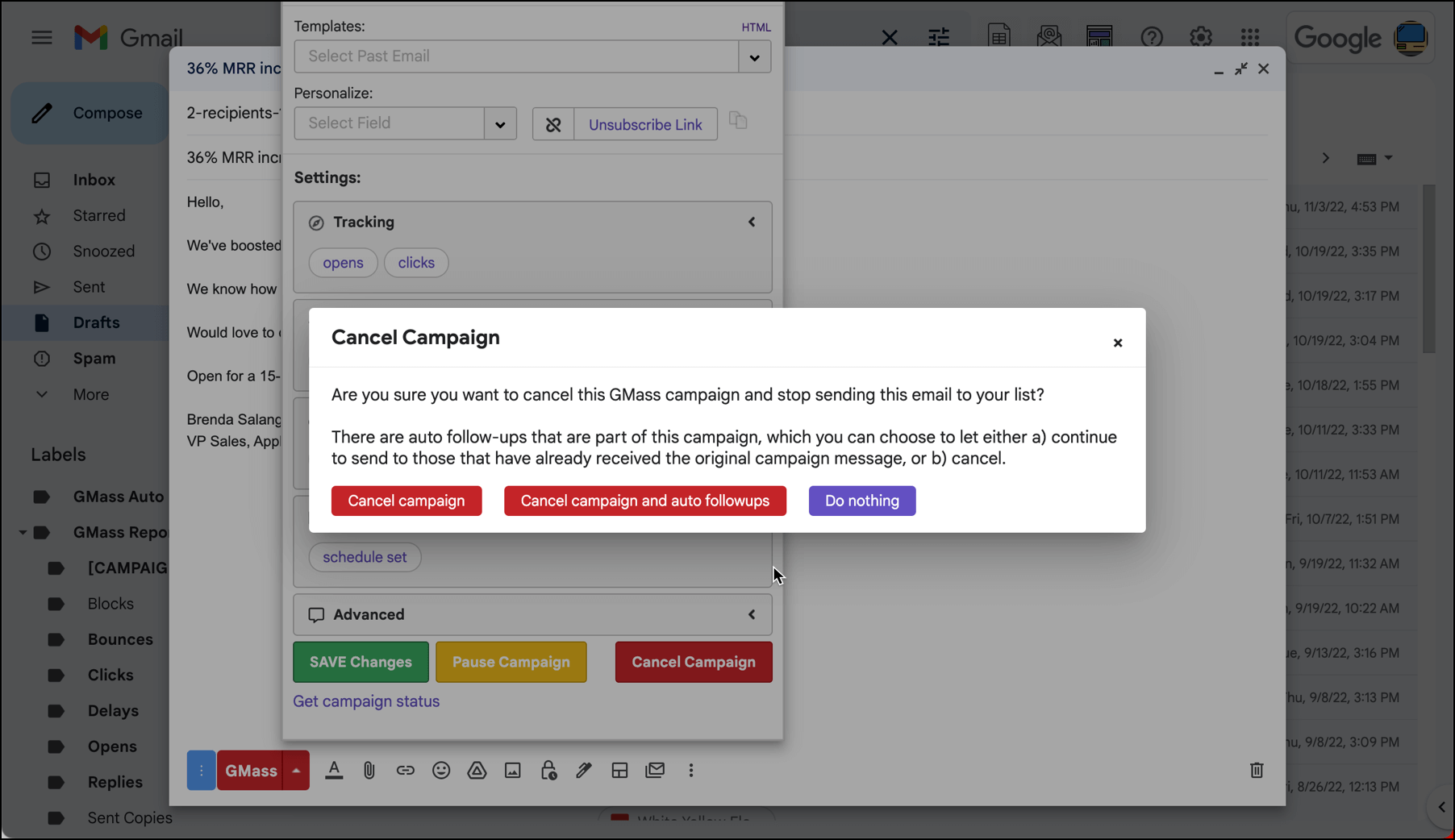
If you have auto follow-up messages scheduled with this campaign, a pop-up window will give you the option to cancel just the campaign, cancel the campaign and all future auto follow-ups, or both. (Here’s more on canceling auto follow-ups.)
One final note: Another way to cancel a campaign is to delete the email from your Drafts, or remove the GMass Scheduled label. However, those methods are more prone to error; for instance, it wouldn’t necessarily stop auto follow-ups from a large campaign already in progress. The “cleanest” methods are the two listed in this article.
Only GMass packs every email app into one tool — and brings it all into Gmail for you. Better emails. Tons of power. Easy to use.
TRY GMASS FOR FREE
Download Chrome extension - 30 second install!
No credit card required

Ajay is the founder of GMass and has been developing email sending software for 20 years.