
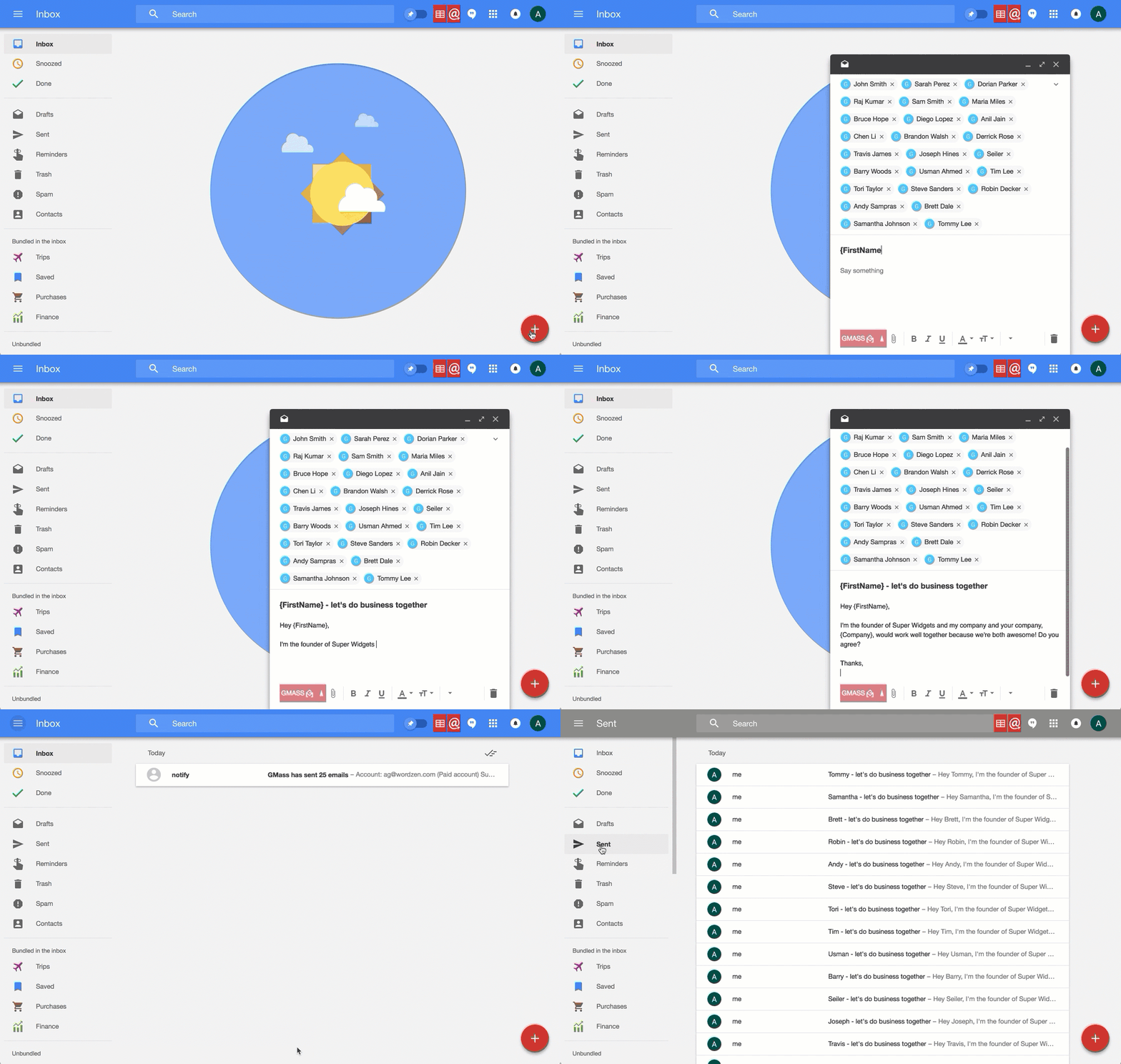
It’s been a long time in the making, but GMass finally works with Google Inbox. We’re so excited that we’re celebrating with a relaunch of GMass on Product Hunt today, August 10. Please join the conversation there…add a comment, ask a question, shower us with praise.
How do you get it?
You don’t have to do anything to get GMass to work inside Inbox, if you already have the GMass Chrome extension installed in your browser. Just fire up Inbox and the GMass buttons should appear. If they do not appear, your Chrome browser may not have the latest GMass extension, version 4.0.0. If that’s the case, go to the URL chrome://extensions and click the button at the top to “Update extensions now”. Then confirm that your version of GMass is 4.0.0.
Newbie?
If you’re a Google Inbox newbie, these resources may help:
If your account is configured for it, go to Google Inbox now.
The Wikipedia page for Google Inbox.
See why GMass has 400k+ users and 9,000+ 5-star reviews
Email marketing. Cold email. Mail merge. Avoid the spam folder. Easy to learn and use. All inside Gmail.
TRY GMASS FOR FREE
Download Chrome extension - 30 second install!
No credit card required
Email marketing. Cold email. Mail merge. Avoid the spam folder. Easy to learn and use. All inside Gmail.
TRY GMASS FOR FREE
Download Chrome extension - 30 second install!
No credit card required

Ajay is the founder of GMass and has been developing email sending software for 20 years.
Love what you're reading? Get the latest email strategy and tips & stay in touch.