Resolving "Message not delivered" bounces from Gmail because your "Send mail as" settings are misconfigured

If you’re getting Message not delivered bounces from Gmail indicating that your “Send mail as” settings are misconfigured, here is why it’s happening and how to resolve it.
First, this is what this particular type of Gmail bounce message looks like:
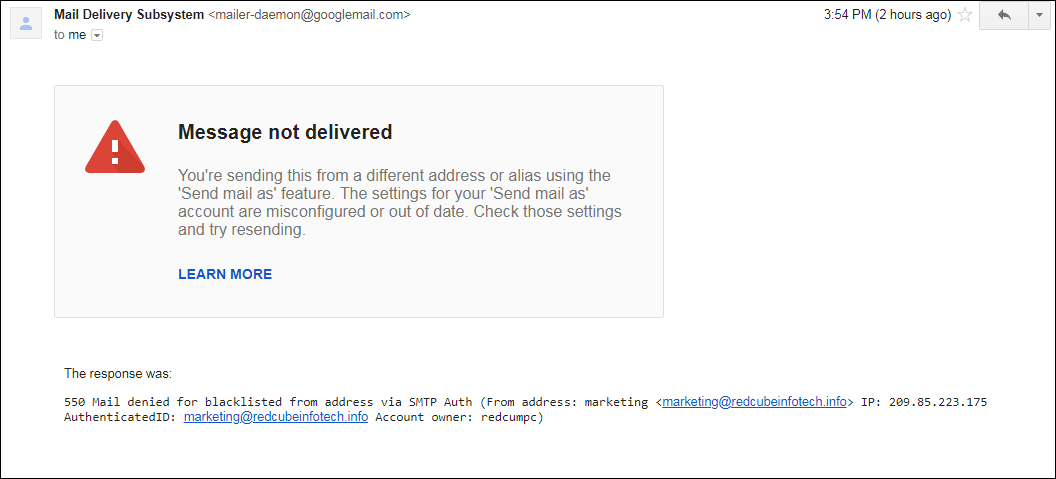
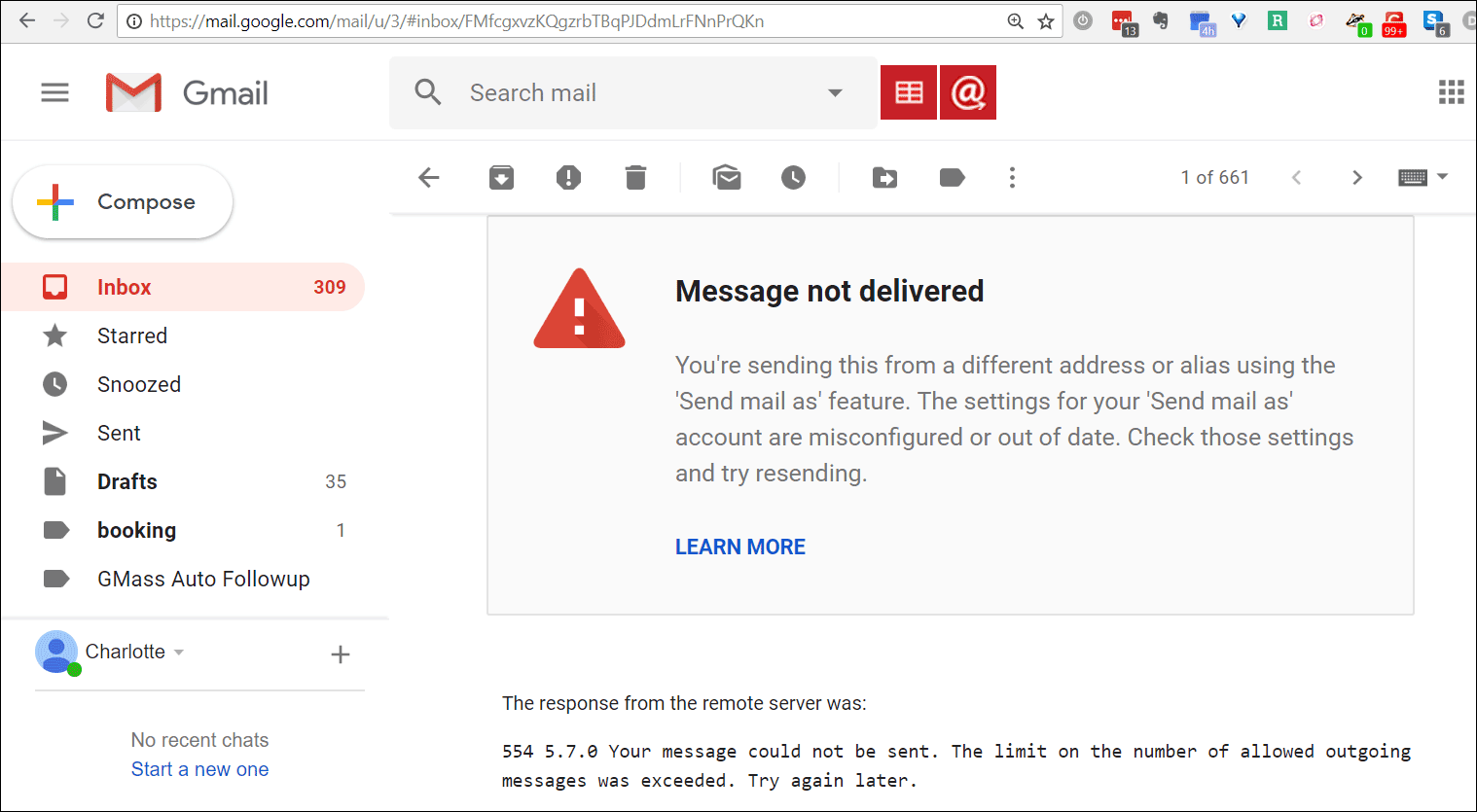
Here’s another example, indicating that you’ve exceeded your sending limits. Don’t get confused though…this has nothing to do with your Gmail sending limits:
Why are you getting these bounces?
In both of these examples, there’s actually no issue with Gmail or GMass. The issue is with the SMTP server that you set when configuring your additional From Address.

When you want to send an email in Gmail from an address other than your Gmail address, you can do that. You just set up an email address that you own as an additional From Address in your Gmail account, and that email address doesn’t have to be a Gmail account, although it can be. You do that by following the instructions provided by Google to add an additional From Address. Part of the setup requires you to provide an SMTP server for that new From Address. That means you were forced to input an SMTP server, its username, and its password in order to send “from” that additional address that you own.
These bounces that you’re receiving are being generated by that SMTP server that you chose — not by Gmail’s server and not by GMass.
In the second example, the SMTP Server bounces the message because of a limit issue. This has nothing to do with Gmail’s sending limits. This is a limit imposed by your SMTP server that you set when you configured the additional From Address.
How do you fix these bounces?
Whether you send a normal email with the Gmail Send button or a mail merge campaign with the GMass button, if you set your alternate From Address, the emails will be sent via that SMTP server that you used to set up that alternate From Address, not Gmail’s servers. You are essentially bypassing Gmail’s sending servers when you send “from” your non-Gmail address.
So when you get a bounce like this, you can resolve this by either:
- Resolving the issue with the company in charge of that SMTP server.
- Sending from your Gmail address rather than the additional From Address.
- Usinger a commercial SMTP server like Sendgrid instead of your current SMTP server.
I’m confused…SMTP Server huh?!
You might be confused because GMass allows you to set an SMTP server to send unlimited emails with your Gmail account. This is not the same SMTP server that Gmail requires you to specify when you configure an additional From Address.
The SMTP server you set with GMass is used to send emails when:
- You use the GMass button instead of the Gmail Send button…AND…
- You specifically designate the SMTP server to send the emails rather than Gmail’s servers in your GMass Settings:

The SMTP server you set with Gmail as part of From Address configuration is used when:
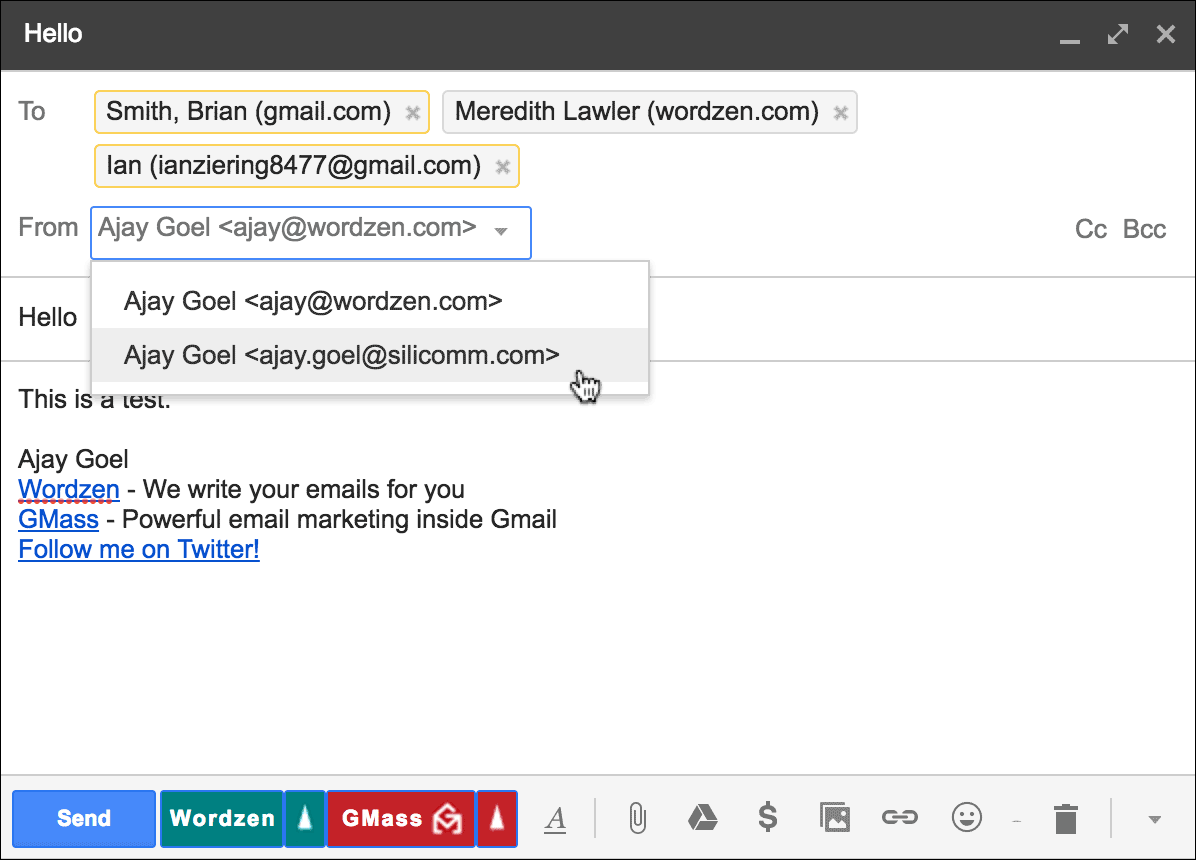
- You choose that particular From Address from the dropdown menu in the Compose window…AND…
- You use either the Gmail Send button or the GMass button, and if you used the GMass button, you elected to “Send with” Gmail. It might be confusing because even when selecting “Send with” Gmail in this case, your emails are not sent through Gmail’s servers. They’re going through the SMTP server you set as part of your From Address configuration.
More information
We’ve written an extensive explanation of the differences between sending from your Gmail email address versus an additional From Address that you set up in your account. There are deliverability implications to factor, the biggest being that when you send from an additional From Address, your emails aren’t going through Google’s high deliverability email servers.
Only GMass packs every email app into one tool — and brings it all into Gmail for you. Better emails. Tons of power. Easy to use.
TRY GMASS FOR FREE
Download Chrome extension - 30 second install!
No credit card required

Ajay is the founder of GMass and has been developing email sending software for 20 years.