Gmail's 69585 bounces and what they mean

Have you ever gotten a bounce after sending an email from Gmail with a 69585 bounce code that references a URL? Specifically, a bounce message that says:
Your message to john@smith.com has been blocked. See technical details below for more information. LEARN MORE

The response was:

Message rejected. See https://support.google.com/mail/answer/69585 for more information.
Here’s a screenshot:
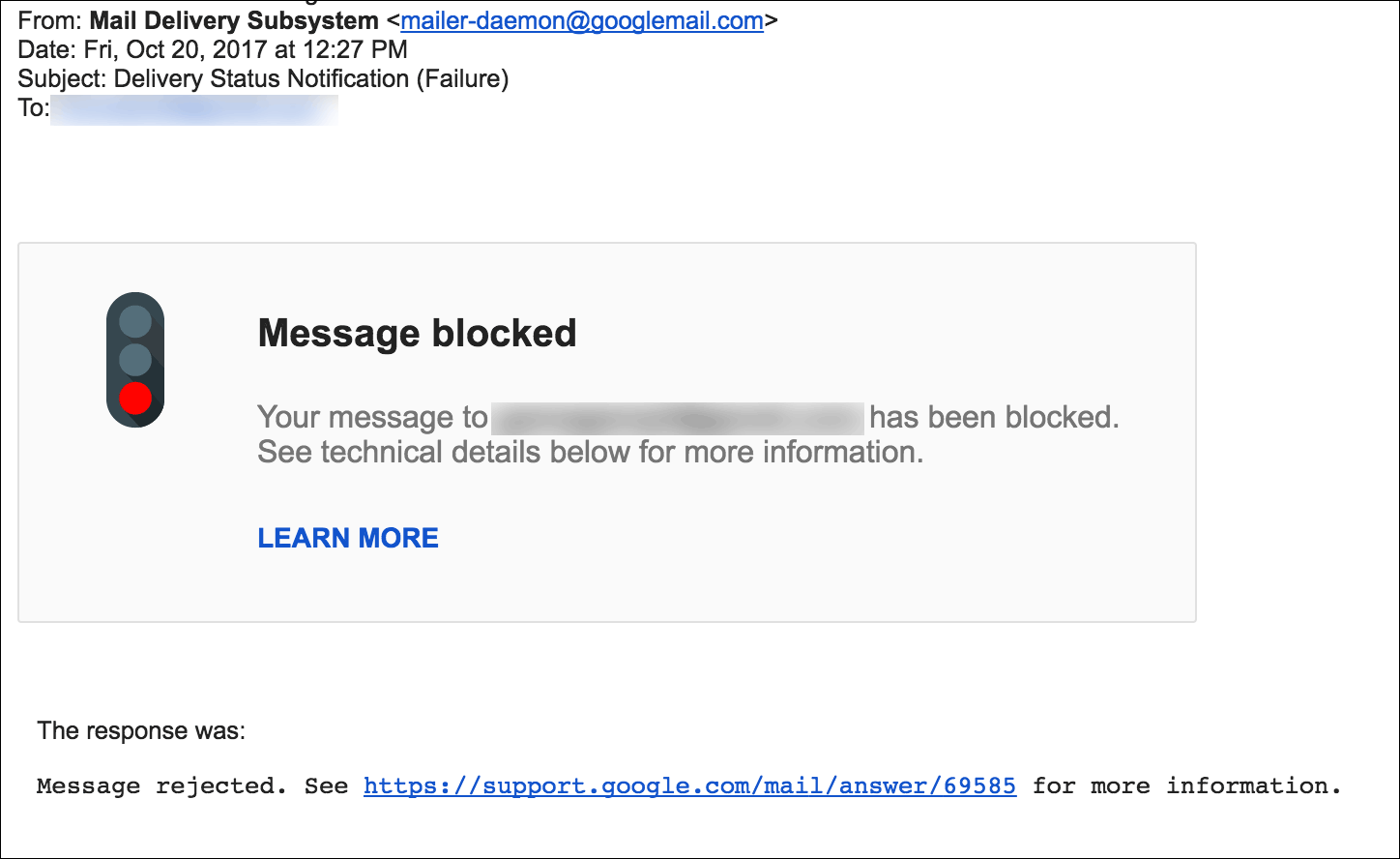
Gmail provides an irrelevant URL
You might notice that the URL that Gmail gives for more information about the 69585 bounce is a URL that gives no information on the 69585 error:
https://support.google.com/mail/answer/6596?visit_id=1-636469950368928843-4158290028&rd=1
It doesn’t explain the 69585 bounce at all. So what’s the deal?
We’re not sure why Google removed the explanation page for the 69585 bounce code, but in the past, it meant that Google blocked the email on its way out of Google’s network. The email never reached the server for the particular email address. Whereas most blocks are blocked by the receiver, a 69585 bounce is a preemptive block by Google, because they think the email you’re trying to send is spam.
Our findings about the 69585 error
In the data we’ve seen, the most common cause for a 69585 bounce is that the email contains a URL that has been flagged by the Google Safe Browsing program, or a URL that has been flagged by Gmail. It’s possible that a URL can be flagged by Gmail but shows up as clean in a Safe Browsing lookup.
The second most common cause is that based on the text content of the email, Google has determined with high confidence that the email is spam. This can apply even to emails with no URLs present at all.
This information is based on the findings of our sysadmins. The best explanation we can find directly from Google is here:
https://productforums.google.com/forum/#!msg/gmail/uH2hN6S5OyM/lzdteH-ifvYJ
The relevant part of the explanation is:
To clarify: the issue discussed on this thread is when @gmail.com users are attempting to send an email to multiple recipients (in some cases, a large number of recipients) and their outgoing mail is getting blocked by our system and is never delivered. If you’ve arrived at this thread and this is not your issue, please try using the search bar at the top to find a more relevant thread.
With that being said, this behavior will still occur in certain instances. The free version of Gmail was not intended to be used as business email or to regularly send to large groups of people. If that is what you are attempting to do, we recommend using Google Groups or Google Apps for Work (if you’re a business). Google Groups allows recipients to opt-in, so you can ensure you’re not sending unwanted mail, and Google Apps for Work will allow you to more professionally and reliably communicate with your customers.
While I agree with this statement, it’s worth noting that in most cases, it is possible to send a mail merge or a group email to multiple recipients from a regular Gmail account, especially if the Gmail account being used has a long history with Google and is established as a legitimate account belonging to a real person. The history and age of the account is one of the factors in determining its sending limits and general mass email sending ability.
Real-time 69585 data in GMass
Just for fun, here’s a live data feed showing how many 69585 bounces GMass has generated recently when sending emails through users’ Gmail and Google Workspace accounts. Note that GMass sends about 5 million total emails/day for about 10,000 users/day.
| Date | 69585 Blocks | Users Affected |
|---|---|---|
| 06/13/2026 | 598 | 70 |
| 06/12/2026 | 3,600 | 245 |
| 06/11/2026 | 1,569 | 213 |
| 06/10/2026 | 1,583 | 161 |
| 06/09/2026 | 2,391 | 202 |
| 06/08/2026 | 1,924 | 207 |
| 06/07/2026 | 681 | 90 |
| 06/06/2026 | 1,840 | 166 |
| 06/05/2026 | 3,029 | 246 |
| 06/04/2026 | 2,593 | 236 |
| 06/03/2026 | 2,826 | 255 |
| 06/02/2026 | 1,930 | 233 |
| 06/01/2026 | 1,814 | 213 |
| 05/31/2026 | 897 | 107 |
| 05/30/2026 | 327 | 45 |
