Don't make this copy / paste mistake with Gmail and GMass

If you’ve sent an email campaign with GMass, or even a test message to yourself, never copy/paste that message from your Sent Mail or Inbox into a new Compose window.
Why?
Once the email is sent, elements of it are personalized to each recipient, like the unsubscribe link, the click-tracked links, and the open-tracking pixel. If you then copy/paste that email, which has already been tagged specifically for one recipient, into a new GMass campaign, then everybody that gets the new campaign will get an unsubscribe link that unsubscribes just that one email address, and links to click that will make it look like that one email address is clicking (not the actual recipient) and all opens will be registered to that one address.
In fact, this rule doesn’t apply to just GMass. It applies to any email marketing system, even traditional ESPs like MailChimp and JangoMail. If you use a traditional ESP to send yourself a test email, never copy/paste that test email back into a new campaign to send to hundreds of email addresses.
GMass is now preventing emails that contain already click-tracked links from being sent. If you copy/paste an old sent campaign into a new campaign and use the GMass button to send it, you may receive a yellow status message error that looks like:
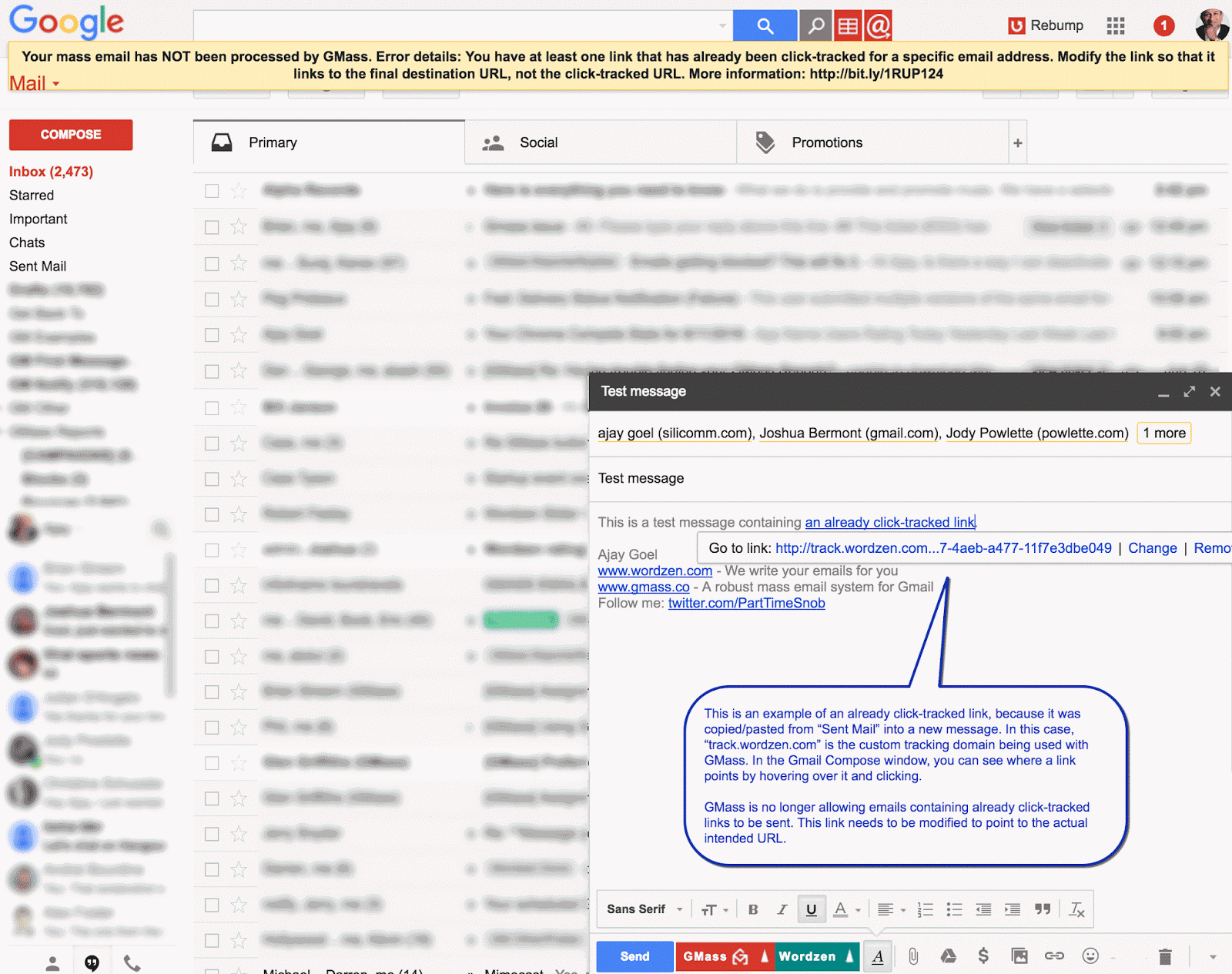
You will also receive a report in your Inbox listing the offending links that need to be removed or changed.
How do you fix this?
To correct the issue, you’ll need to modify your links, so that they link to the actual website you wish to send your recipients to, rather than the GMass click-tracked URL. If you encounter this issue, a report will be sent to your Inbox listing the click-tracked URLs and the original URLs they should be replaced with.
In the Gmail Compose window, hover over each link and click it. Gmail will display its destination. Find the offending links, and modify them to point to the original URL.
How can I avoid this issue altogether?
For loading prior GMass content into the Gmail Compose window, use the Templates dropdown instead of copying/pasting content between campaigns.
Send incredible emails & automations and avoid the spam folder — all in one powerful but easy-to-learn tool
TRY GMASS FOR FREE
Download Chrome extension - 30 second install!
No credit card required

Ajay is the founder of GMass and has been developing email sending software for 20 years.