New feature for beat makers: Track who listens to your beats and how long

A few years back, we noticed GMass was becoming a legit player in the hip-hop world. Not because of our music — for some reason, we still can’t get anyone to listen to our mixtape. It’s because our email platform is a perfect fit for everyone out there making beats.
GMass has become an extremely popular way for beat makers — producers, DJs, up-and-comers, industry veterans, Kanye under a fake name (we’re pretty sure) — to promote their beats and sell beats online with both cold emails and newsletters or other updates to their contact lists.
Beat makers love sending their beat marketing cold emails from right inside their Gmail account and how smooth the entire process is with GMass.
We reached out to beat makers using GMass to find out how they were using email to promote themselves and their work and asked what we could do to make things even better for them.
The top answer: A better way to send audio files with their emails, and then to track who’s listening to those files.
So we’ve just launched a brand new beat tracking feature for GMass to help you take your emails to the next level.
Beat tracking for GMass: Better music file attachments and listen tracking inside your Gmail
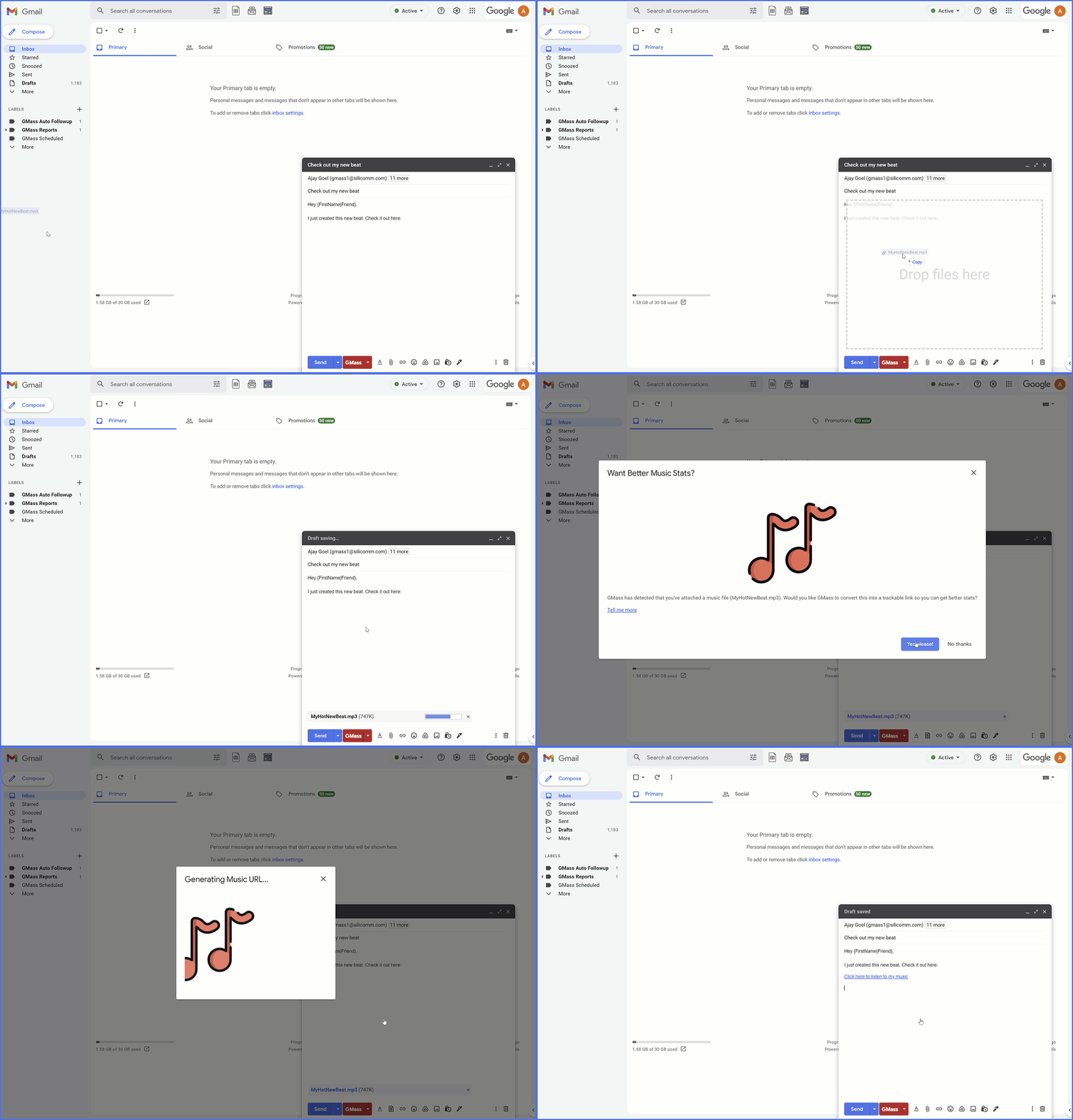
Before we built this feature, if you wanted to send out a beat, you’d attach the mp3 or other audio file of the beat to the email.
And after that… the rest of the process was untrackable. You wouldn’t know who downloaded the beat or if they listened to it after they did.
You want and need more info than that.
So with the new beat tracking feature in GMass, the audio file of your beat is converted into a trackable link.
When someone clicks that link, it takes them to a special audio page on our gbeats.net website.
And you’ll get full stats on who listened to your beat and how long they listened.
The best part? It’s just as simple as the old method of attaching an mp3 or other audio file to your email.
Step-by-step guide to track who listens to your beats with GMass
Let’s walk through the entire process of beat tracking with GMass step-by-step so you can start using it with your emails immediately.
For this guide, we’ll assume you’ve already set up your email campaign in Gmail with GMass. (If you’re brand new to GMass and don’t know how to do that, fortunately it’s all really easy. Head over to the GMass tour and we’ll talk you through the basic steps of a campaign.)
Step 1: Drag your audio file into the Gmail compose window
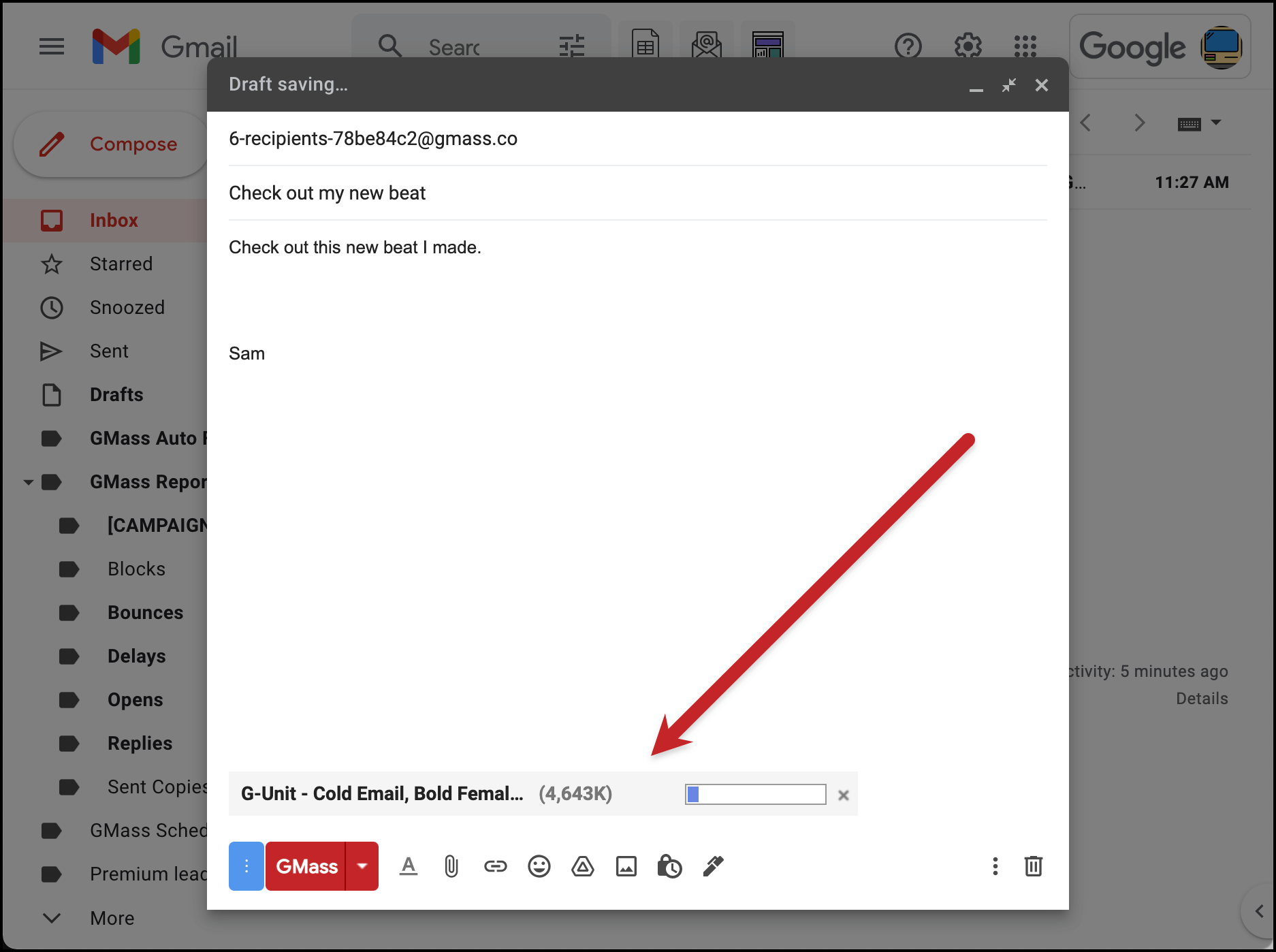
Drag your audio file to your email like you normally would (or hit the attach button, if that’s how you attach your files). It will upload normally, just like before.
Step 2: GMass will notice it’s an audio file and ask if you want to turn it into a trackable link
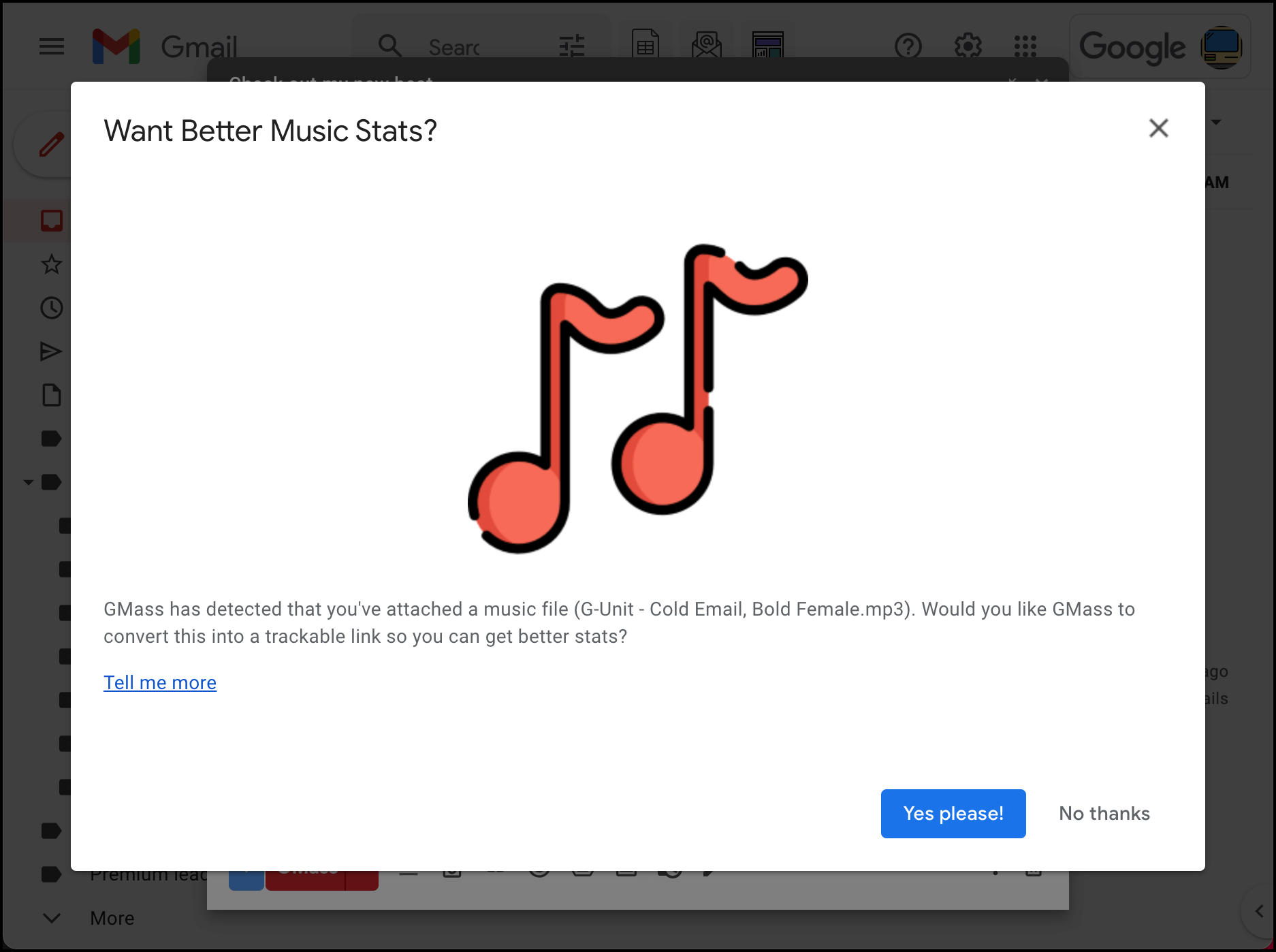
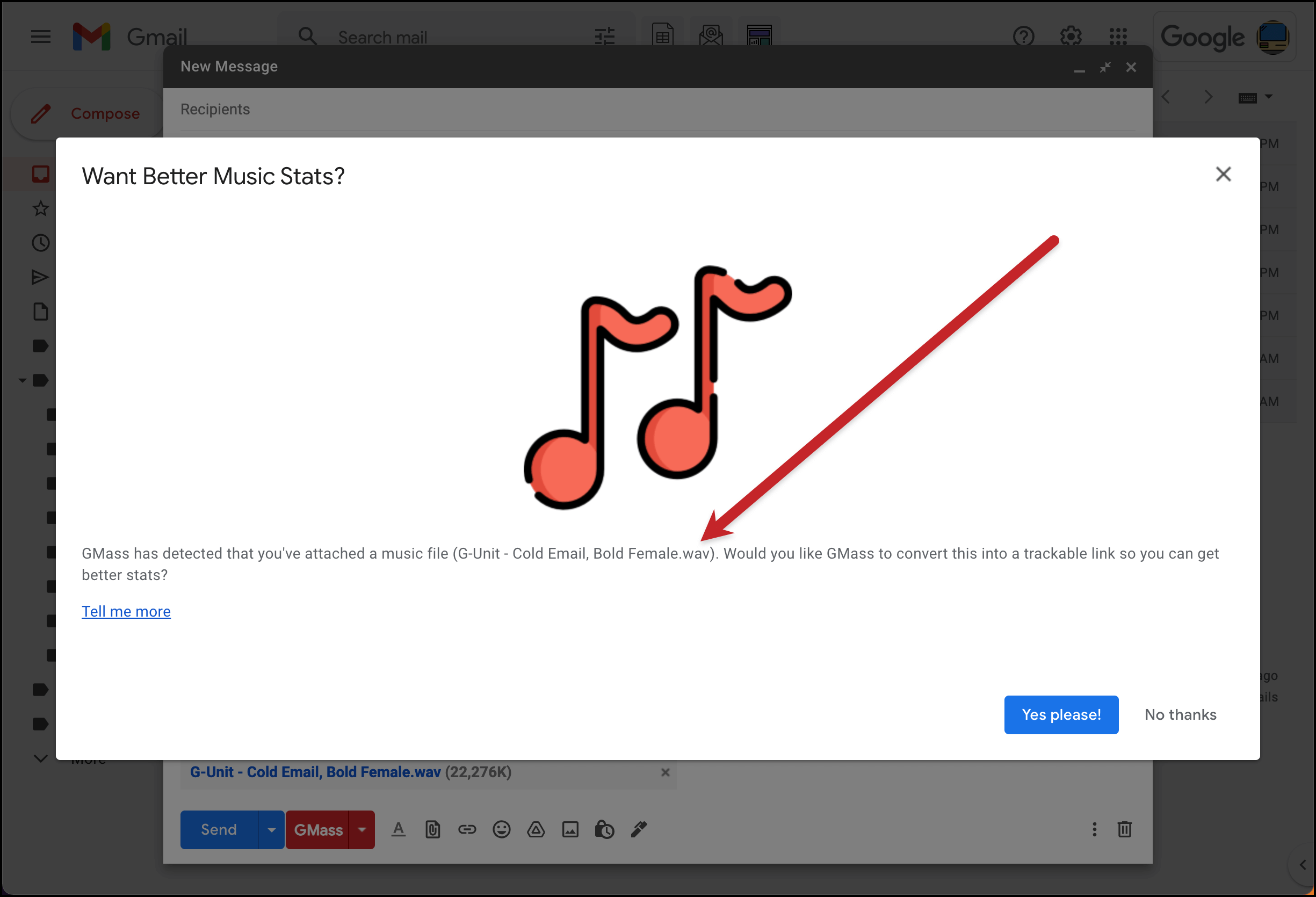
After your music file is done uploading, the GMass extension will automatically recognize you’ve attached a music file.
A pop-up window will offer to turn your file into a trackable link so you can get better stats. You can say no, but this entire article is about what happens when you say yes. So we’ll click the “Yes please!” button.
Step 3: Put the link where you want in your email and edit the link text
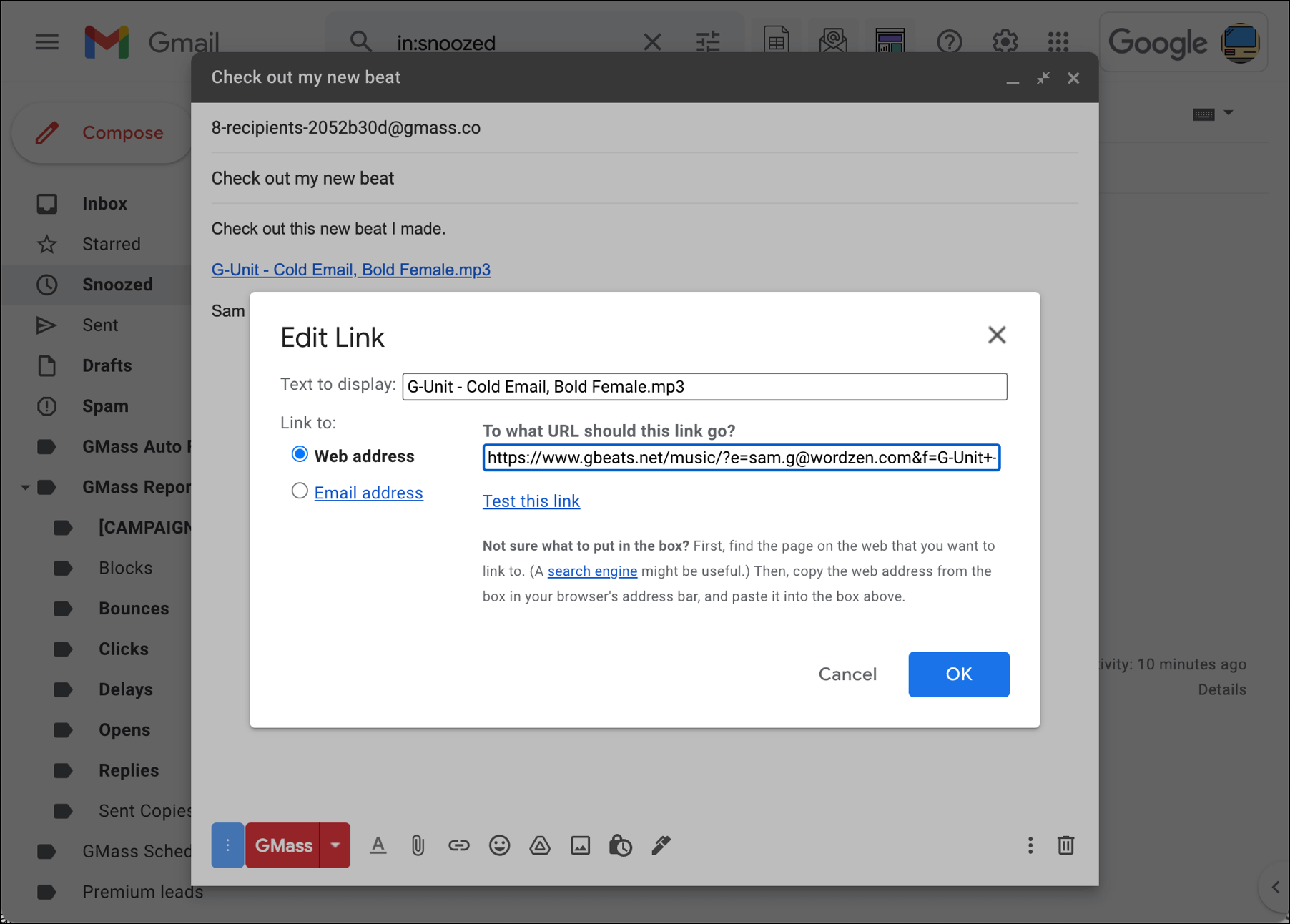
GMass will convert your music file into a trackable link (and it will no longer be attached to your email).
You can put that link anywhere you want in your email. You can also edit the text of the link by clicking on the link, then clicking “Change.” Edit the link text that displays in your email in the “Text to display” box. Do not edit the URL — it needs to stay exactly as-is.
Step 4: Send your email by hitting the GMass button
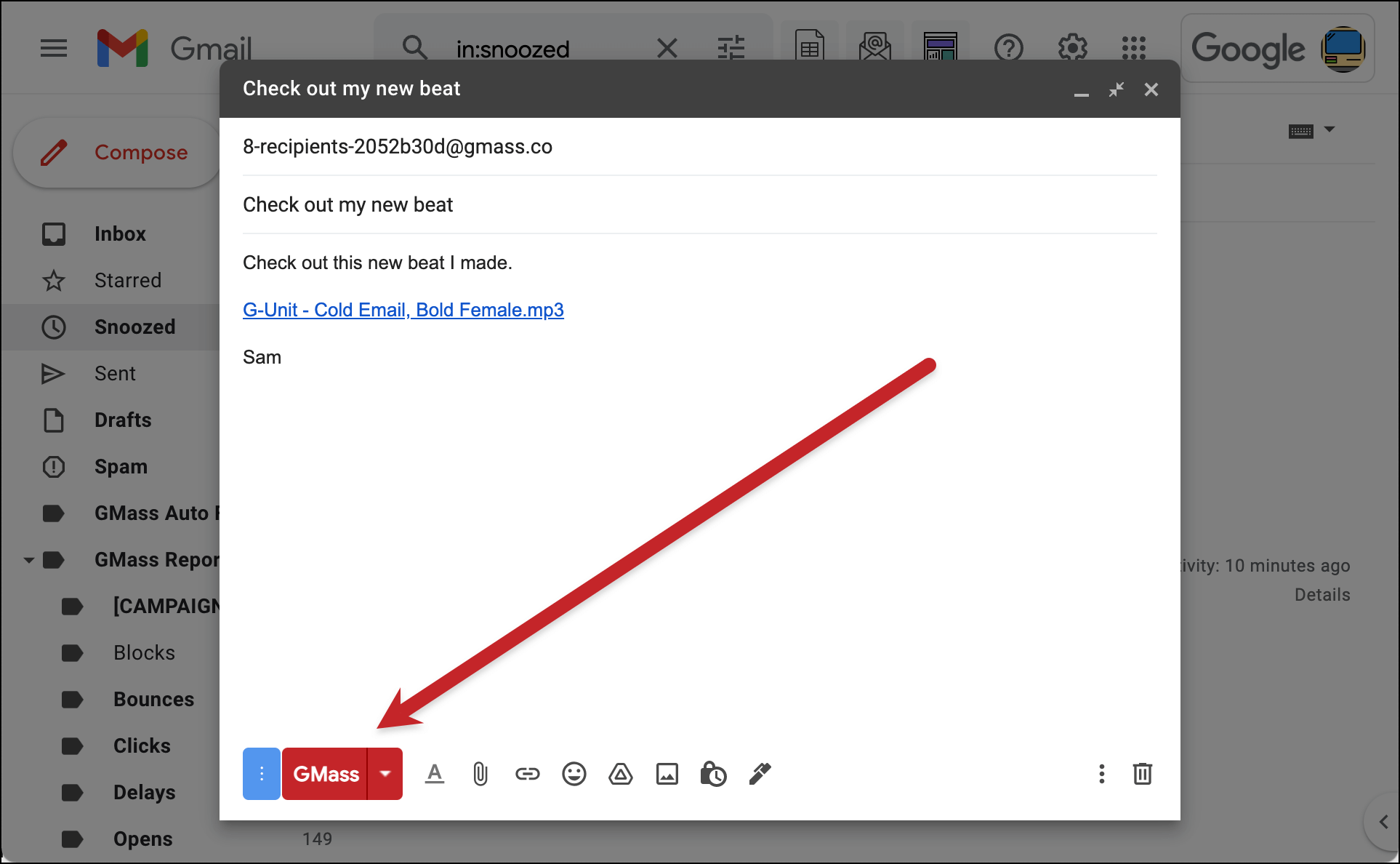
Once you’ve configured any other settings you want for the campaign (auto follow-ups, scheduling, and any others), hit the GMass button to send. Your campaign will go out to everyone on your list with your audio file link (and not your audio file as an attachment).
What your contacts will see
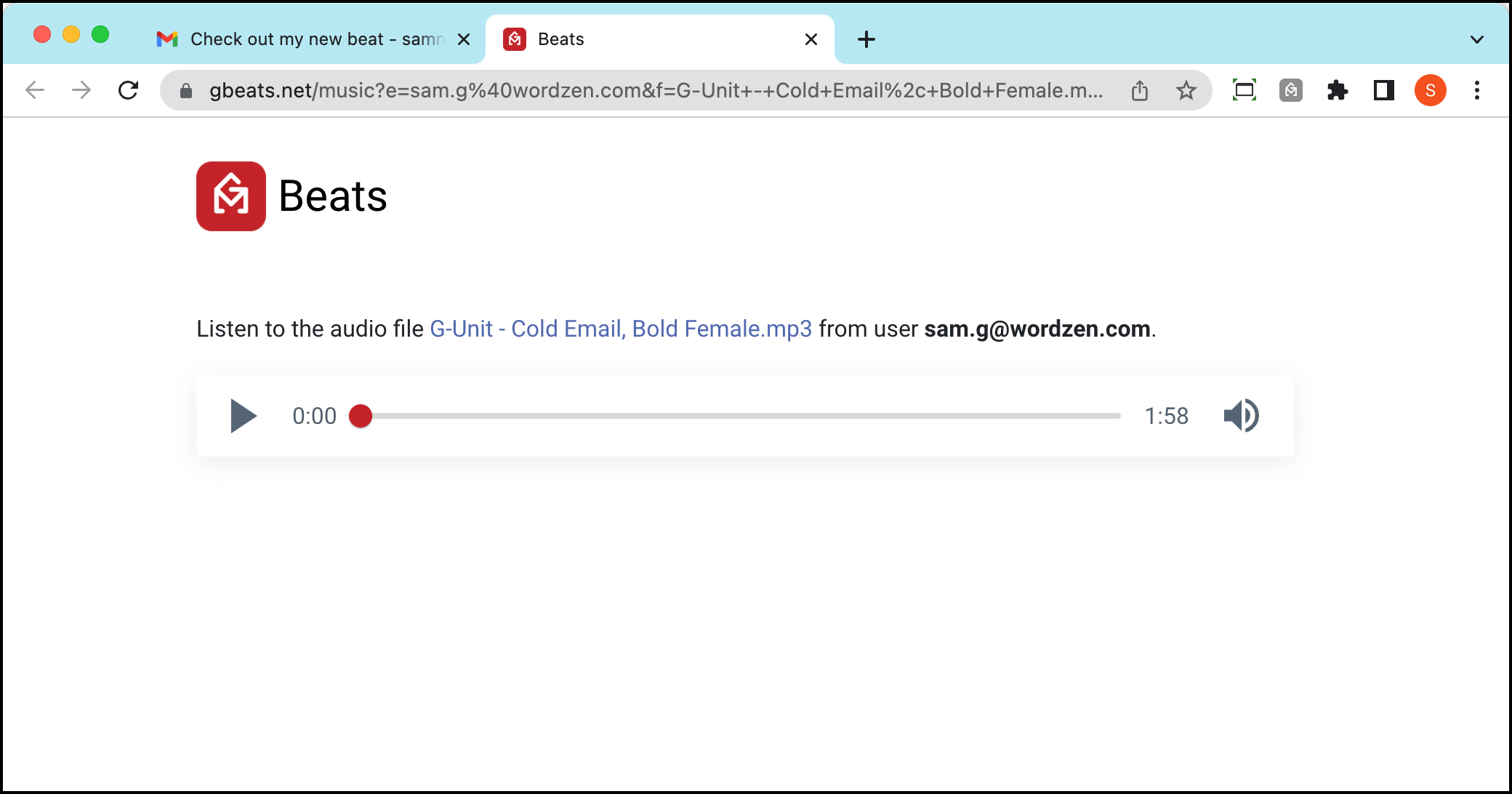
Your contacts will receive your email with the link to the beat (plus any other personalization you used).
When they click on the link, they’ll go to a special gbeats.net URL with an embedded music player where they can listen to what you sent.
They can also download the full music file in that window.
Track your results to find out who’s listening
Now that you’ve sent out your beat with tracking turned on, you can see how your beat is doing in the GMass dashboard.
Find your campaign, then notice the new music note column in the stats. That shows you how many people have listened to your beat.
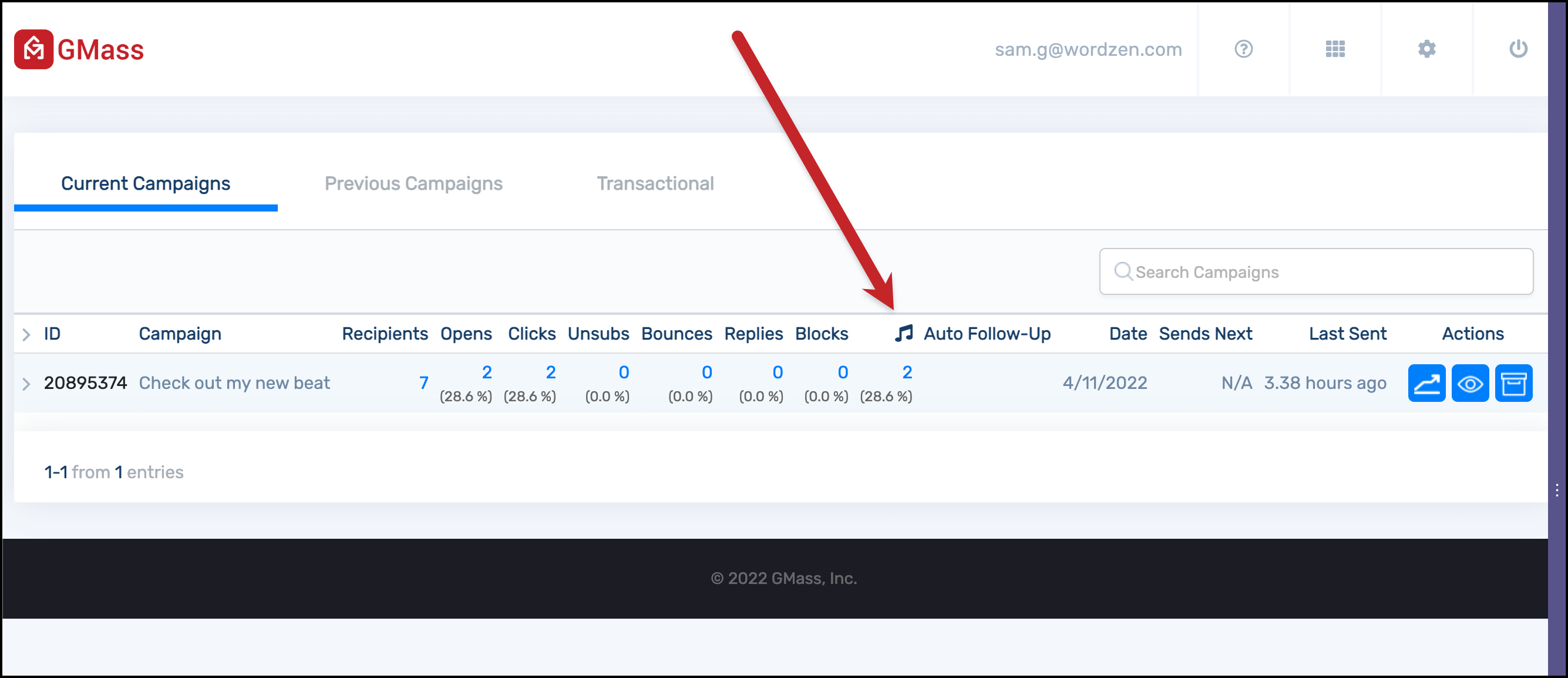
When you click on the number in that column, you’ll see the right sidebar appear. There, you can see the email addresses of everyone who listened, how many times they listened and how long they listened to your file.
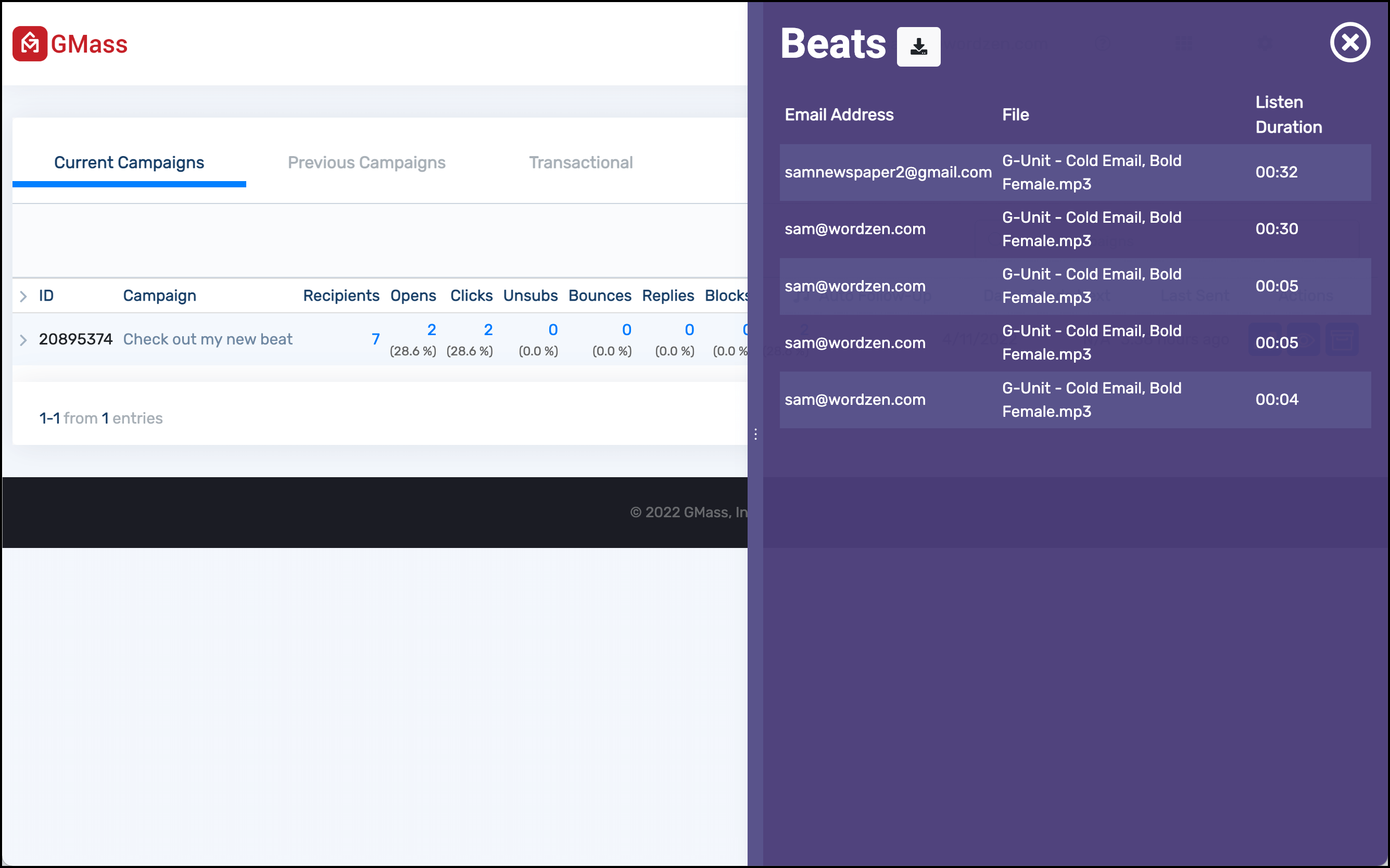
From that sidebar, you can download a CSV file with all of the listening data.
You can also get your stats (and download a CSV with the data) from GMass’s web-based report for your campaign.
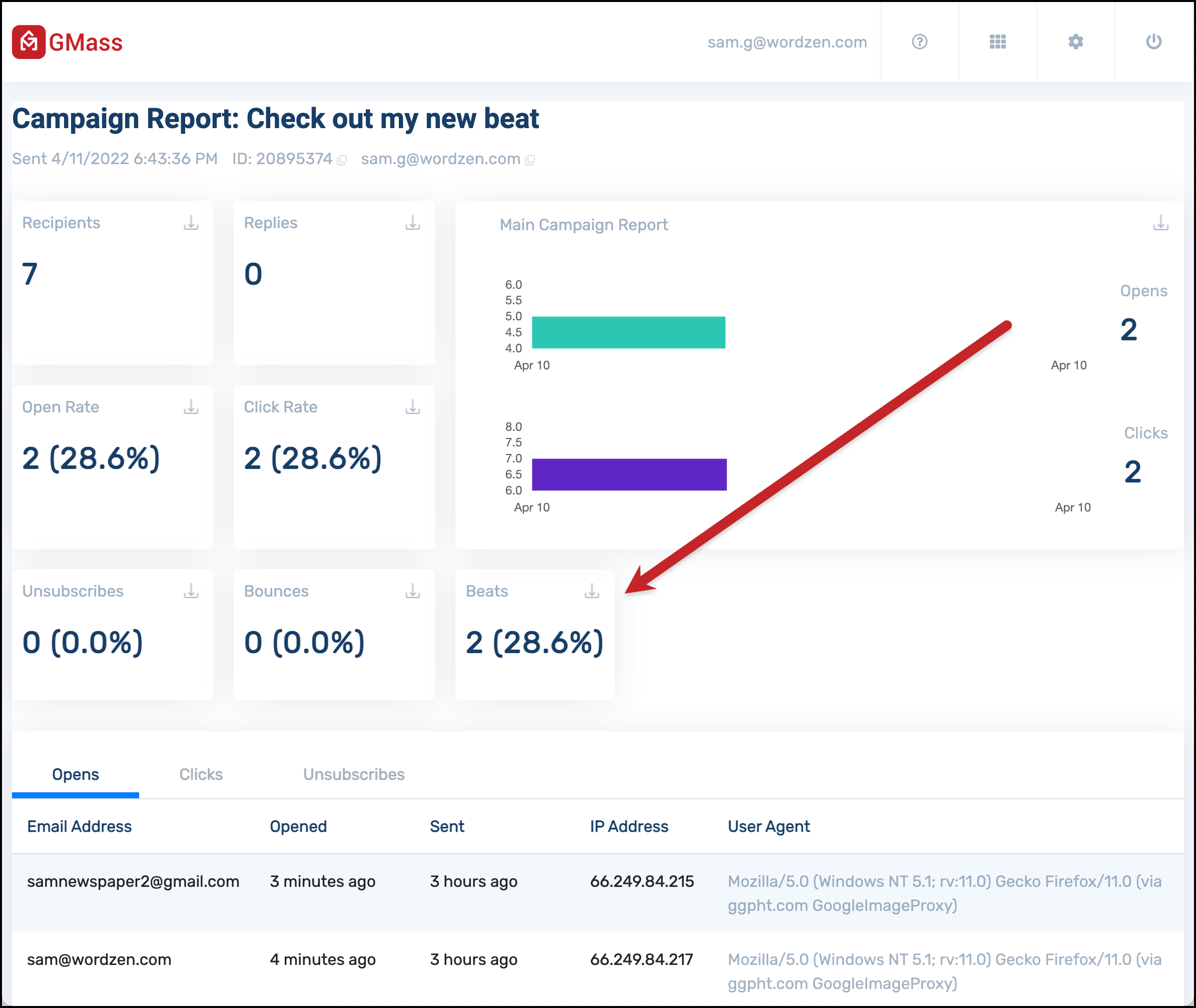
How GMass handles beat tracking for large music file attachments (25 mb and up)
When you attach a large file (meaning 25 megabytes or larger) to a message in Gmail, Google automatically uploads the file to Google Drive and puts a download link in your message.
Some of the beat audio files you send may be that large (or larger). We wanted to make sure you could still track listening stats on those as well.
To do so, you’ll need to give GMass some new Google Drive permissions. We don’t ask for these permissions when you install GMass because in most situations, we don’t need them. We do need them here, though, in order to turn your beat into a trackable file.
Attach your large music file to your campaign (either by drag-and-drop or clicking the attach button.)
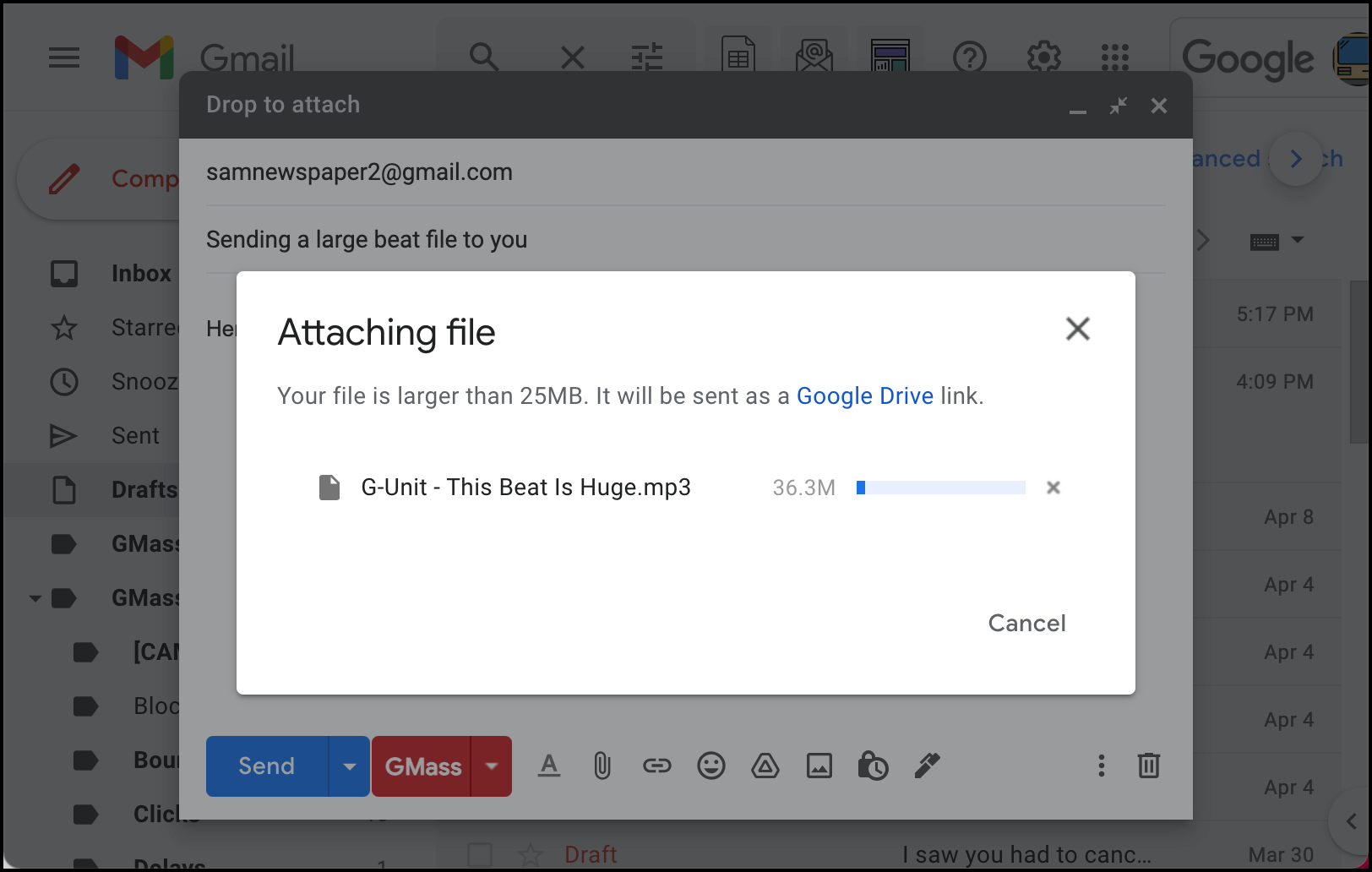
Google will automatically upload it to Google Drive to turn it into a Drive link.
But… GMass still detects it’s a music file, so you’ll still get the pop-up asking you if you want to convert it to a trackable link. Click “Yes please!”
Now you’ll need to give GMass permission to connect to your Google Drive (if you haven’t done this already for another purpose with GMass, like personalized attachments). Google requires us to ask for a lot of permissions here unfortunately — as always, the only reasons GMass ever goes into your Google Drive is so we can connect your campaigns to Sheets, include your personalized attachments if you ever use them, or now to turn your beats into trackable files.
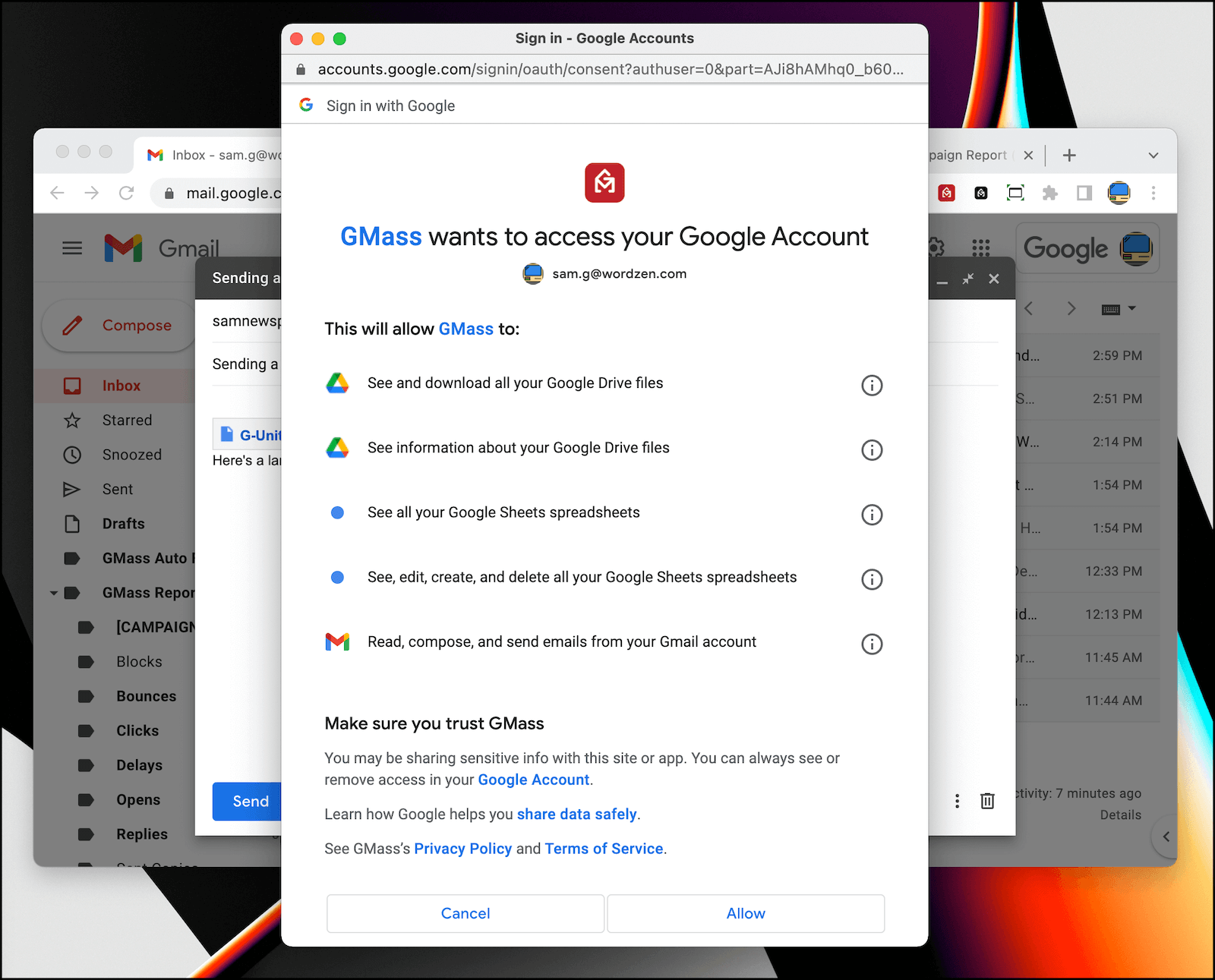
Once you give GMass permission, you’ll get the trackable audio link in your email. It works exactly the same as the trackable links for smaller audio files.
Click tracking with beats: On or off, your call
By default, click tracking is turned on for GMass campaigns. We know many cold emailers like to turn click tracking off for various reasons (check out our article on optimal cold email settings where we dig into the rationale).
The good news: Beat tracking is independent of click tracking. So GMass’s beat tracking features will work whether you have click tracking on or off.
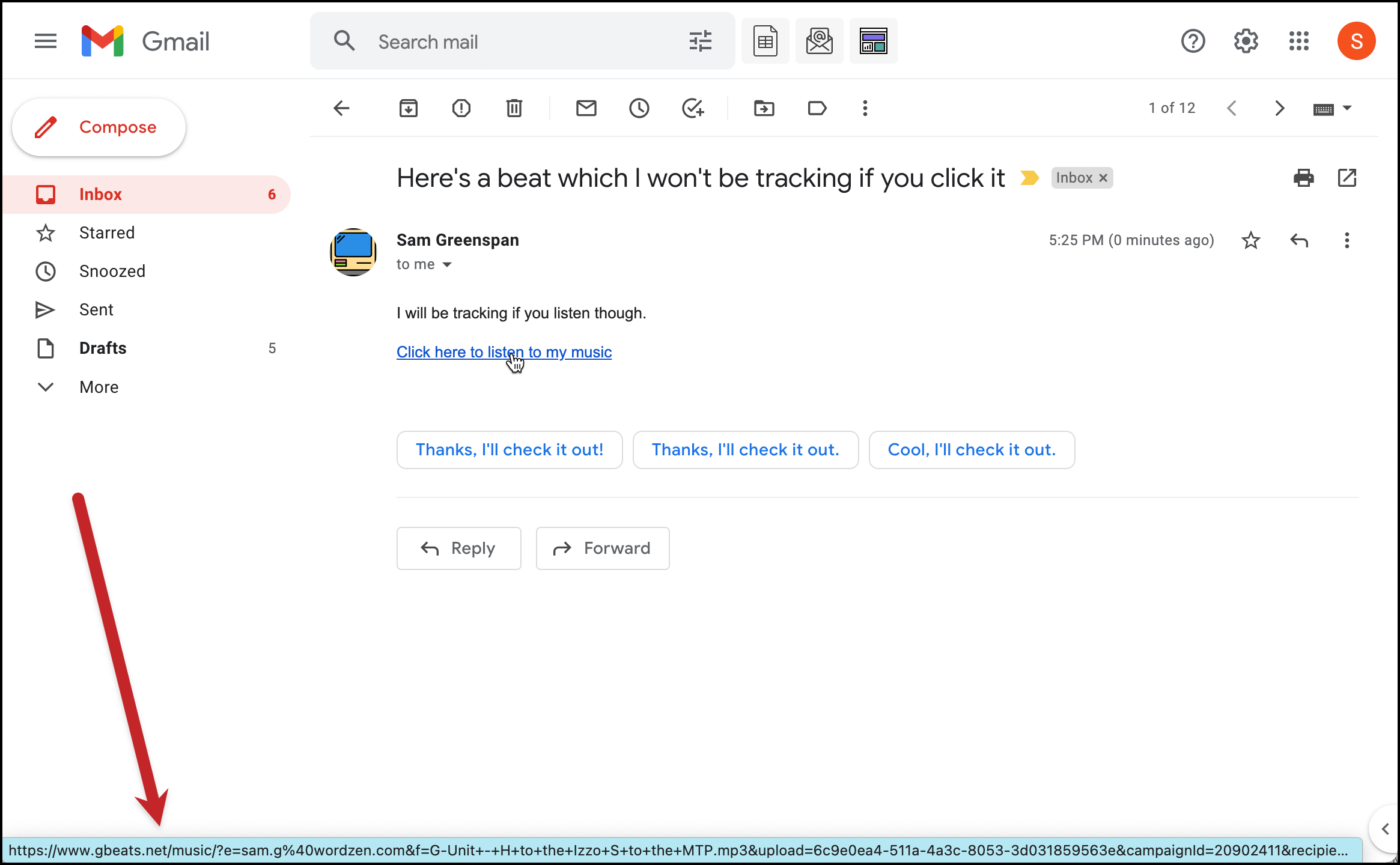
Here I’ve turned click tracking off for a campaign:
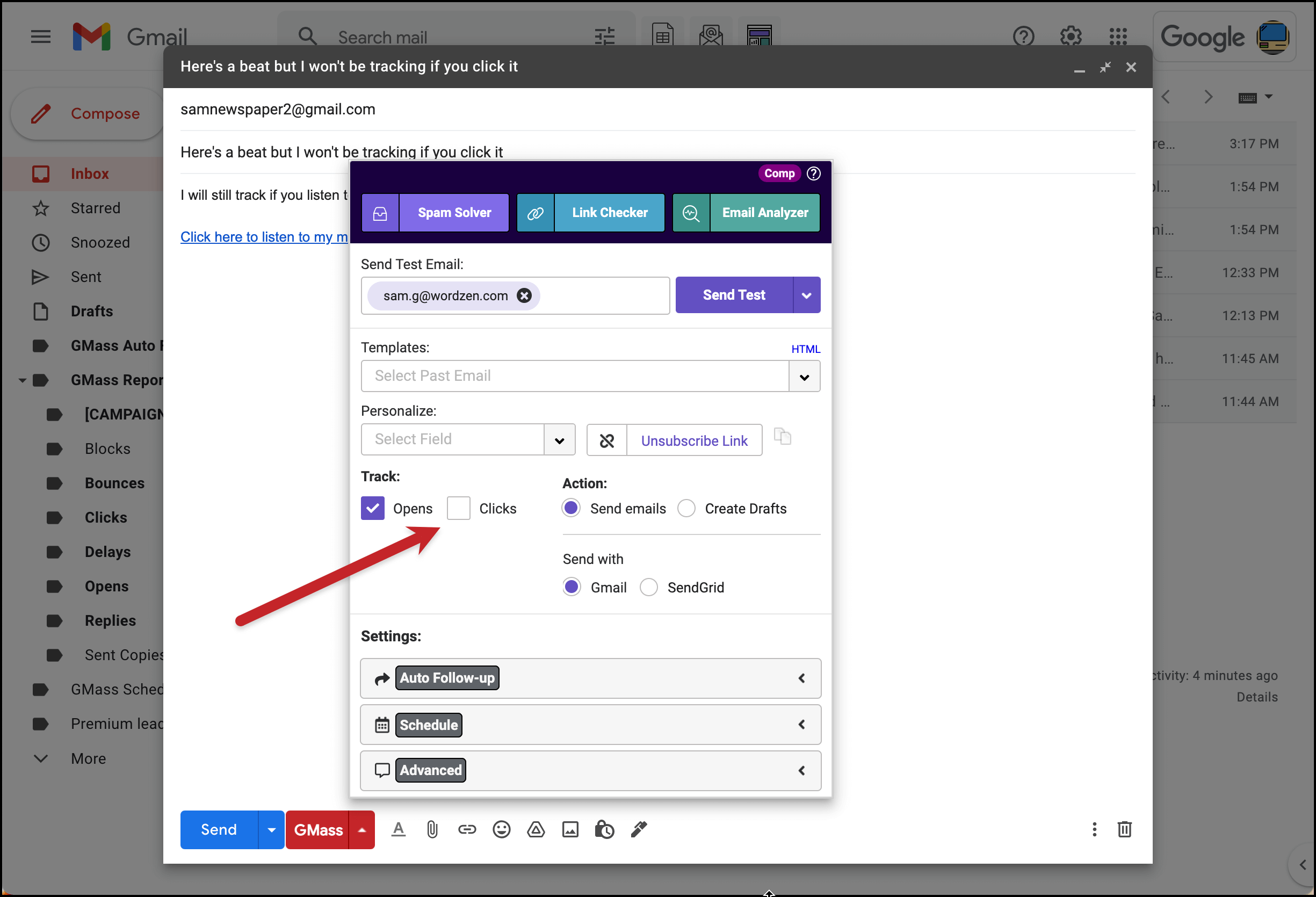
If you have click tracking off for your campaign, the link in your email will go to https://www.gbeats.net/?xxxxxxx. You can see in this image what the link looks like when I mouseover.
If you have click tracking on for your campaign, the link in your email will show your custom tracking domain or one of GMass’s Amazon AWS trackers. (When someone clicks, of course, it will still take them to the beat page where they can listen.)
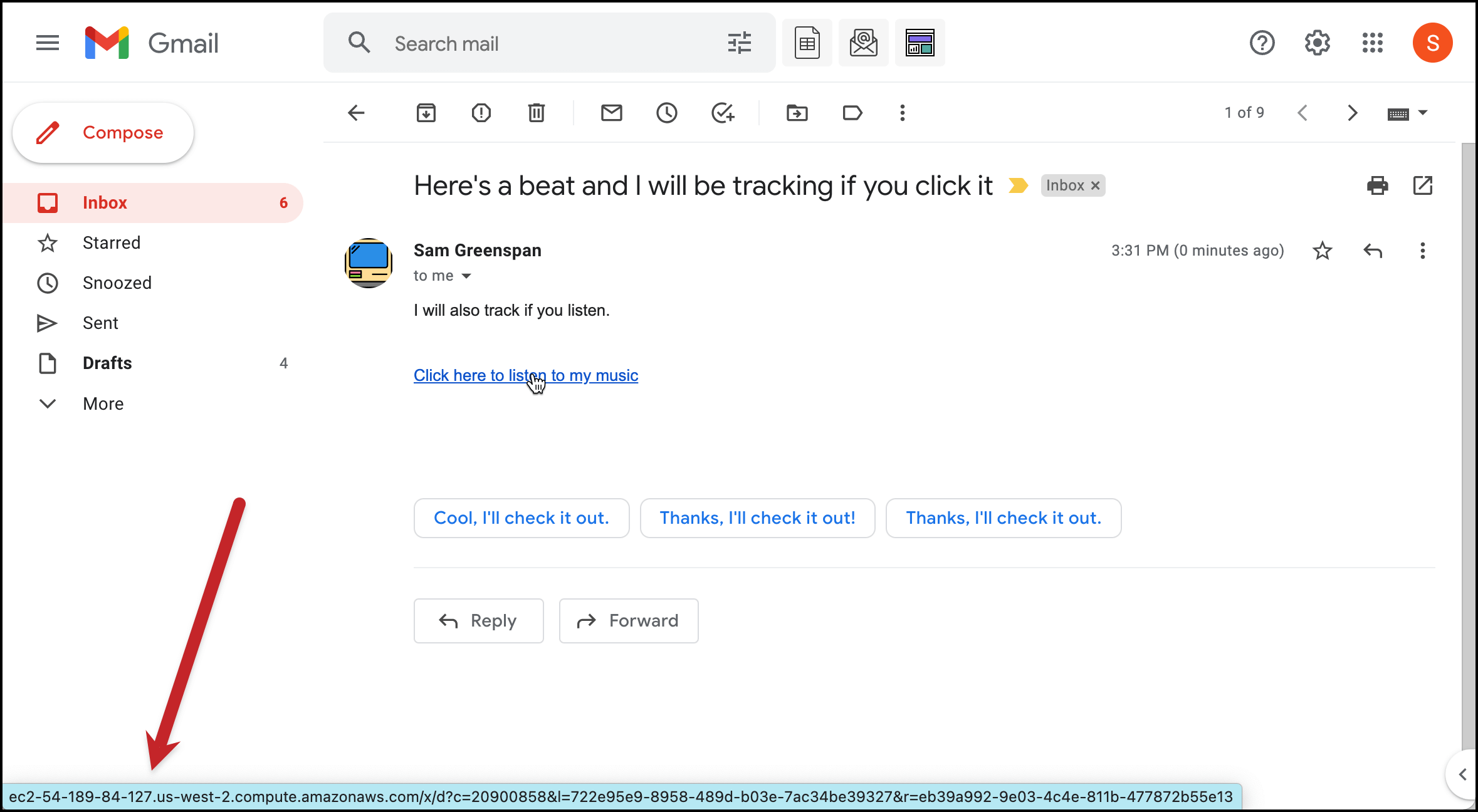
But in either case, when people click through to listen to the beat, you’ll get full stats on who clicked, how many times they listened, and how long they listened. With click tracking off, you just won’t get any data in the Clicks column of your campaign reports.
What can I do with this new beat tracking and listening data?
With GMass’s new beat tracking feature, suddenly you’ll have lots of data on who’s listening to your beats and more. What can you do with that data? We’re sure you’ll come up with a lot of your own ideas, but here are three big ones from us:
Send new targeted campaigns to people who listened to your beat
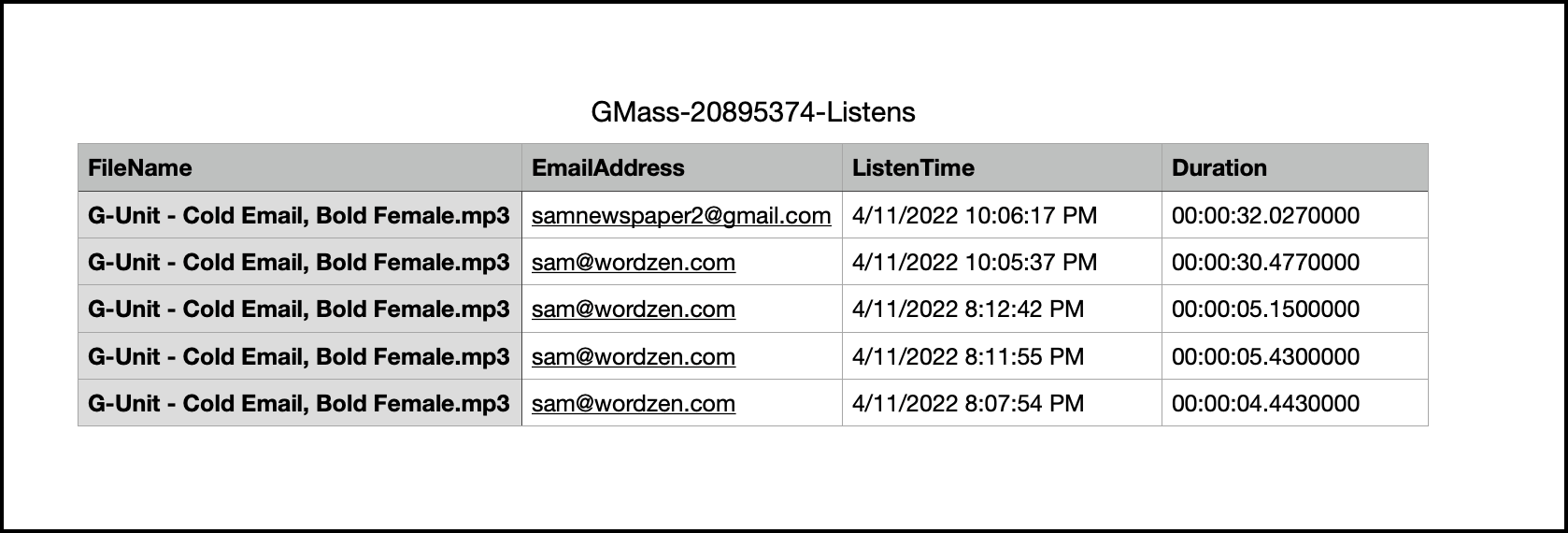
You can download a CSV file of everyone who listened to your beat — including their email addresses.
Send a new campaign (or many future campaigns) to those people, knowing they’ve shown interest — maybe offering them a deal, maybe showcasing other beats, or anything else you might want to do to get them to buy from you.
Just import that CSV into Google Sheets and and link it to a new campaign.
Use the listening data for list clean-up and improving your emails
List clean-up is always a good thing. By removing people from your list who aren’t interested (and probably never will be), you should see better performance on your emails, more accurate data, and ultimately better inbox deliverability.
The listening data is a valuable asset for you as you figure out who should stay on your email list and who you should remove.
Beyond that, you can also use the listening data to improve your emails.
Are you seeing a lot of people opening your emails but not taking the time to listen to your beats? With this new data, you can find out. And if that’s the case — high open rates, lower listening rates — you know you need to work on what you’re saying in your messages to entice people to listen.
Use the listening data as feedback on your beats themselves
GMass’s data shows how long people listen to your beats. This is really valuable — because you can see where people are dropping off.
Are they stopping in the first few seconds? Maybe you need to change up the intro.
Are lots of people stopping at a certain point? There’s something at that point that could be a turn off.
Are people listening all the way through — maybe even multiple times — but not buying? You need to work on your call-to-action so people want to purchase your beats after they listen to them.
GMass beat tracking: Answers to your burning questions
Here are some answers to (what we are assuming will be) frequently asked questions about GMass’s beat tracking service.
How much does it cost to have this new beat tracking feature?
There is no extra cost for using beat tracking — it’s totally free. Call it our latest way of showing love to all the beat makers who’ve made GMass blow up in the community.
What if I don’t want to track listening?
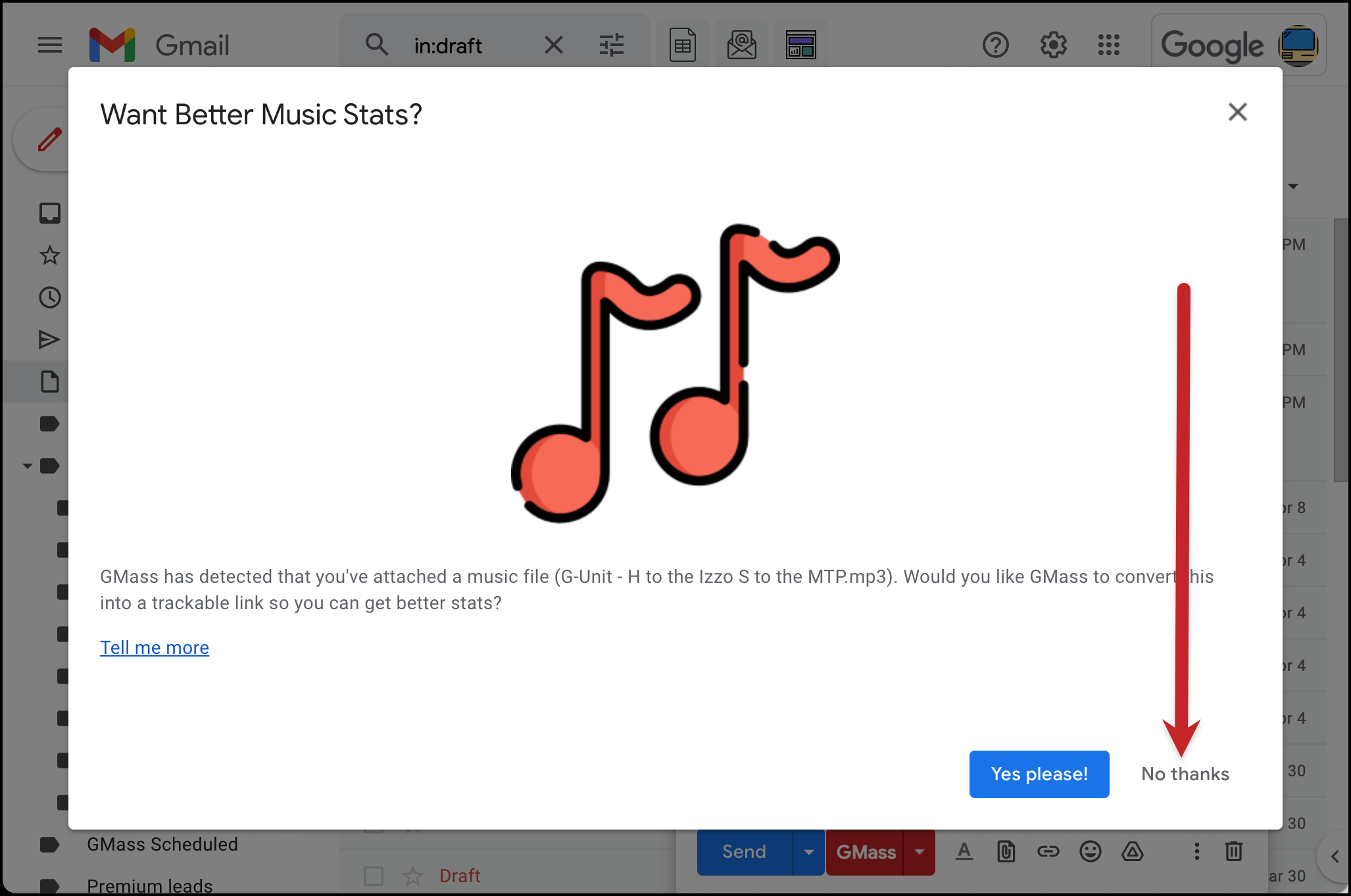
Beat tracking is totally optional. If you don’t want to track listens, upload your mp3 or other audio file normally. When the pop-up asks if you want to turn it into a trackable link, click “No thanks.”
Can I get rid of the beat tracking popup completely so it stops popping up whenever I attach a music file?
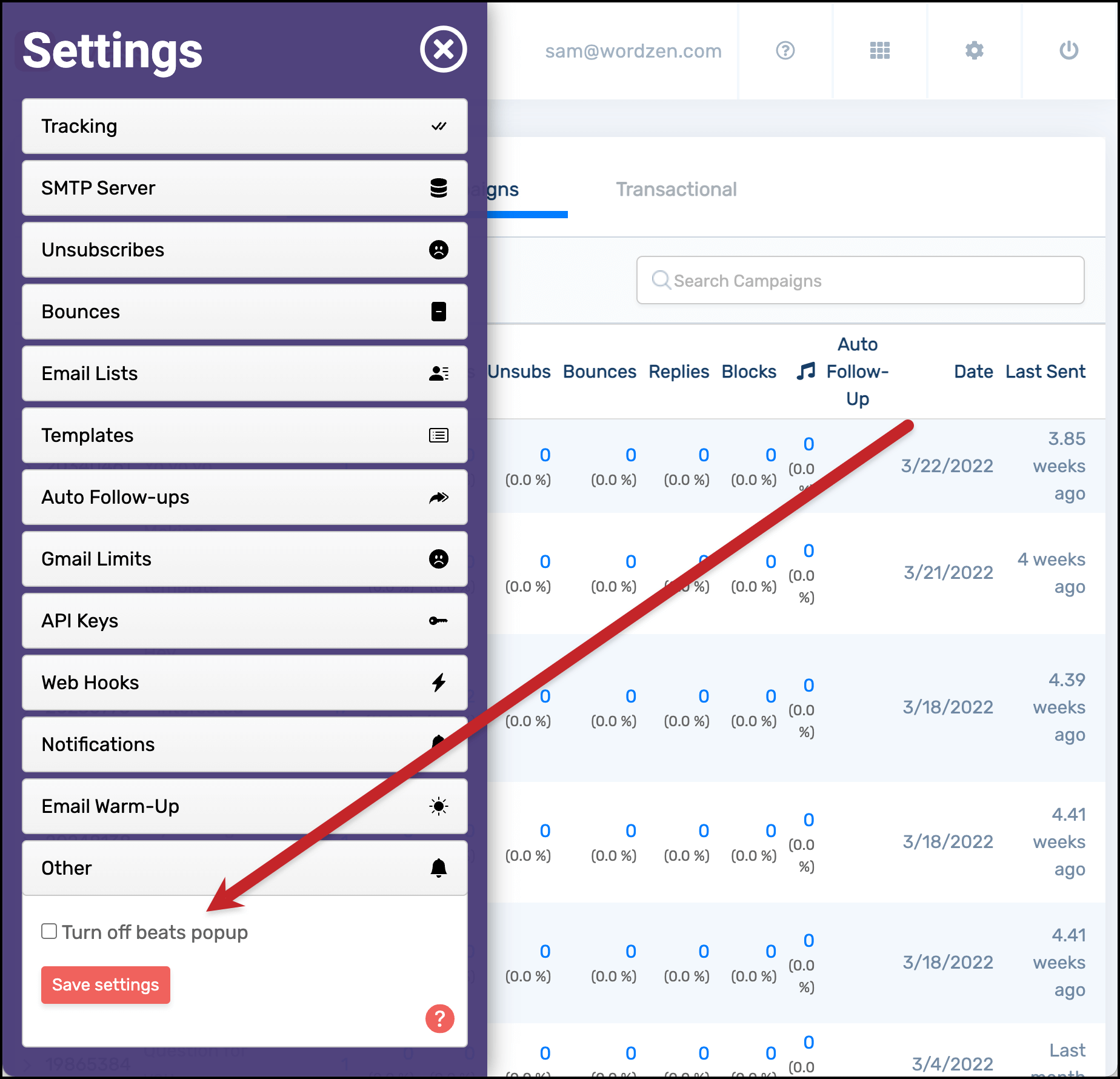
Yes you can turn off the beats popup altogether. Head to the GMass dashboard, go into your settings, and check the box to “Turn off beats popup.” Then save your settings.
If you ever want to bring back the popup, just go back to your GMass dashboard settings and uncheck the box.
Will this tracking only work for beats, or will it work with any type of audio?
While we made this feature for our beat makers, it will absolutely work with any type of audio file: Songs, podcasts, audiobooks, audio-only instructional courses, spy recordings for all of our GMass users out there at the NSA.
However, the trackable links will always take people to gbeats.net. Maybe one day we’ll have gsongs.net, gpodcasts.net, and such — for now, though, everyone’s headed to gbeats.net.
Does this only work with mp3 files?
Nope. It works with WAV files, AAC files, and Ogg Vorbis files as well… if GMass detects you’ve attached a music file, it will turn it into a clickable link.
GMass beat and listen tracking: Conclusion and summary
GMass has become the cold email marketing platform of choice for beat makers — and we want to make it an even better place to share, promote and sell your beats.
With GMass’s new beat and listen tracking, you can get incredibly valuable new data about your beats — with no extra software, services, or even configuration required.
When you attach an audio file of your beat to an email in Gmail, GMass will automatically detect it and ask if you want to turn it into a trackable link.
Then, whenever any of your contacts click that link, they’ll go to a special page where they can listen to the beat — and you’ll get data on who listened, when they listened, and how long they listened for.
Use that data however you need, from retargeting people who listened to using the data as passive feedback on your beats.
The beat tracking service is included with GMass — it’s free for all GMass users and will automatically work with your account.
If you aren’t a GMass user yet, this seems like about as good a time as ever to sign up. Just download the GMass Chrome extension and get started for free. You’ll be sending your first campaign — with beat tracking — in minutes. (And if you want even more before you sign up, check out our page on why GMass is the cold email service of choice for beat makers everywhere.)
GMass is the only tool for marketing emails, cold emails, and mail merge — all inside Gmail. Tons of power but easy to learn and use.
TRY GMASS FOR FREE
Download Chrome extension - 30 second install!
No credit card required