All About Auto Follow-Ups With GMass Gmail Plug In

As an enhancement to our popular auto follow-up email feature, you can now configure auto followups to send to recipients that didn’t click a link in your email, in addition to the regular options of didn’t reply, didn’t open, and everyone. You can also choose to send to everyone who didn’t reply or click.
Why would you want to have auto follow-ups based on not clicking?
You send a link to a survey or an email poll that you want your recipients to click on and take. If they didn’t click on it you know they didn’t even look at the survey. So in this case, you might have an auto follow-up email sent 1 Day after to those that didn’t even click the link.
When configuring your auto followups, you will see the new Didn’t Click option in the dropdown menu for each followup Stage.
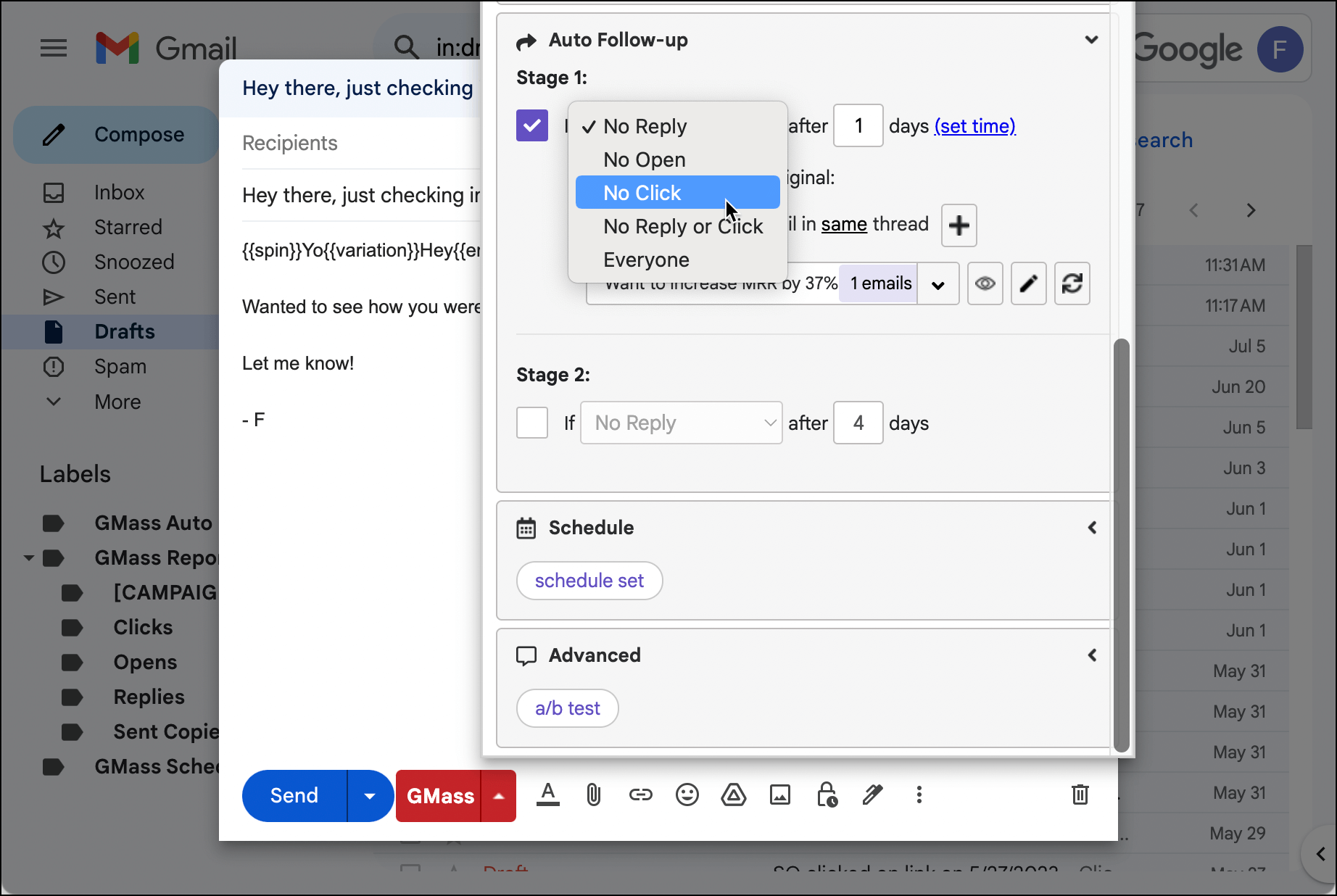
There are a few important points to know when using the “No Click” option:
- You must turn on Track Clicks for GMass to know who clicked and who didn’t.
- For now, you can’t specify which link must be clicked remove a recipient from the auto follow-up sequence. Any tracked link that is clicked will remove the recipient from the sequence.
- Remember that a link only has click tracking applied to it if its anchor text is NOT a URL. Meaning if you’re linking to Google, this link will not be tracked: Go to www.google.com. But this link WILL be tracked: Go to Google.This is to avoid phishing detectors. See this article for more information on which links GMass tracks and why.
And as with all the “sequence stoppage” triggers, you can always double check your campaign’s calendar view to make sure the people who’ve clicked are removed from future emails in the sequence.
Only GMass packs every email app into one tool — and brings it all into Gmail for you. Better emails. Tons of power. Easy to use.
TRY GMASS FOR FREE
Download Chrome extension - 30 second install!
No credit card required

Ajay is the founder of GMass and has been developing email sending software for 20 years.